You built the rig, checked the GPU benchmarks twice, and queued up your first big install. Then a driver popup stalls the match before it even loads. Nobody warned you the operating system was the actual gatekeeper the whole time.
Most new PC gamers focus on graphics cards, screen refresh rates, or headset comfort, but few consider how their choice of operating system might influence their early gaming experiences. The OS is usually just a checkbox on the specs list, but it quietly shapes everything from game compatibility to update surprises. Many beginners learn this only after a session ends with a mysterious popup or an unexpected restart in the middle of a match, right around the same time they’re comparing gaming monitors and other hardware that gets far more attention than the software underneath it.
Early Hurdles: Why OS Selection Catches New Gamers Off Guard
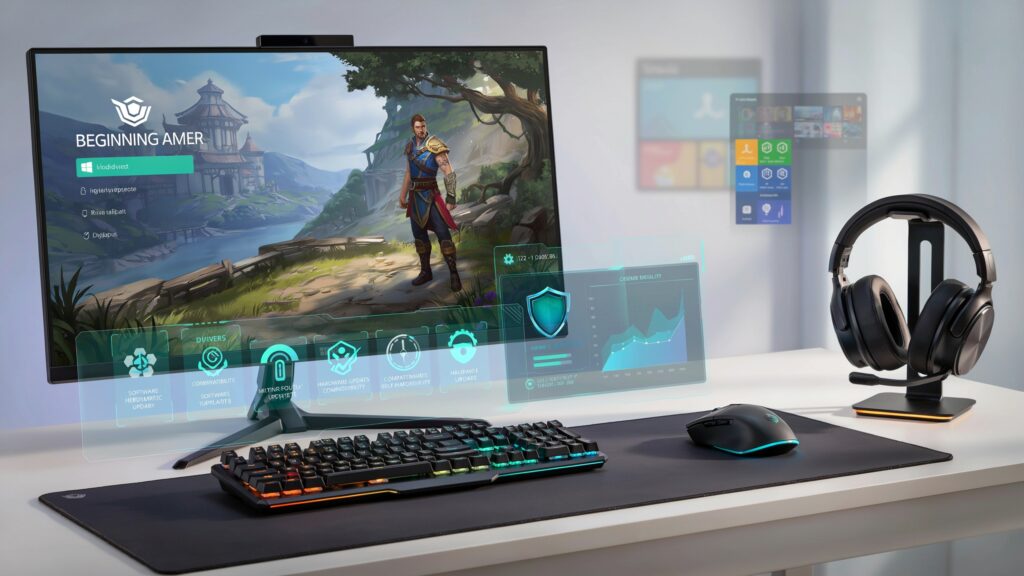
The average beginner expects most games to run flawlessly as long as their hardware is decent. Yet, the OS is the gatekeeper for drivers and software needed to launch modern titles. Windows has always led for sheer compatibility, but every version comes with its quirks. Error messages about missing libraries or blocked updates leave many new players combing through forums when they’d rather be gaming.
Missing runtime libraries
A game launches into an error instead of a menu because a dependency never installed automatically.
Forced restarts mid-session
Background updates schedule themselves without warning, sometimes right in the middle of ranked play.
Driver mismatches
A GPU driver that’s a version behind can quietly tank performance or cause crashes with no clear error message.
The right license becomes crucial here. For instance, a Windows 11 pro license key purchase isn’t just about accessing core features, it can smooth the path for gaming performance tweaks and broader compatibility with newer releases. An OS upgrade sometimes transitions a gaming setup from “barely adequate” to genuinely playable, especially as more publishers optimize for the latest systems and roll out demanding triple-A releases that lean hard on current-gen features.
Trust and Comparison: Where Do Gamers Buy Their OS and Games?
When it comes to the best site to buy PC games, most buyers weigh their options between official stores and reputable digital marketplaces. Security, price transparency, and region clarity matter just as much as variety. Digital marketplaces stand out because they collect offers from multiple verified merchants, often leading to better prices and faster code delivery. Platforms like Eneba are structured with clear region tags on listings, monitored vendors, and visible seller ratings, helping buyers avoid compatibility headaches and risky purchases. Newcomers are always wise to double-check their PC’s region settings before checkout to prevent installation issues, a habit worth pairing with a quick look at a lab-tested VPN comparison if shopping across international storefronts.
Pre-launch OS checklist for a new gaming PC
- Confirm your OS edition and license.Verify you’re running a genuine, activated copy before installing anything major.
- Update GPU and chipset drivers first.Most beginner crashes trace back to outdated drivers, not the game itself.
- Check the game’s compatibility requirements.Some titles specify minimum OS builds, not just hardware specs.
- Review your region and account settings.Mismatched regions cause more install failures than most players expect.
- Enable a dedicated gaming or performance mode.Built-in OS features can quietly reduce background interruptions during play.
The OS as a Springboard, Not a Limitation
While every OS offers its own flavor of built-in features, the biggest factor for beginner gamers tends to be whether the system “gets out of the way” and lets them experiment with different titles. Windows 11, for example, has made efforts to streamline updates and prioritize gaming modes, but some hobbyists still opt for older versions or Linux out of habit. What usually tips the scale is not philosophy or UI preference, but how quickly issues can be fixed when something goes wrong.
| Factor | Windows | Linux |
|---|---|---|
| Out-of-box compatibility | Broadest support across new releases | Improving fast, but still title-dependent |
| Driver setup | Mostly automatic, occasional conflicts | More manual, but very stable once configured |
| Troubleshooting resources | Huge forum and support base | Strong community, steeper learning curve |
| Update behavior | Can interrupt sessions if unmanaged | Fully user-controlled scheduling |
| Best for | Beginners who want fewer decisions | Hobbyists comfortable with tinkering |
Technical confidence grows fastest when the OS doesn’t force constant troubleshooting. For many, their early wins come simply from finding a version that “just works” with their favorite types of games, and only then do details like performance boosts and customization become interesting, the same curiosity that eventually leads players toward tweaks like a Sodium FPS boost setup or experimenting with community mods once the basics feel stable.
Navigating the beginner phase of PC gaming is smoother when buyers can access the right tools and games without mystery charges, confusing language, or regional restrictions. That shift toward trusted, choice-driven buying is already visible on platforms like Eneba, where shoppers can browse Windows licenses, games, and top-ups all in one place, right alongside picking up a best PC games of 2025 list or a subscription like Xbox Game Pass to fill out a fresh library.
The short version: the OS isn’t a footnote on the specs sheet, it’s the layer everything else depends on. A properly licensed, up-to-date system removes more beginner headaches than any single hardware upgrade.
Quick Answers
Home covers most gaming needs fine; Pro mainly adds features aimed at advanced configuration and networking rather than raw gaming performance.
It’s often a missing runtime library, an outdated driver, or a region mismatch on the license, rather than the hardware itself falling short.
It can be, as long as the seller is verified and the listing clearly states the license type and region before checkout.