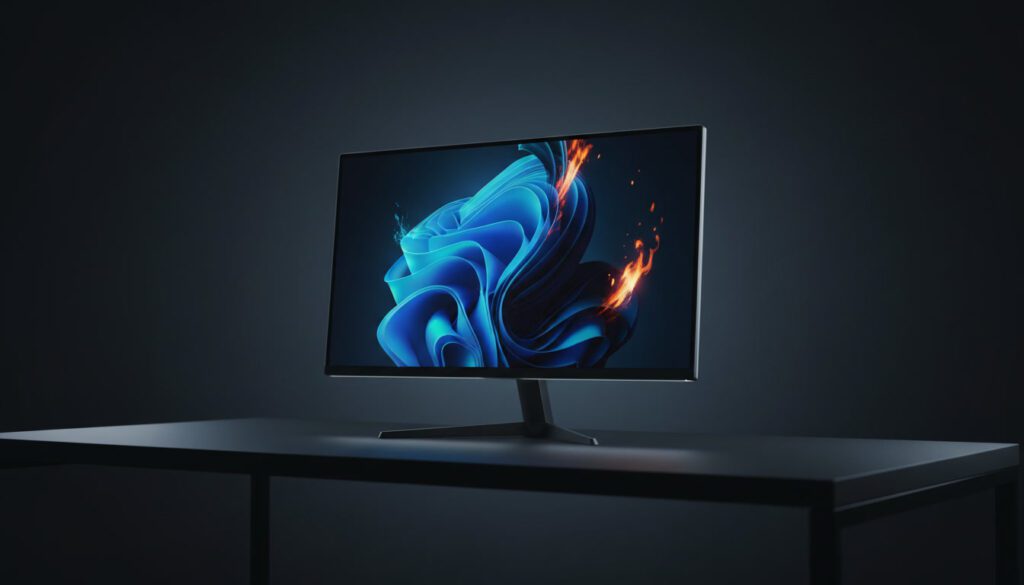
Specs are confusing. Brands oversell everything. And the wrong choice will haunt every gaming session for years. Here’s what actually matters — and which screens are worth your money right now.
The “Golden Trio” of Specs Core Specs
Walk into any monitor forum and you’ll find people arguing about resolution, refresh rate, and panel type — forever. Here’s the real story: none of these specs exist in a vacuum. They trade off against each other, and the right combo depends entirely on what you play.
1. Refresh Rate — The One That Feels Instant
This is how many frames your screen draws per second. At 60Hz, gameplay feels like a film. At 144Hz, it feels like reality. At 240Hz, competitive players gain a measurable reaction-time edge. Beyond that — 360Hz and 500Hz monitors exist, mostly for professional esports.
For most PC gamers, a 144Hz gaming monitor is the sweet spot. For serious competitive players — CS2, Valorant, Apex — go 240Hz. Console players on PS5 or Xbox Series X are capped at 120fps, so 144Hz is perfectly adequate there too. If you’re curious how games are evolving to push these limits, see the best PC games of 2025.
2. Resolution — How Sharp Is Your World
1080p is cheap and easy to run — fine for budget builds or 24″ screens. 1440p is the current sweet spot for 27″ monitors: noticeably sharper than 1080p without demanding a high-end GPU. 4K is jaw-dropping on a 4K gaming monitor, but you’ll need serious GPU horsepower to actually hit 60fps+ in modern titles.
OLED panels at 4K — like the LG UltraGear OLED — now make that premium feel accessible, though the price tag still stings.
3. Panel Type — OLED, IPS, or VA?
- IPS — Wide color gamut, accurate colors, fast response. Best all-rounder for most gamers.
- VA — Deeper contrast, better blacks. Great for dark atmospheres but slower pixel response can cause ghosting in fast games.
- OLED — Perfect blacks, infinite contrast, lightning-fast 0.03ms response times. The best panel type available. Higher cost, potential burn-in risk with static elements.
Refresh Rate × Game Genre: Quick Reference
| Game Genre | Minimum | Recommended | Overkill | Why |
|---|---|---|---|---|
| FPS / Battle Royale | 144Hz | 240Hz | 360Hz+ | Every ms of input lag matters |
| RPG / Open World | 60Hz | 144Hz | 240Hz | Smoothness appreciated, not critical |
| RTS / MOBA | 60Hz | 144Hz | 240Hz | Clarity > raw refresh speed |
| Racing / Sports | 60Hz | 144Hz | 240Hz | Motion clarity helps, not critical |
| Horror / Narrative | 60Hz | 120Hz | 144Hz | Atmosphere trumps refresh rate |
| Console (PS5/Xbox) | 60Hz | 120–144Hz | 144Hz | Consoles cap at 120fps output |
Best Gaming Monitors by Category 2026 Picks
Best 4K & OLED Gaming Monitors (Premium)
If you want the best image quality money can buy, these are your options. A good 4K OLED gaming monitor is still expensive — but the experience is genuinely unlike anything else.
LG UltraGear 27GX790A OLED
The LG UltraGear line continues to define OLED gaming. This model pairs 1440p OLED quality with a blistering 480Hz refresh — meaning competitive players and visual quality enthusiasts can both stop compromising.
- Unmatched contrast & color
- 480Hz suits esports & single-player
- Near-instant pixel response
- Premium price (~$800–900)
- Burn-in risk with static HUDs
Samsung Odyssey OLED G8 (2026)
Samsung’s best OLED is for people who play visually rich games — RPGs, open-world titles, anything cinematic. The HDR implementation on this panel is reference-grade. At 4K 165Hz on a 32″ OLED, it’s hard to top. Perfect for titles covered in our best single-player PC games guide.
- Stunning 4K HDR image
- Smart TV features built-in
- Console + PC friendly
- Expensive (~$1,000+)
- 165Hz won’t satisfy esports
Best 1440p Gaming Monitors (The Sweet Spot)
The best 1440p gaming monitor is where most PC gamers should land. More pixels than 1080p, lighter GPU demands than 4K, and plenty of panel options from budget to premium. These are the best right now.
ASUS TUF Gaming VG27AQZ
The ASUS TUF gaming lineup earns trust through consistency. This 1440p IPS panel offers excellent colors and a fast enough refresh for every genre except pro esports. The price-to-performance is almost unfair.
- Reliable IPS color accuracy
- 165Hz handles all game genres
- Great value ~$280–320
- Not OLED — backlight bleed possible
- Stand is basic
MSI Optix MAG342CQR (Curved)
MSI’s curved ultrawide is the best-value entry into widescreen gaming. The 21:9 format genuinely transforms games like flight sims, racing titles, and open-world RPGs. At 1440p ultrawide with a VA panel’s deep blacks, it punches above its price. Great for story-driven games and triple-A titles where immersion matters most.
- Immersive ultrawide format
- Deep VA contrast
- Solid 144Hz for the price
- Not all games support 21:9
- VA ghosting in dark scenes
Best Gaming Monitor for PS5 & Consoles
Console gaming has specific needs: HDMI 2.1 for 4K/120fps, VRR support, and ideally a 32″ or larger panel if you’re sitting back from a desk. The best gaming monitor for PS5 in 2026 focuses on these rather than raw Hz count. Worth pairing with our breakdown of Xbox Game Pass and PS5 exclusives to understand what you’ll actually be playing.
LG UltraGear 32GQ850-B
HDMI 2.1 at 4K/120fps — exactly what PS5 and Xbox Series X need. The LG 32″ IPS delivers natural, accurate colors that make exclusives like Horizon and God of War look reference-quality. The 144Hz ceiling has no PS5 games to hit it yet, but you’re future-proofed. See also: Halo coming to PS5 and upcoming 2026 game releases.
- Full HDMI 2.1 support
- 4K looks great on 32″
- Works with PC too
- Pricier than 1080p console options
- Big footprint on smaller desks
Best Budget & Portable Gaming Monitors
Not every great gaming monitor costs $600. The best budget gaming monitor in 2026 gets you to 1080p 144Hz for under $150 — which was a premium spec just a few years ago. Portable options have also matured dramatically. If you’re building a budget gaming setup, also check out best idle games and best single-player PC games that won’t punish you for lower frame rates.
AOC 24G2SP
AOC has always punched above its price range and the 24G2SP is the proof. 1080p at 165Hz on an IPS panel for around $120–140. If you’re a student gamer or building a first PC setup, this is the monitor.
- ~$120–140 price
- 165Hz IPS is fast & accurate
- Great for entry GPU builds
- 1080p shows its limits at 24″+
- Basic stand
Asus ZenScreen Go MB16QHG
A portable gaming monitor used to mean compromising on everything. Not anymore. This ASUS hits 1440p+ at 165Hz in a 16″ form factor, runs off a single USB-C cable, and has a built-in battery. It’s the best travel gaming screen available — ideal if you play VR games or on-the-go titles at different locations.
- 165Hz in a portable form
- Built-in battery (3–4 hours)
- Sharp 1600p panel
- ~$300 — premium for portable
- Small screen takes adjustment
2026 Monitor Comparison Table
| Monitor | Panel / Size | Resolution | Refresh | Price Range | Best For |
|---|---|---|---|---|---|
| LG UltraGear 27GX790A | 27″ OLED | 1440p | 480Hz | $800–900 | Esports + Visuals |
| Samsung Odyssey OLED G8 | 32″ OLED | 4K | 165Hz | $1,000+ | Premium Cinematic |
| ASUS TUF VG27AQZ | 27″ IPS | 1440p | 165Hz | $280–320 | Best Value PC |
| MSI MAG342CQR | 34″ VA Curved | 1440p UW | 144Hz | $350–420 | Ultrawide Immersion |
| LG UltraGear 32GQ850 | 32″ IPS | 4K | 144Hz | $550–650 | PS5 / Xbox |
| AOC 24G2SP | 24″ IPS | 1080p | 165Hz | $120–140 | Best Budget |
| ASUS ZenScreen MB16QHG | 16″ IPS | 1440p+ | 165Hz | $280–320 | Portable Gaming |
Brand Battle LG vs ASUS vs Samsung
Three brands dominate gaming monitor shelves right now. Here’s the honest breakdown — no PR fluff.
| Brand | Reputation In | Best For | Weak Spot | Value |
|---|---|---|---|---|
| LG UltraGear | OLED panels, color accuracy | OLED gaming, monitors for PS5 | Some QC variance on OLED | Premium Justified |
| ASUS TUF / ROG | Reliability, esports, value | 1440p IPS, competitive gaming | ROG line gets expensive fast | Excellent Mid-Range |
| Samsung (Odyssey) | Curved VA panels, Smart features | Immersive gaming, console use | VA ghosting in fast games | Good if price is right |
| Alienware | High-refresh IPS, build quality | Enthusiast PC builds | Often overpriced vs LG/ASUS | Pay for the brand |
| MSI | Curved ultrawides, budget-friendly options | Ultrawide gaming, RPG players | Inconsistent software/OSD | Solid Ultrawide Value |
| AOC | Budget-first, IPS quality | Students, first builds, esports | Build quality is basic | Best-in-class Budget |
Technical Checklist Before You Buy
Beyond the Golden Trio, these specs separate a frustrating experience from a great one. Run through these before clicking “add to cart.”
FAQ People Also Ask
What Should You Actually Buy?
There’s no single best gaming monitor — but there is a best gaming monitor for your situation. Here’s the decision matrix:
If you can only remember one rule: resolution for visual games, refresh rate for competitive ones. Start there, then match a monitor from this guide to your budget and setup. You won’t go wrong.