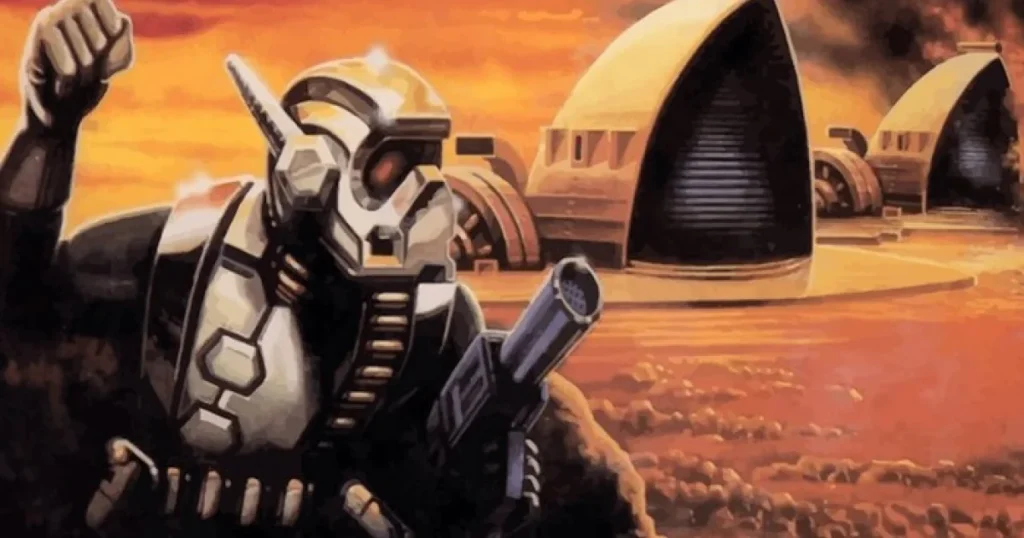
If you have ever wondered where the real-time strategy genre began, the answer is not StarCraft or Age of Empires. It is a 1992 DOS game called Dune II: The Building of a Dynasty. Developed by Westwood Studios and published by Virgin Interactive, Dune II did not just adapt Frank Herbert’s universe. It invented the conventions that every RTS still uses today: base building, resource harvesting, tech trees, and real-time combat on a scrolling battlefield.
The problem is that Dune II is now more than three decades old. It was built for MS-DOS. It does not run natively on Windows 11, macOS, or modern Linux. If you want to know how to play the original game Dune II in 2026, you need a guide that explains where to get it, how to make it work, and what to expect once the sand starts shifting under your harvesters. This article covers all of that.
What is Dune II and why does it still matter?
Dune II: The Building of a Dynasty was released on December 1, 1992 for DOS. In Europe it was called Dune II: Battle for Arrakis, and the Sega Genesis port was titled Dune: The Battle for Arrakis. It is set on the desert planet Arrakis, where three Great Houses, Atreides, Harkonnen, and Ordos, fight for control of the spice melange.
According to StrategyWiki, Dune II is widely considered the first mainstream modern real-time strategy game. It established the template that Command & Conquer, Warcraft, StarCraft, Age of Empires, and virtually every other RTS would follow. Before Dune II, strategy games were typically turn-based. Dune II made everything happen in real time.
What Dune II invented
Base construction with a Construction Yard. Resource gathering from the map. A tech tree that unlocks stronger units. Fog of war. Multiple factions with different units and strategies. Real-time unit production and combat. These ideas seem obvious now, but in 1992 they were revolutionary. If you are into game design and development, studying how Dune II solved these problems in a 320×200 DOS window is genuinely educational.
The game was directed by Brett Sperry and designed by a small team at Westwood who took the Dune license and turned it into something no one had seen before. Even if you have never played it, if you have ever built a barracks, trained soldiers, and sent them to attack an enemy base, you are following a path that Dune II carved. For fans of classic handheld strategy or retro console gaming, Dune II is the PC equivalent of a genre-defining milestone.
How can I play the original Dune II on a modern PC?
There are four main ways to play Dune II in 2026. Each has its own advantages depending on whether you want authenticity, convenience, or modern quality-of-life features.
Option 1: DOSBox (most authentic)
DOSBox is a free DOS emulator that runs old PC games on modern systems. This is the most authentic way to play Dune II because you are running the actual original game code. You will need a copy of the game files, which you can obtain legally from the Internet Archive or from an original floppy or CD if you own one.
According to PCGamingWiki, Dune II runs well in DOSBox with minimal configuration. Mount the game folder, run DUNE2.EXE, and you are on Arrakis. You can adjust cycles if the game runs too fast or too slow. Most players find around 3,000 to 5,000 cycles feels close to the original speed.
Option 2: Dune Legacy (free remake with modern features)
Dune Legacy is an open-source remake of Dune II that uses the original game data files but wraps them in a modern engine. It adds HD graphics, zoom, modern controls, online multiplayer, and battles with over 2,000 units. The latest release as of late 2025 is version 0.99.4, which added Steam integration and UPnP port forwarding for easier multiplayer hosting.
Dune Legacy is available for Windows, macOS, Linux, and Android. It is the best option if you want the original gameplay without the original interface frustrations. You still need the original Dune II data files, but once you point the remake to them, the experience becomes much smoother.
Option 3: Dune Dynasty (enhanced classic)
Dune Dynasty is another open-source enhancement built on a reverse-engineered version of the original engine. It adds quality-of-life improvements like modern resolution support, improved AI, and better controls while keeping the original feel intact. As of 2026, the project is actively maintained on GitHub with version 1.6.4 available.
Option 4: Play in your browser
If you want to try Dune II without installing anything, Dune2JS is an HTML5/JavaScript reimplementation that runs directly in your browser. Created by developer oklemenz and hosted on GitHub, it recreates the core Dune II experience using web technologies. It is not a perfect replica, but it is the fastest way to see what the fuss is about. Perfect if you are browsing for quick games to play between tasks.
| Method | Best for | Cost | Difficulty |
|---|---|---|---|
| DOSBox | Purists, historians | Free | Medium |
| Dune Legacy | Modern players, multiplayer | Free | Low |
| Dune Dynasty | Enhanced classic feel | Free | Low |
| Dune2JS (browser) | Quick try, no install | Free | Very low |
Where can I legally get the Dune II game files?
This is the most common question from new players. Dune II is old enough that it falls into a gray area for many people, but there are still legal ways to obtain it.
The Internet Archive hosts Dune II as part of its software preservation mission. While the legal status of abandonware varies by country, the Internet Archive operates under specific legal frameworks for preservation. Many players use this as their source for the game files needed by DOSBox, Dune Legacy, and Dune Dynasty.
As of 2026, Dune II is not officially available on GOG or Steam. It sits on GOG’s community wishlist, meaning fans have requested it but the rights situation, involving both the Dune intellectual property and the original publisher, has prevented an official re-release. If you own an original physical copy on floppy disk or CD, you are fully entitled to use those files. It would make a unique addition to any gifts for gamers collection alongside other retro classics.
A note about Dune 2000
If you want an officially available Dune RTS, Dune 2000 is on GOG’s wishlist as well, and the GruntMods Edition offers a modernized way to play that 1998 remake with full HD and online support. Dune 2000 is also supported by OpenRA, the open-source engine that rebuilds classic Westwood RTS games for modern systems.
What are the three houses and which one should I pick?
Dune II lets you command one of three Great Houses. Each has a different playstyle, unique units, and a distinct Palace superweapon. According to StrategyWiki and Nahoo’s Dune II house guide, here is how they differ.
House Atreides
The noble house. Balanced and honorable. Atreides gets the Sonic Tank, a powerful area-damage vehicle, and can summon Fremen allies from the Palace. Good for beginners because their units are reliable and their strategy is straightforward. Their infantry and vehicles are middle-of-the-road in cost and power.
House Harkonnen
The brutal house. Heavy, expensive, and devastating. Harkonnen gets the Devastator, a massive tank that can self-destruct for huge damage, and their Palace deploys a missile strike. Their infantry is tougher but slower. Best for players who like overwhelming force and do not mind paying extra for it.
House Ordos
The insidious house. Fast, sneaky, and tech-focused. Ordos gets the Deviator, a missile tank that temporarily converts enemy units to your side, and their Palace summons a Saboteur who can destroy buildings. They borrow tech from both other houses. Best for players who like harassment and unconventional tactics.
Which house is easiest for beginners?
Most experienced players recommend Atreides for a first playthrough. Their balanced units and straightforward Palace power make them forgiving. Harkonnen is powerful but expensive, which can punish economic mistakes. Ordos is tricky because their strength relies on precise use of the Deviator and Saboteur, which are harder to use effectively when you are still learning the basics.
How does the gameplay actually work?
Dune II is simpler than modern RTS games, but that does not mean it is easy. You start each mission with a Construction Yard, a few units, and some credits. Your goal is usually to destroy all enemy structures or stockpile a certain amount of spice.
Spice harvesting
Spice is the only resource. You build a Refinery, which comes with a free Harvester. The harvester drives onto spice fields, fills its hold, and returns to the refinery to convert spice into credits. According to the Dune RTS Wiki, harvesters have medium armor and no weapons, which makes them vulnerable.
Spice appears as orange-speckled tiles on the sand. There are two concentrations: light and heavy. Heavy spice yields more per trip. Spice blooms are special tiles that, when a unit drives over them or shoots them, explode and spread new spice nearby. You can deliberately trigger blooms to refresh depleted fields, but be careful, the explosion can damage units.
Base building
According to StrategyWiki, buildings can only be placed on rocky terrain, not sand. You must first lay Concrete Slabs as foundations. If you build directly on rock without concrete, structures will take slow damage over time. Buildings must also be connected to your existing base.
The core building chain is: Wind Trap (power) → Refinery (money) → Barracks or Light Factory (units) → Outpost (radar) → Heavy Factory (tanks) → High-Tech Factory (aircraft) → Palace (superweapon). Each house has slightly different costs and build times.
Combat
Units are produced individually and must be deployed from their production building. There is no rally point. There is no control group system. You click each unit, or drag a box to select a few, then right-click to move or attack. This is the biggest adjustment for modern RTS players. Dune II was built before those conveniences existed.
The sandworm threat
Sandworms roam the desert. Any unit that stays on sand for too long risks attracting one. Worms will swallow harvesters, infantry, and vehicles whole. Rock is safe. Building on rock is not just a rule, it is survival. If you hear the wormsign rumble, move your units to rock immediately.
What are the most important tips for new players?
Dune II punishes mistakes that modern RTS games forgive. Here are the lessons that will keep you alive on Arrakis.
Protect your harvesters at all costs
Your economy is everything. A dead harvester means no spice, which means no money, which means no army. Keep combat units near your spice fields. Build walls or place turrets near refinery exits. If a harvester gets eaten by a worm, build a replacement immediately from the Heavy Factory.
Build concrete slabs first
New players often skip concrete to save money. Do not do this. Buildings without concrete slowly lose health. Over a long mission, that free savings becomes expensive repairs or lost structures. Lay concrete first, always.
Expand to fresh spice early
Spice fields deplete. If you are still mining the same patch by mission 4, you are already in trouble. Scout the map with light vehicles and claim new fields before the enemy does.
Use the right factory
Infantry comes from the Barracks or WOR (for some houses). Light vehicles come from the Light Factory. Tanks and harvesters come from the Heavy Factory. Aircraft come from the High-Tech Factory. Know which building produces what so you are not wondering why your tank order is not filling.
Upgrade your production buildings
Most production buildings can be upgraded multiple times. Each upgrade unlocks better units. Do not just spam the basic tank. Save for the upgrade that unlocks your house’s unique heavy unit, it is usually worth the wait.
Repair, do not rebuild
Damaged buildings can be repaired by clicking the wrench icon. This is cheaper and faster than letting a building die and replacing it. Keep an eye on structures near the front line.
Advanced tip: the enclosed repair facility
According to Nahoo’s strategy guide, you can enclose your Repair Facility with walls so that Carryalls will automatically ferry damaged units from the battlefield to be repaired, then return them to the front. This saves micromanagement and keeps your army healthy without constant clicking.
How do the missions work?
Dune II uses a mission-based campaign rather than a traditional story mode with cutscenes between every level. You pick a house, then play through nine missions for that house. Each mission has a specific objective, usually either destroying all enemy structures or collecting a set amount of spice.
According to StrategyWiki’s mission guide, the first mission for each house is a gentle introduction. You start with a Construction Yard and a few units, and the goal is simply to stockpile 1,000 credits of spice. This teaches harvesting and basic building without throwing you into combat immediately.
Later missions add enemy bases, sandworms, more terrain types, and tougher objectives. Mission 9 for each house is the final assault and is genuinely difficult, especially for Atreides. The enemy builds fast, attacks relentlessly, and has full tech access. If you are struggling, remember that destroying the enemy Construction Yard cripples their ability to rebuild. For a different kind of campaign challenge, fans of story-driven horror games might appreciate how Dune II’s mission structure creates tension without relying on scripted cutscenes.
There is no mission select screen. You progress linearly. If you lose, you restart the same mission. Save often if your version supports it, or learn to play quickly.
What are the biggest differences between Dune II and modern RTS games?
If you are coming from StarCraft II, Age of Empires IV, or Company of Heroes, Dune II will feel both familiar and strange. Here is what to expect.
| Feature | Dune II (1992) | Modern RTS |
|---|---|---|
| Control groups | Not available | Standard (Ctrl+1, etc.) |
| Rally points | Not available | Standard |
| Unit queue | One unit per building at a time | Multiple queued units |
| Right-click actions | Move and attack | Context-sensitive commands |
| Resources | Only spice | Multiple resource types common |
| Multiplayer | Not in original DOS version | Core feature |
| Resolution | 320×200 | 1080p to 4K |
| Map scrolling | Screen-edge or click | Smooth pan, zoom, minimap |
| Building placement | Concrete required, rock only | Flexible placement |
| Unique factions | 3 houses, shared core buildings | Often more distinct |
The lack of control groups is the hardest adjustment. In a modern RTS, you might select your entire army with one key. In Dune II, you drag a box. If your army is spread out, you will be clicking a lot. This is not a bug. It is how the genre started. If you enjoy the tactical depth of classic racing strategy or the careful planning of puzzle-style games, Dune II’s deliberate pace will feel familiar.
How does Dune II compare to Dune 2000 and OpenRA?
If Dune II feels too dated, you have options that preserve the same universe and ideas with modern polish.
Dune 2000 (1998)
Dune 2000 is Westwood’s official remake of Dune II. It keeps the three houses, the spice economy, and the core RTS structure but updates the graphics to full motion video cutscenes and higher-resolution sprites. It also adds multiplayer, which the original Dune II lacked. The GruntMods Edition modernizes it further with HD support and online play.
OpenRA Dune 2000
OpenRA is an open-source project that rebuilds classic Westwood RTS games for modern systems. It supports Dune 2000 with updated controls, online multiplayer, custom maps, and mod support. As of 2026, the latest playtest includes random map generators for Dune 2000, making skirmishes more varied. OpenRA does not support the original Dune II directly, but Dune 2000 through OpenRA is the closest official experience you can get with modern controls.
Dune Legacy vs Dune Dynasty
Both are fan remakes of the original Dune II. Dune Legacy leans more into modernization with HD graphics and multiplayer. Dune Dynasty stays closer to the original while fixing the biggest pain points like resolution and controls. If you want the original campaign with less suffering, Dune Dynasty is probably your best bet. If you want to play Dune II multiplayer online, Dune Legacy is the choice.
Can I speedrun Dune II?
Yes, and there is an active community for it. According to Speedrun.com, Dune II speedruns focus on mission-by-mission optimization rather than full-campaign runs, because the RNG of spice placement, worm behavior, and AI aggression makes consistent full-game times difficult.
The biggest speed-tech challenge is the control scheme. Without unit grouping, rally points, or queueing, every action must be manually executed. Top runners memorize build orders down to the second and exploit AI behavior to skip unnecessary fights. If you are interested in speedrunning, start with Atreides Mission 1, the simplest level to optimize.
What should I do if the game runs too fast or too slow?
This is a common DOSBox issue. Dune II was designed for 1992 hardware, and modern CPUs are thousands of times faster. If the game feels like it is on fast-forward, your DOSBox cycles are too high. Open the DOSBox config or press Ctrl + F11 to lower cycles. If the game is sluggish, press Ctrl + F12 to raise them.
According to Nahoo’s Dune II FAQ, some players also experience sound and music issues on newer systems. Make sure your DOSBox sound settings are configured for Sound Blaster 16, which is what Dune II expects. Most pre-made DOSBox configurations for Dune II handle this automatically.
Why should modern gamers still care about Dune II?
Beyond the historical importance, Dune II is still a genuinely good strategy game. The three houses play differently enough that three full campaigns feel distinct. The sandworm mechanic adds a layer of environmental threat that most modern RTS games ignore. The limited interface forces you to think carefully about every unit and every building placement.
If you are a game developer or aspiring designer, Dune II is worth studying because it solves hard problems with very few tools. The UI is minimal. The resolution is tiny. The controls are limited. And yet the game creates meaningful strategic decisions in almost every mission. For anyone learning things to draw for game development or sketching out brawler game ideas, understanding how Dune II communicates information through its sparse visuals is a valuable lesson in economy of design.
Plus, it is free to try. Between Dune2JS in your browser and Dune Legacy on your desktop, there is no barrier to experiencing the game that started an entire genre. Whether you are into atmospheric horror titles, cinematic sci-fi adventures, or relaxed idle experiences, Dune II offers a different kind of satisfaction: the pleasure of building something from nothing and watching it survive in a hostile world.
Frequently asked questions
How do I play the original Dune II game today?
The best ways are: use DOSBox with original game files for authenticity, download Dune Legacy for a modern remake with multiplayer, try Dune Dynasty for enhanced classic gameplay, or play Dune2JS in your browser for a quick no-install experience. All methods are free, though you need the original game data files for DOSBox, Dune Legacy, and Dune Dynasty.
Is Dune II free to download?
The original game is not officially free, but it is widely preserved on the Internet Archive. It has never been re-released on GOG or Steam due to rights complications. If you own an original physical copy, you are entitled to use those files. Dune Legacy, Dune Dynasty, and Dune2JS are all free.
Which house is best for beginners?
House Atreides is generally recommended for beginners. Their units are balanced, their Sonic Tank is powerful but straightforward, and their Fremen Palace power is easy to use effectively. Harkonnen is strong but expensive, and Ordos requires more advanced tactics.
Does Dune II have multiplayer?
The original 1992 DOS version does not have multiplayer. The Sega Genesis port also lacks it. However, Dune Legacy includes online multiplayer. Dune 2000, the 1998 remake, has multiplayer and is supported by OpenRA with modern online play.
What is the difference between Dune II and Dune 2000?
Dune II (1992) is the original game that invented the RTS genre. Dune 2000 (1998) is Westwood’s official remake with updated graphics, full motion video cutscenes, and multiplayer. Dune 2000 follows the same basic structure but plays more like Command & Conquer. OpenRA supports Dune 2000 with modern controls and online play.
How do I protect my harvesters from sandworms?
Keep harvesters near rock or your base. Use combat units to escort them. If you hear wormsign, move all units to rock immediately. Build extra harvesters at the Heavy Factory so a loss does not cripple your economy. Triggering spice blooms near your base can also create fresh spice fields without sending harvesters deep into worm territory.
Why do my buildings take damage even when enemies are not attacking?
You probably built them without concrete slabs. In Dune II, structures placed directly on rock without concrete foundations slowly deteriorate. Always lay concrete first. Damaged buildings can be repaired with the wrench tool, which is cheaper than rebuilding.
Can I play Dune II on Windows 11?
Not natively. Dune II is a DOS game and will not run directly on Windows 11. You need DOSBox, Dune Legacy, Dune Dynasty, or Dune2JS. Dune Legacy and Dune Dynasty have native Windows 10/11 installers. Dune2JS runs in any browser.
What is the best remake of Dune II?
For single-player campaign with modern comforts, Dune Dynasty is excellent. For multiplayer and HD graphics, Dune Legacy is the best choice. For trying the game instantly without installation, Dune2JS is unbeatable. If you want an official Westwood experience with modern support, Dune 2000 through OpenRA is the way to go.
Why is Dune II considered the first RTS?
It was not technically the first real-time strategy game ever made, but it was the first to combine all the elements that define the genre: base building, resource gathering, tech trees, faction differences, and real-time combat on a continuous map. Earlier games had some of these features, but Dune II was the first to put them together in a way that became the universal template for RTS design.