Most aspiring game creators hit the same wall: the gap between “I have an idea” and “I have a game” feels impossibly wide. Rosebud AI promises to close that gap — fast. Here’s an honest, in-depth look at what Rosebud.ai actually does, who it’s for, and whether it’s worth your time.
AI Tool Game Dev Journaling No-Code
The evolution of Rosebud.ai: From funding to market leader
Rosebud AI didn’t appear overnight. The platform grew out of a genuine frustration shared by indie developers, hobbyists, and educators: traditional game-making workflows demand months of learning before you can produce anything playable. The founders decided that pipeline was the real problem — and set out to rethink it entirely from the ground up.
The founding team — veterans from consumer AI and game technology — secured seed funding to build a natural-language-driven game creation engine. Their pitch was simple: if you can describe a game, you should be able to build one. Investors responded. Rosebud AI’s funding rounds attracted attention from VCs who saw the democratization of game development as a multi-billion-dollar opportunity waiting for the right infrastructure.
By 2024, the platform had carved out a distinct identity in the generative AI landscape. It wasn’t competing with Unity or Unreal head-on. Instead, it targeted the enormous population of people who wanted to make games but couldn’t commit to a two-year learning curve. That positioning proved sharp, and the growth that followed reflected it.
Key milestones in Rosebud AI’s growth
| Year | Milestone | Significance |
|---|---|---|
| 2022 | Company founded, early prototypes | Proof of concept: natural language → playable game in minutes |
| 2023 | Seed funding secured | VC validation; hired core engineering and AI teams |
| 2023 | Public beta launched | First community wave; feedback shapes product direction |
| 2024 | Journaling app introduced | Platform expands beyond gaming; reaches new audience |
| 2024 | Series A funding round | Growth capital for AI infrastructure and team scaling |
| 2025 | Multiplayer beta, mobile experiments | Signals ambition for cross-platform social experiences |
Monthly active users climbed steadily, communities formed around the platform on Discord and Reddit, and studios of all sizes began experimenting with Rosebud for rapid prototyping. What started as a niche experiment became an increasingly mainstream part of the creative developer toolkit.
Rosebud AI Game Maker: Breaking the barriers of game development
The flagship product — what most people mean when they search “rosebud ai game maker” — is a browser-based environment where you describe your game and watch it materialize. No IDE. No asset pipelines. No debugging sessions that eat your entire weekend before you’ve even built anything fun.
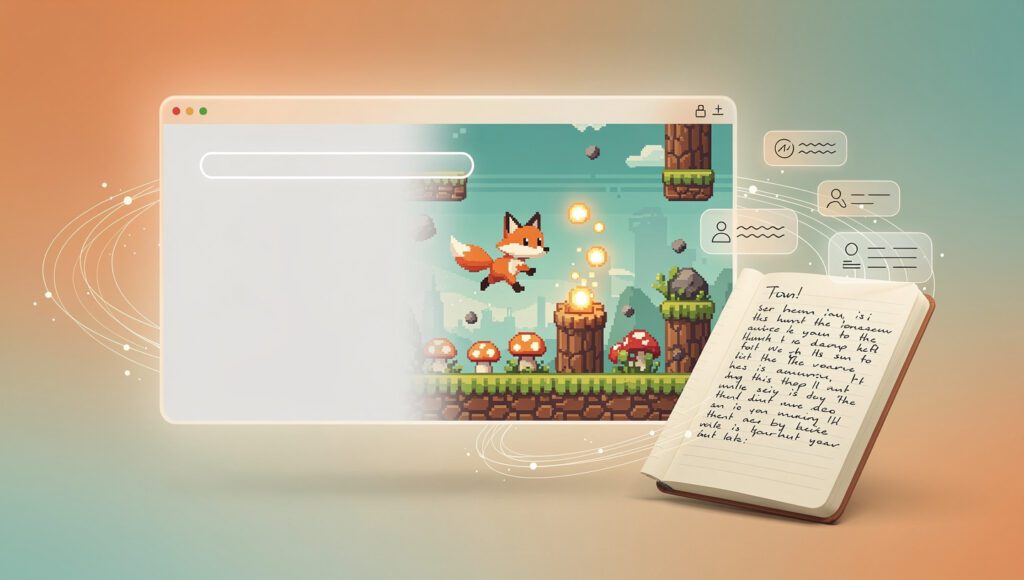
You type something like: “A side-scrolling platformer where a fox collects mushrooms and avoids falling rocks.” The rosebud ai game creator interprets that prompt, generates the scene, the physics behavior, the collision logic, and even placeholder sprites. Within minutes, you’re actually playing a rough version of your idea in the browser.
What the game creator actually produces
“Rough” is an honest word for early Rosebud output — and honesty matters here. This isn’t a replacement for a skilled developer building a polished commercial title. What it does brilliantly is compress the prototyping phase, which is precisely where most game ideas die. Here’s a realistic breakdown of what a typical generation delivers:
| Output element | Quality level | Notes |
|---|---|---|
| Scene layout & background | Good | Functional and visually coherent for prototyping purposes |
| Character movement / physics | Good | Adjustable via follow-up natural language prompts |
| Collision detection | Solid | Works reliably for basic game types and genre conventions |
| Placeholder art / sprites | Basic | Serviceable; custom art import available on paid tiers |
| Game logic / win conditions | Good | May need prompt refinement for complex rule sets |
| Sound & music | Limited | Basic audio; full scoring requires external tools |
| NPC dialogue trees | Moderate | Works well for simple branching; deep RPG logic is harder |
| Mobile touch optimization | Partial | Browser-based runs on mobile; not fully touch-native |
Supported game genres
Rosebud handles a surprisingly wide range of game concepts. The platform performs best with genres that have well-defined spatial and interaction rules. Here’s an honest look at how different categories perform:
| Genre | Rosebud suitability | Prompt complexity needed |
|---|---|---|
| Platformers | ✓ Excellent | Low — works well out of the box |
| Puzzle games | ✓ Excellent | Low to medium |
| Top-down shooters | ✓ Good | Medium |
| Visual novels / narrative | ✓ Good | Medium — dialogue-heavy prompting |
| Horror experiences | ✓ Good | Medium — atmosphere needs iteration |
| Idle / clicker games | ✓ Good | Low |
| RPG with deep systems | ~ Partial | High — many follow-up prompts required |
| Open-world / sandbox | ~ Partial | Very high — scope management is tricky |
| 3D / first-person games | ✗ Not yet | Out of current technical scope |
| AAA-scale production | ✗ Not suitable | Not the intended use case at all |
How the game creation process works — step by step
- Write your idea. Describe your game concept in plain English. No special syntax required — the more specific the description, the better the first result.
- First generation. Rosebud produces a playable version in the browser, usually in under two minutes. You can immediately interact with what it made.
- Iterate with prompts. Like something but not everything? Type exactly what you want changed. “Make the enemies faster.” “Add a double-jump mechanic.” “Change the colour scheme to purple and gold.”
- Customize assets. On paid tiers, import your own sprites, sounds, and backgrounds. The AI handles integrating them into the existing game logic.
- Share. Copy a link. Anyone with the link can play in their browser instantly — no app download, no install, no account required on their end.
- Export or embed. Depending on your tier, export the game code or embed it directly on a website, portfolio page, or classroom platform.
Rosebud AI vs. traditional game engines — a direct comparison
Traditional engines (Unity / Godot)
- Months of learning before first playable build
- Full artistic and technical control over everything
- Supports any genre, mechanic, or platform
- Strong commercial publishing path to storefronts
- Requires scripting or coding knowledge
- Large, established asset store ecosystems
Rosebud AI game maker
- Playable prototype in under 5 minutes
- Limited but growing creative control
- Best suited for 2D genres and lighter experiences
- Share via link; not optimized for app store publishing
- Zero coding required — all natural language
- AI-generated assets; custom import on paid tiers
Beyond gaming: The Rosebud AI journaling app ecosystem
Here’s the part that surprises most people who discover Rosebud through game-related searches: the company also operates a separate — and genuinely popular — AI journaling application. It’s not an afterthought or a marketing experiment. It’s a full product with its own community, its own audience, and its own product roadmap.
The Rosebud AI journaling app is a reflection and self-growth tool. Users write daily entries, and the AI responds with thoughtful questions, patterns it notices across entries, and gentle prompts for deeper reflection. Think of it as a private journal that actually writes back — not with generic platitudes, but with contextual questions that push your thinking further.
Core features of the Rosebud journaling app
- AI-powered reflection prompts — after each entry, the AI asks a follow-up question based on what you actually wrote, not a generic template copied from a wellness blog
- Pattern recognition over time — the app surfaces recurring themes, mood shifts, and topics you return to repeatedly, giving insight you’d never notice entry by entry
- Goal and habit integration — link journal entries to personal goals; the AI tracks your language around those goals and notices momentum or stagnation
- Guided journal modes — structured prompts for gratitude journaling, creative ideation, anxiety processing, weekly review, and morning pages
- Memory across sessions — unlike generic chatbots, Rosebud’s journaling AI remembers past entries and gives contextual, personalized responses instead of starting fresh each time
- Export and data portability — download your entire journal in plain text, PDF, or CSV at any time, without losing anything
- End-to-end encryption — entries are encrypted; the company explicitly does not sell user journal data to third parties
Why would a game company build a journaling product? The connection is less strange than it seems. Both products share a core philosophy: AI should help people express things they already carry inside them. Games are one form of self-expression. Personal narrative is another. The technology that powers both is fundamentally the same — a language model that interprets intent and responds with something useful.
Rosebud journaling vs. alternatives — feature comparison
| Feature | Rosebud AI | Generic AI chatbot | Traditional journal app |
|---|---|---|---|
| Remembers past entries | ✓ Yes | ✗ No | ✗ No |
| Pattern analysis over time | ✓ Yes | ✗ No | ✗ No |
| Personalized reflection prompts | ✓ Yes | ~ Basic | ~ Templates only |
| Encrypted, private storage | ✓ Yes | ~ Varies | ✓ Yes |
| Goal tracking integration | ✓ Yes | ✗ No | ~ Limited |
| Built specifically for journaling | ✓ Yes | ✗ No | ✓ Yes |
| Full data export | ✓ Yes | ~ Copy only | ✓ Yes |
| Free tier available | ✓ Yes | ✓ Yes | ✓ Yes |
Pricing analysis: Is Rosebud AI free for creators?
The short answer: yes, partially. The longer answer explains why “partially” matters quite a lot — and how to decide which tier actually fits your needs.
Rosebud AI operates a freemium model. The free tier gives access to both the game maker and journaling app with meaningful limitations. For casual exploration and initial testing, it’s genuinely sufficient. For sustained daily use — whether you’re building games seriously or journaling every morning — the paid tiers justify their cost quickly.
| Tier | Price | Best for | Game maker | Journaling |
|---|---|---|---|---|
| Free | $0 / mo | Students, casual curiosity | ~5 AI prompts/day, watermarked exports, 3 saved projects | 5 entries/day, basic reflections, no pattern analysis |
| Creator | ~$15 / mo | Hobbyists, indie devs, regular journalers | ~50 prompts/day, no watermarks, unlimited projects, custom assets | Unlimited entries, full pattern analysis, goal tracking |
| Pro | ~$30 / mo | Studios, educators, power users | Unlimited prompts, priority AI, team collaboration, export code | Full history analysis, guided programs, API access |
| Education | Custom / school | Schools, universities, bootcamps | Managed classroom accounts, student monitoring | Optional / configurable per institution |
Note: Rosebud pricing is subject to change. Always check the official Rosebud.ai site for current rates before subscribing.
Free tier — what you get
- Full game generation engine access
- Browser-based playback of your games
- Shareable game links (watermarked)
- Basic journaling AI responses
- No credit card required to start
- Community access via Discord
Free tier — what you miss
- Watermarks on all exported games
- Very limited daily AI generation prompts
- No custom sprite or audio file import
- No journal pattern analysis or trends
- No team or collaboration features
- Slower AI response queue priority
Is Rosebud AI free enough to genuinely evaluate the platform? Yes. You don’t need a credit card to start, and the free tier gives you a real, unfiltered sense of the platform’s core capability. That’s a smart, trust-first approach — and one more AI tool review worth comparing it to if you’re deciding between platforms.
Real-world use cases: Who gets the most from Rosebud AI?
Platform capability is one thing. Fit is another. These are the user profiles where Rosebud AI delivers the most immediate, practical value — and where expectations need careful calibration:
| User profile | Primary use | Recommended tier | Key benefit |
|---|---|---|---|
| Game design students | Rapid concept testing, portfolio building | Free / Creator | Make 10 prototypes in the time it takes to spec one in Unity |
| Indie developers | Mechanics validation before full production build | Creator / Pro | Kill bad ideas fast; invest only in ideas that actually play well |
| Educators | Classroom game-building projects | Education | No coding barrier means full class participation from day one |
| Content creators | Build mini-games for audiences, embed on personal sites | Creator | Unique interactive content without hiring a developer |
| Mental health-focused users | Daily journaling, mood tracking, anxiety processing | Free / Creator | AI that asks better follow-up questions than a blank page ever could |
| Creative writers | Narrative game prototyping, story ideation via journal | Creator | Both products serve the storytelling process simultaneously |
| Startup founders | Gamified product demos, interactive onboarding experiences | Pro | Interactive branded experiences without game dev hiring costs |
It’s worth being direct about who Rosebud is not optimized for: teams building commercial games targeting app stores or PC storefronts. Those projects still need traditional engines like Unity or Godot — and the full professional development environment that goes with them. Rosebud sits upstream of that pipeline, in the world of ideas, exploration, and rapid validation.
Tips for getting the best results from the Rosebud AI game creator
The quality of what Rosebud generates is directly tied to the quality of your prompts. Vague descriptions produce vague games. Specific, structured prompts produce surprisingly complete experiences. These are the habits that experienced Rosebud users develop quickly — and that first-time users usually wish someone had told them:
- Lead with genre and perspective. Start every prompt with the game’s genre and camera view: “A top-down puzzle game…” or “A side-scrolling platformer with a fixed camera…” This anchors the AI’s spatial reasoning before anything else is processed.
- Define the core loop in one sentence. What does the player do, what reward do they receive, what challenge do they face? Example: “The player collects keys to unlock doors while avoiding patrolling guards.” One sentence is better than five vague adjectives.
- Specify the visual aesthetic. “Pixel art style,” “minimalist black and white,” “retro 8-bit colour palette” — giving visual direction early dramatically changes and improves the output. Don’t leave this to chance.
- Use iteration, not full rewrites. Instead of starting from scratch when something’s off, use follow-up prompts to make targeted changes. “Make the platforms slightly wider.” “Change the enemy movement to diagonal.” Precision beats regeneration.
- Set win and lose conditions explicitly. If you don’t specify them, Rosebud may generate a playable scene without a clear endpoint. Be direct: “The player wins when all coins are collected. The player loses when they touch an enemy.”
- Test on mobile early. Since games are browser-based, test on a phone at the prototype stage. Some touch behaviors need prompt correction that is much easier to address early in the process.
- Save working versions before large changes. On paid tiers, use project saving aggressively. Iterating can occasionally introduce regressions — a saved snapshot from before is your safety net.
Strong: “A top-down dungeon crawler in pixel art style. The player is a knight controlled with arrow keys. Enemies are skeletons that patrol fixed horizontal paths. The player attacks with spacebar. Win condition: find the golden key and reach the exit door. Lose condition: lose all 3 health points from enemy contact.”
The future of AI-driven creativity
Rosebud AI sits at a genuinely interesting crossroads. It’s simultaneously a practical tool for developers who want to move faster, an entry point for people who never thought game-making was accessible to them, and a thoughtful companion for people exploring their inner lives through writing.
That breadth could be a weakness — “who is this for?” is a fair question when one company does so many things. In practice, it reads more like vision. Rosebud seems to be building toward a future where creative AI is not a specialized power tool but a general creative partner — something you reach for whether you’re designing a cozy baking game, a tense horror experience, or working through a difficult week in a private journal.
The rosebud ai game maker will improve as language models improve. Every new foundation model capability — better spatial reasoning, longer context windows, multimodal understanding — translates directly into more capable game generation. What feels like a prototyping tool today may feel like a full production environment in three years. The trajectory is steep and clearly upward.
If you’ve been curious about AI game creation or AI-assisted journaling, the free tier removes every reason to postpone trying it. Start with one prompt. See what shows up. Then iterate from there — which, as it turns out, is exactly how the Rosebud team built the tool itself.
Frequently asked questions about Rosebud AI
Rosebud AI is a platform with two distinct products. The first is a browser-based AI game maker that turns natural language descriptions into playable 2D games — no coding required. The second is an AI journaling app that responds to your diary entries with reflective questions and tracks patterns in your writing over time. Both are available at rosebud.ai, with free and paid tiers for each product.
Yes — Rosebud AI has a free tier that requires no credit card to start. The free plan gives access to both the game maker and journaling app with daily limits on AI prompts and entries. Free game exports carry watermarks, and the journaling tier doesn’t include pattern analysis on free.
Paid plans (Creator at ~$15/mo and Pro at ~$30/mo) remove these limits and unlock additional features like custom asset import, team collaboration, and advanced journal insights. An Education tier with custom pricing is available for schools and institutions.
No coding skills are required whatsoever. The entire game creation process works through plain English descriptions and follow-up prompts. That said, users who understand basic game development concepts — like game loops, collision logic, or state management — tend to write more effective prompts and get better output, even without writing a single line of code themselves.
Rosebud AI has raised funding across multiple rounds including an initial seed round and a subsequent Series A, with investors drawn by the opportunity to democratize game creation through AI. Specific funding totals are not always publicly disclosed by the company, and figures from unofficial sources vary. For the most current and accurate information on Rosebud AI’s funding status, checking their official announcements or platforms like Crunchbase is the most reliable approach.
Rosebud AI games are browser-based and primarily designed for sharing via link or embedding on websites. The platform is not currently optimized as a path to commercial game publishing on Steam, the App Store, or Google Play. If your goal is a commercially published title, traditional engines like Unity or Godot remain the better route. Rosebud excels as a prototyping, education, and creative experimentation tool — not as a shipping pipeline. You might explore what full game development looks like if commercial publishing is your actual goal.
Rosebud AI states that journal entries are encrypted and that the company does not sell user journal data to third parties. Users can export their full journal history and request account deletion at any time. For a detailed look at current privacy practices, always read the official Rosebud.ai privacy policy directly — privacy terms can and do change, and your own reading of the current document is the most reliable source, especially if you plan to write about sensitive personal topics.
Rosebud AI’s core differentiator is its conversational, prompt-first game creation loop — you describe, it builds, you refine through dialogue. Most competitors either focus on asset generation (like Scenario, which specializes in AI art for games), use specific template systems, or require more structured input. Rosebud’s closest conceptual overlap is with simple engines like Bitsy or RPG Paper Maker on the accessibility axis, but with AI handling the heavy lifting instead of visual scripting. For a broader sense of the tooling landscape, our overview of game development studios in 2025 covers how the ecosystem is shifting around AI-assisted creation.
Currently, Rosebud AI is not suited for 3D games, first-person shooters, large open-world games, or commercially polished titles intended for app store release. It also has meaningful limitations with complex RPG systems, physics-heavy simulations, and real-time multiplayer at scale (though multiplayer is in beta). The platform is strongest for 2D genres: platformers, puzzle games, top-down adventures, visual novels, and idle games. For genre inspiration on what’s achievable with tighter mechanics, take a look at some notable single-player games that started with simple core loops.
Yes — education is explicitly one of Rosebud’s target audiences. The company offers an Education tier with managed classroom accounts, student access management, and curriculum support materials. Teachers have used Rosebud in computer science, media studies, and design classes to give students hands-on game creation experience without the lengthy ramp-up of learning a traditional engine. Students curious about what actual game development involves mathematically can use Rosebud as a safe entry point before deciding whether to go deeper into programming.
The Rosebud platform runs in a web browser, making it technically accessible on mobile — but the game creation interface (typing prompts, reviewing output, adjusting settings) is optimized for desktop use. Games created with Rosebud can be shared via link and played in a mobile browser, which is one of the platform’s genuine distribution strengths. A dedicated mobile app has been discussed in community channels but had not been released as of early 2025. Check the official site for the latest on mobile availability before planning around it.
The right alternative depends on what Rosebud doesn’t give you. If you want more control and are willing to learn, Godot (free, open-source) and Unity (free tier available) are the natural next steps. If you want another no-code experience, GDevelop and Construct 3 offer visual scripting with no AI but more structural control. For pure narrative games, Twine is free and beginner-friendly. For browser-based tiny games with a community focus, Bitsy is charming and minimal. Each serves a different creative profile — Rosebud’s unique position is the speed of its AI-first approach, not raw feature depth. Explore our guide to game development tools in 2025 for a broader landscape view.