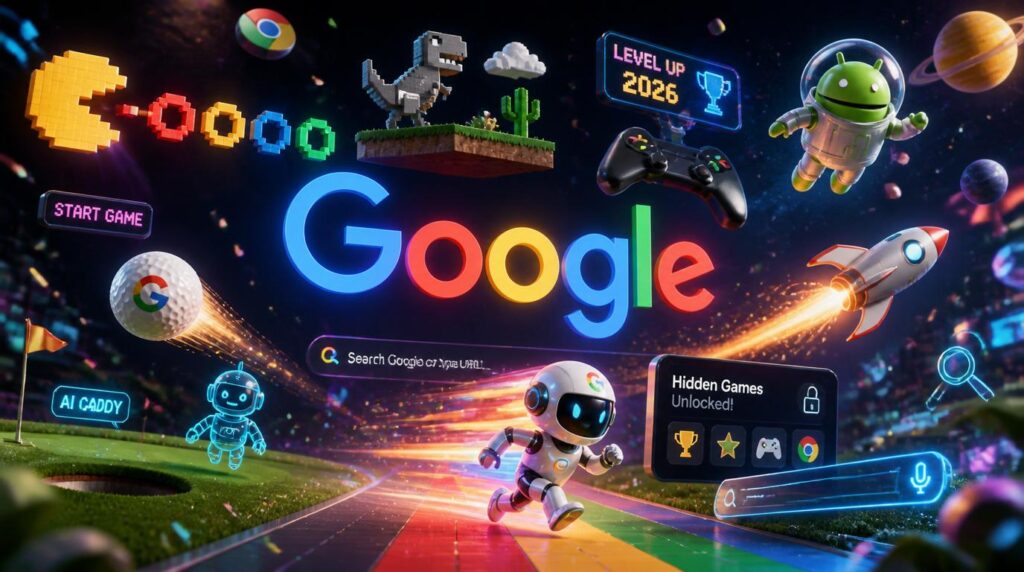
Google is hiding a full arcade inside its search bar, and most people never notice it. Type the right phrase and your screen spins, a dinosaur starts running, or a full game loads without you downloading a thing. If you have ever wondered how to search Easter eggs and AI mini-games in Google hidden games, this guide covers everything that still works in 2026, plus the new AI experiments Google has started rolling out.
Google has been planting hidden surprises in its products since the early 2000s. Some were built by engineers during their 20% free time, the same policy that produced Gmail and Google News. Others are tied to major events, anniversaries, or product launches. A few are permanent fixtures. Many have quietly disappeared over the years. The trick is knowing which ones are still live and how to trigger them.
In 2026, Google added something new to the mix: AI-powered mini-games built with Gemini, its generative AI model. These are not traditional search Easter eggs. They are interactive experiences that show what AI can do when it is turned into playable form. We will cover those too.
What are Google hidden games and Easter eggs?
A Google Easter egg is a hidden feature, animation, joke, or game that activates when you type a specific word or phrase into Google Search, Chrome, Maps, or another Google product. Some make your screen do a barrel roll. Others launch a fully playable game inside the search results page. They are free, require no download, and work in any modern browser.
According to Wikipedia’s running list, Google has added Easter eggs into Search, YouTube, Android, and other services since the 2000s. The company generally avoids adding them to high-traffic pages where they might slow things down or confuse users, which is why many are tucked behind specific search queries.
Why does Google do this?
Partly for fun, partly for brand personality, and partly to show off what its technology can do. A spinning search page or an interactive doodle is a low-stakes way to remind people that Google is more than a list of blue links. It is also a way for engineers to experiment with web technologies in a playful context.
How do I find Google hidden games in Search?
The simplest method is to type a known trigger phrase into the Google search bar and hit enter. Most Easter eggs activate instantly. A few require you to click something on the results page. Here is how the process works step by step.
Step 1: Use a desktop or mobile browser
Most Google Easter eggs work on both desktop and mobile browsers. A few, like the Chrome Dino game, are browser-specific. For the best experience, use a modern version of Chrome, Edge, Firefox, or Safari.
Step 2: Type the trigger phrase exactly
Google Easter eggs are keyword-sensitive. “Do a barrel roll” works. “Barrel roll” on its own might not. “Play Snake” works. “Snake game” might give you search results instead. Use the exact phrases listed in guides like this one.
Step 3: Watch for the effect
Some eggs trigger immediately. The page tilts, spins, or an interactive panel appears. Others show a special result at the top of the page, like a playable Pac-Man board or a Solitaire game.
Step 4: Try variations and related searches
Many Easter eggs have multiple trigger phrases. “Zerg Rush” and “ZZZZ” might both work for the same effect. “Atari Breakout” and “Breakout” can lead to the same image search game. If one phrase does not work, try a synonym.
What Google hidden games still work in 2026?
Most lists of Google Easter eggs are outdated. Google retires eggs quietly, without announcement. A trick that worked in 2022 might be gone now. According to BrandClickX’s 2026 verification, these are the games and interactive features that are confirmed active as of this year.
| Search phrase | What happens | Type |
|---|---|---|
| “do a barrel roll” | The entire search results page spins 360 degrees | Animation |
| “zerg rush” | Little “O” characters swarm and eat your search results | Minigame |
| “play snake” | A playable Snake game panel appears at the top of results | Game |
| “solitaire” | A playable Solitaire game loads in the search results | Game |
| “minesweeper” | A playable Minesweeper panel appears | Game |
| “tic tac toe” | Play Tic Tac Toe against Google at multiple difficulty levels | Game |
| “spin a dreidel” | An interactive dreidel spins in the search results | Interactive toy |
| “flip a coin” | An animated coin flip appears | Tool / toy |
| “roll a die” | A customizable die roller appears | Tool / toy |
| “metronome” | An interactive metronome for musicians | Tool |
| “timer” or “stopwatch” | A built-in timer or stopwatch appears | Tool |
| “google pac-man” | The 2010 Pac-Man Doodle loads as a playable game | Game |
| “google gravity” | All page elements fall to the bottom of the screen | Animation |
| “askew” or “tilt” | The entire search page tilts slightly | Animation |
| “dvd screensaver” | The Google logo bounces around like the classic DVD screensaver | Animation |
| “breathing exercise” | A guided one-minute breathing exercise appears | Wellness tool |
| “color picker” | A full color picker and converter tool | Design tool |
| “random number generator” | A customizable random number generator | Tool |
| “bubble level” (mobile) | Your phone becomes a spirit level | Tool |
| “google in 1998” | The search page reverts to its 1998 design | Retro Easter egg |
A note about retired Easter eggs
Some classic eggs have been removed by Google over the years. These include “Atari Breakout” in Google Images, “Google Gravity” on the main search page, “Underwater Search,” and the “Thanos snap” Infinity Gauntlet effect. If a search does not trigger anything, the egg may have been retired. You can still experience many retired eggs through elgooG, a fan-made site that recreates and preserves them.
How do I play the Chrome Dinosaur game?
The Chrome Dino game is the most famous Google hidden game, and it is not even in Search. It appears automatically in Google Chrome when you lose your internet connection. You have probably seen the little pixelated T-Rex and the “No internet” message.
How to trigger it
- Disconnect from Wi-Fi or turn on airplane mode
- Open Chrome and try to visit any website
- Press the spacebar or tap the T-Rex to start running
How to play it without going offline
Type chrome://dino into your Chrome address bar and press enter. The game loads instantly, even with a perfect internet connection. This is useful if you want to practice or just kill time.
What is the gameplay like?
The T-Rex runs automatically. You press spacebar or tap the screen to jump over cacti and duck under flying pterodactyls. The speed increases over time. Your score appears in the top right. It is an endless runner, so the goal is simply to beat your high score.
Pro tip
The game gets noticeably faster after 500 points and again after 1000. The pterodactyls appear around the 450-point mark. If you are going for a high score, practice the timing on low-speed cacti first. The hitboxes are slightly more forgiving than they look.
According to elgooG, there is also a special 10th birthday edition of the Dino game where the T-Rex wears a party hat and balloons float by. You can find it on their restored Easter egg archive.
What are the best Google Search games to play right now?
Not all Google hidden games are equally fun or functional. Some are one-second gags. Others are genuinely replayable. Here are the standouts worth your time.
Snake
Type “play snake” into Google Search. A full Snake game loads in an interactive panel. You control the snake with arrow keys or swipe gestures. It has multiple modes and difficulty settings. This is one of the most polished hidden games Google offers.
Pac-Man
Search for “Google Pac-Man” and the famous 2010 Doodle loads as a fully playable maze. It uses the original Google logo as the board layout. It is a faithful recreation of the arcade classic with all the same rules and sounds.
Solitaire
Type “solitaire” and a clean, functional card game appears at the top of your search results. It has easy and hard modes and tracks your win streak. Perfect for a quick mental break.
Minesweeper
Search “minesweeper” for a classic implementation with easy, medium, and hard boards. It includes flagging, chord clicks, and a timer. If you grew up on Windows Minesweeper, this will feel instantly familiar.
Tic Tac Toe
Type “tic tac toe” to play against Google at easy, medium, or impossible difficulty. The AI is genuinely challenging on the highest setting. You can also play local multiplayer on the same device.
Zerg Rush
Search “zerg rush” and small “O” characters fall from the top of the page and eat your search results. Click them repeatedly to destroy them before they consume everything. It is a reference to the StarCraft strategy of overwhelming an opponent with cheap units.
What are Google AI mini-games and how do I find them?
In 2026, Google started using AI to build playable experiences. The biggest example so far is the I/O Save the Date puzzle, an annual tradition where Google teases its developer conference with an interactive challenge. For 2026, Google built the puzzle around five AI mini-games powered by Gemini.
According to King of Computer Media, these five games span different genres and mechanics, all generated or enhanced by AI. The idea was to show developers what Gemini can do beyond chatbots and text generation. Players manipulate light and color through prisms, solve riddles, and interact with AI-generated game worlds.
How to access the I/O 2026 AI games
The I/O Save the Date puzzle is typically hosted on a dedicated event page around the time of Google’s developer conference announcements. Search for “Google I/O 2026 save the date” or “Google I/O puzzle” around March or April each year. The 2026 event runs May 19-20 at Shoreline Amphitheatre in Mountain View, California.
What makes AI mini-games different from regular Easter eggs?
Traditional Easter eggs are hand-coded by engineers. They do the same thing every time. AI mini-games can generate content on the fly: riddles, puzzles, visual elements, or even entire game scenarios. This means the experience can change between playthroughs. The I/O 2026 puzzle, for example, includes bonus worlds hidden behind AI-generated riddles that players must solve to unlock new sectors.
This is still early days. Most AI game experiments are tied to events or demos rather than permanent Search features. But they hint at a future where Google Search itself could generate small interactive experiences based on what you are looking for.
Are there hidden games in Google Maps and Google Earth?
Yes, though fewer than in Search. Google Maps has hosted several location-based and April Fools’ games over the years.
Pac-Man in Google Maps
In 2015, Google turned real-world maps into Pac-Man boards for April Fools’ Day. You could play Pac-Man on the actual streets of your neighborhood. The feature was retired but became legendary among Google Easter egg hunters.
Snake in Google Maps
In 2019, Google added a Snake game inside Google Maps as an April Fools’ experiment that actually stuck around for a while. You played as a bus, train, or other vehicle picking up passengers in cities like Cairo, London, and Tokyo. It was retired in 2020 but is fondly remembered.
Where is Waldo in Google Maps
For April Fools’ 2018, Google added a Where is Waldo mini-game to Maps. Players searched for Waldo and his friends in various locations around the world. It ran for about a week and has not returned.
Google Earth flight simulator
This one is not exactly hidden, but many people do not know about it. In Google Earth, go to Tools and select “Enter Flight Simulator” or use the keyboard shortcut Ctrl + Alt + A on Windows or Command + Option + A on Mac. You can fly a virtual plane over any terrain on Earth using realistic or simplified controls.
The pattern with Maps games
Most Google Maps games are April Fools’ experiments that run for a limited time. They rarely become permanent features. If you see one, play it immediately, because it might be gone next month.
How do I find Google Doodle games?
Google Doodles are the special logos that appear on Google’s homepage for holidays, birthdays, and historical events. Some of the best Doodles are fully playable games. Unlike Search Easter eggs, Doodle games are usually archived and easy to find again.
Where to find the Doodle archive
Go to google.com/doodles and browse the full archive. You can search by year, country, or theme. Any interactive Doodle will be marked and playable.
Best Doodle games to try
- Pac-Man (2010): The Doodle that started the interactive craze. The maze is shaped like the Google logo.
- Cricket (2017): A fun cricket game where you play as a cricket against snails. Simple but surprisingly addictive.
- Halloween (2016, 2018, 2020): Multiple years of Halloween Doodles feature spell-casting and ghost-catching games.
- Champion Island (2021): A full RPG with seven sports minigames, side quests, and a large world to explore. This is the most ambitious Doodle game ever made.
- Rubik’s Cube (2014): A fully interactive 3D Rubik’s Cube you can solve in your browser.
- Pony Express (2015): A horseback mail delivery game across the American frontier.
- Scoville (2016): A pepper-themed game about Wilbur Scoville and the invention of the Scoville scale.
- Loteria (2019): A digital version of the classic Mexican bingo-style game.
In 2026, Google also released a hidden Pokemon mini-game for the franchise’s 30th anniversary. Search for Pokemon-related terms around the anniversary date and a special Doodle-style experience may appear.
What about the “Google Arcade” I have heard about?
The term “Google Arcade” is not an official Google product name. It is an informal label that people have started using for two real things: the scattered collection of classic hidden games in Search and Chrome, and the newer AI-powered game experiments Google has been running. UK Technology Updates has a good breakdown of how the term emerged and what it actually refers to.
There is no single “Google Arcade” website or app you can visit. Instead, the “arcade” is distributed across Search results, Chrome features, Doodle archives, and event-specific AI demos. Think of it as a concept rather than a product.
How do I know if a Google Easter egg still works?
This is the biggest problem with Easter egg lists. Google removes eggs silently. A blog post from 2023 might list 50 eggs, but only 30 still function. Here is how to check.
Look for recent verification dates
Guides that say “tested in 2026” or “verified this month” are more reliable than undated lists. BrandClickX and SoftwareEggs both publish regularly updated verification lists.
Check multiple sources
If three different 2026 guides say an egg works, it probably does. If only one old guide mentions it, be skeptical.
Use elgooG for retired eggs
If a classic egg like “Google Gravity” or “Underwater Search” no longer works in official Google products, you can still experience it on elgooG. This fan site recreates retired Easter eggs with impressive accuracy, including the Thanos snap, the Wizard of Oz witch hat, and the underwater search environment.
Test it yourself
The fastest way to know is to try it. Type the phrase, hit enter, and see what happens. It takes five seconds and costs nothing.
What hidden Google tools are useful even if they are not games?
Some of the best Google Easter eggs are actually practical tools disguised as fun features. These are worth knowing about even if you are not looking for entertainment.
Flip a coin
Search “flip a coin” for an animated coin toss. Great for making quick decisions without a physical coin.
Roll a die
Search “roll a die” for a customizable die roller. You can change the number of sides and roll multiple dice at once. Useful for tabletop games.
Metronome
Search “metronome” for a fully adjustable BPM metronome. Musicians use this constantly.
Timer / Stopwatch
Search “timer” or “stopwatch” for a built-in time tracker. No need to install an app.
Bubble level
On mobile, search “bubble level” and your phone becomes a spirit level using its accelerometer. Surprisingly accurate for hanging pictures.
Color picker
Search “color picker” for a full hex, RGB, and HSV color tool with conversion. Designers use this daily.
Random number generator
Search “random number generator” for a tool with min/max settings. Useful for giveaways, dice rolls, or any time you need a random integer.
Breathing exercise
Search “breathing exercise” for a one-minute guided breathing animation. A small wellness feature hiding in plain sight.
Can I play Google hidden games on my phone?
Yes, most of them. The Search-based Easter eggs work in mobile browsers exactly like they do on desktop. “Do a barrel roll” spins your phone screen. “Play Snake” loads the same game panel. “Solitaire” and “Minesweeper” both work on mobile.
The Chrome Dino game works on mobile Chrome too. Turn on airplane mode, open Chrome, and tap the T-Rex. You can also type chrome://dino in the mobile Chrome address bar.
A few exceptions exist. The “bubble level” tool only works on mobile because it needs the phone’s accelerometer. Some older Flash-based Doodles do not work on mobile, but most modern HTML5 Doodles do. If something does not load, try switching from the Google app to a full browser like Chrome or Safari.
How can I use Google hidden games for education or team building?
These features are not just distractions. They can be genuinely useful in the right context.
In classrooms
The “Google in 1998” Easter egg is a great way to teach students about the evolution of web design. The breathing exercise works as a calm-down tool between lessons. The random number generator and coin flip are perfect for probability lessons and classroom games.
In meetings
Need to break a tie? Flip the Google coin. Picking a volunteer? Roll the die. Timing a presentation? Use the built-in timer. These tools are faster than opening dedicated apps.
For game developers
Studying how Google packs a full game into a search results panel is a useful exercise in constraint-based design. The Snake, Pac-Man, and Minesweeper implementations are all lightweight, responsive, and instantly playable. If you are learning things to draw for game development or building your own game ideas for brawlers, analyzing how Google solves UI and interaction problems in tiny spaces is genuinely instructive.
Frequently asked questions
How do I search for Google hidden games?
Type specific trigger phrases into the Google search bar and press enter. Phrases like “play snake,” “solitaire,” “minesweeper,” “tic tac toe,” “zerg rush,” and “do a barrel roll” will activate games or animations. For the Chrome Dino game, type chrome://dino in your Chrome address bar or disconnect from the internet.
What Google hidden games still work in 2026?
Confirmed active games and features include Snake, Pac-Man, Solitaire, Minesweeper, Tic Tac Toe, Zerg Rush, the Chrome Dino game, flip a coin, roll a die, metronome, timer, stopwatch, color picker, random number generator, bubble level, do a barrel roll, askew, DVD screensaver, and breathing exercise. Many classic eggs have been retired but can still be experienced through the elgooG archive.
Is there a real “Google Arcade”?
No. “Google Arcade” is an informal nickname people use for the collection of hidden games in Google Search, Chrome, and Doodles. It is not an official product or website. The games are scattered across different Google products and features.
How do I play the Chrome dinosaur game?
Disconnect from the internet and open Chrome, then press spacebar when you see the T-Rex. Alternatively, type chrome://dino in your Chrome address bar anytime, even with a working connection. Press spacebar or tap the screen to jump over cacti and duck under pterodactyls.
What are Google AI mini-games?
Google AI mini-games are interactive experiences built with Gemini, Google’s generative AI. The most prominent example is the 2026 I/O Save the Date puzzle, which features five AI-powered mini-games where players solve riddles, manipulate light through prisms, and explore AI-generated game worlds. These are experimental showcases rather than permanent Search features.
Do Google Easter eggs work on mobile?
Most of them do. Search-based Easter eggs like Snake, Pac-Man, Solitaire, and “do a barrel roll” work in mobile browsers. The Chrome Dino game works on mobile Chrome. Some older Doodles may not function on mobile due to outdated technology, but most modern HTML5-based features work fine.
Why did my favorite Easter egg stop working?
Google retires Easter eggs silently without announcement. An egg that worked in 2022 might be gone in 2026. This usually happens when Google updates its search interface, removes legacy code, or decides an egg no longer fits the product direction. You can often still play retired eggs on elgooG, a fan site that preserves them.
Where can I find old Google Doodle games?
Visit google.com/doodles to browse the full Doodle archive. All interactive Doodles are preserved there and remain playable. Highlights include the 2010 Pac-Man Doodle, the 2021 Champion Island RPG, the 2014 Rubik’s Cube, and multiple Halloween and sports-themed games.
Are Google hidden games free?
Yes, all Google hidden games, Easter eggs, and interactive tools are completely free. You do not need to download anything, create an account, or pay. They run directly in your browser.
What is the best Google hidden game?
It depends on what you are looking for. For pure replayability, Snake and the Chrome Dino game are the best. For nostalgia, Pac-Man is unbeatable. For depth, the Champion Island Doodle from 2021 is a full RPG. For quick breaks, Solitaire and Minesweeper are perfect. Try a few and see which ones stick.