Synchronizing real-time game state across players is genuinely hard. Latency, desync, dropped packets, and race conditions hit you before your first beta. You already know this.
The right game kit changes the equation entirely. A well-designed kit handles the host/join handshake, state reconciliation, and transport layer — so your team focuses on gameplay logic, not networking plumbing.
What a Game Kit Actually Does for Your Architecture
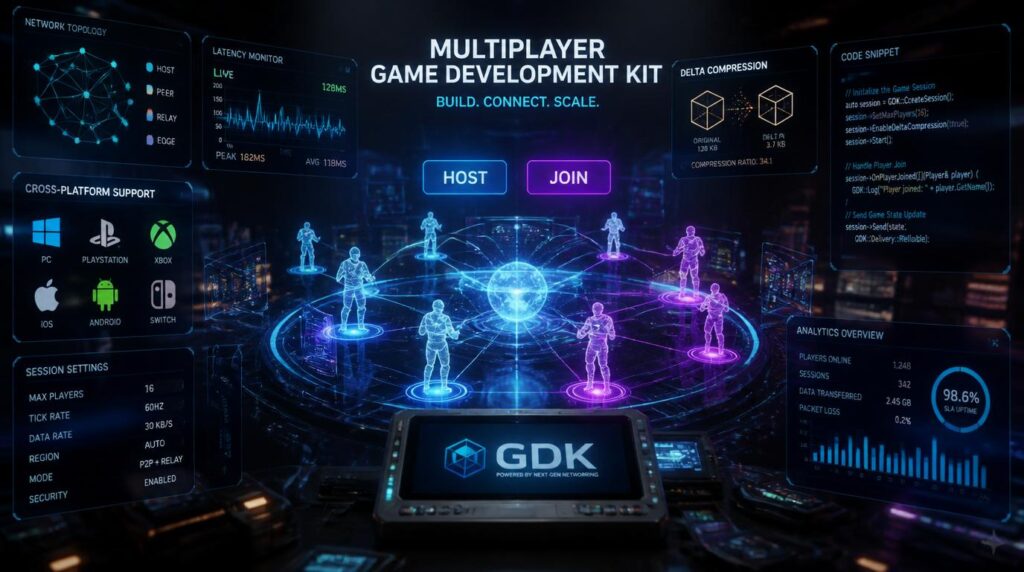
A game kit is more than a collection of helper classes. It is an opinionated runtime that enforces a session model, manages peer discovery, and serializes state diffs across the wire. Think of it as your multiplayer contract enforced at the library level.
Modern game kits ship with two distinct networking layers you must choose between at project start. Getting this wrong means a rewrite — so model your session topology before you write a single gameplay line.
Peer-to-Peer
- Every client sends state to every other client
- No central server cost — great for small lobbies (2–8 players)
- Latency is lowest-common-denominator of the mesh
- NAT traversal is mandatory; STUN/TURN adds complexity
- One bad actor can desync the session
Client–Server
- Authoritative server holds canonical state
- Scales to hundreds of concurrent players
- Cheat mitigation is centralized and enforceable
- Operating cost scales with CCU
- Required for ranked/competitive modes
Most production game kits support both topologies under a single API surface. The session type flag at initialization is what diverges the code paths — not the SDK calls themselves.
Game Kit Host: Initializing the Session
Game kit host setup is the critical path for lobby-based games. The host process is responsible for generating the session token, advertising to matchmaking services, and seeding the initial world state before the first client joins.
Host Responsibilities Checklist
- Allocate and seed the authoritative world state before accepting connections
- Set tick rate appropriate to genre (FPS: 60 Hz, turn-based: demand-driven)
- Configure relay fallback for players behind symmetric NAT
- Define disconnect/timeout policy (kick threshold, rejoin window)
- Broadcast session metadata to matchmaking backend on session open
The magic card game starter kit pattern is a useful mental model here: just as a physical kit pre-packages rules, roles, and first-game guidance, a well-configured host session pre-loads the authoritative rule set before any client connects. The game cannot start in an inconsistent state — and neither should your session.
Game Kit Join: Client-Side Connection Flow
The game kit join flow is where most bugs surface in early development. Client handshake ordering, state snapshot timing, and delta-stream alignment all need coordination before the player sees the first rendered frame.
Critical Join-Phase Pitfalls
- Race on snapshot vs delta: Clients must queue incoming deltas during snapshot download, then replay them in order after hydration.
- Clock synchronization: Use NTP-style offset calculation on connect. Unsynchronized clocks cause prediction rollback failures.
- Late-join world state: Host must send a full snapshot — not the delta stream from tick 0 — to any client joining mid-session.
- Input prediction: Start client-side prediction only after the first ACKed input round-trip, not on connect.
A strong game kit abstracts the snapshot/delta sequencing behind event hooks. If your SDK forces you to manage tick indices manually, that’s a red flag for production reliability.
Cross-Platform Compatibility in Game Kits
Cross-platform support in a game kit comes down to three layers: transport protocol, platform certification, and input abstraction. Get all three right and your PC, console, and mobile builds share 95% of networking code.
Transport Protocol Matrix
| Protocol | Platform Support | Latency | Use Case |
|---|---|---|---|
| WebRTC DataChannel | PC, Mobile, Browser | Low | P2P mobile/web games |
| UDP (raw) | PC, Console | Lowest | FPS, racing, fighting |
| TCP / WebSocket | Universal | Medium | Turn-based, card, strategy |
| QUIC | PC, Modern Mobile | Low | Next-gen mobile shooters |
The murder mystery game kit paradigm applies here: each platform is a “suspect” with its own constraints. Console certification requires encrypted transport and first-party SDK integration. iOS enforces ATS. Android has background socket limits. Your game kit must interrogate each platform’s rules before committing to a transport.
Platform-Specific Integration Points
- PlayStation/Xbox: Mandatory first-party matchmaking SDK wrapping your game kit session layer
- Nintendo Switch: NEX protocol requires additional relay configuration in your kit settings
- iOS: Background network suspension — implement graceful rejoin on foreground resume
- Android: Doze mode kills sockets; use high-priority FCM push to wake before reconnect
- PC (Steam): Steamworks P2P relay integrates cleanly with most kit join APIs via callback bridge
Performance Tuning Your Game Kit
A misconfigured game kit will bottleneck on serialization, not on network bandwidth. Profiling shows that 70% of CPU time in network-heavy scenes goes to state serialization — not the socket itself.
Delta Compression Strategy
- Use bitfield-encoded state flags to signal which fields changed per tick
- Quantize floats to 16-bit fixed-point for position/rotation fields
- Run dead-reckoning on client; only send corrections when prediction drift exceeds threshold (typically 0.05 world units)
- Batch small messages; avoid per-event packet flushes below 10 ms intervals
Think of your state schema like a 421-piece LEGO Game Boy building kit: every brick has a defined slot, and the whole thing only assembles correctly in one order. Define your state schema with strict field ordering and version tags from day one. Adding fields mid-production without versioning is the equivalent of swapping out bricks mid-build — it breaks everything downstream.
Tick Rate vs Bandwidth Trade-offs
| Tick Rate | Genre Fit | Bandwidth/Client | CPU Load |
|---|---|---|---|
| 20 Hz | Turn-based, card, strategy | ~8 KB/s | Low |
| 30 Hz | MOBA, RTS | ~20 KB/s | Low |
| 60 Hz | Shooter, platformer, fighting | ~50 KB/s | Medium |
| 128 Hz | Competitive FPS | ~120 KB/s | High |
Choosing Between Game Kits in 2025
The ecosystem of game kits has matured significantly. Unity’s Netcode for GameObjects, Unreal’s Online Subsystem, Godot’s multiplayer API, and standalone options like Photon Fusion all provide viable game kit foundations. Your choice should be driven by three criteria: target platform set, team familiarity, and session scale ceiling.
Narrative-driven games with network elements — similar in structure to Rampo Kitan: Game of Laplace, which layers mystery mechanics over a collaborative deduction framework — often benefit from event-driven kit architectures over tick-rate-based ones. When “what happened” matters more than “where is the player,” prioritize reliable ordered channels over raw UDP throughput.
Quick Decision Framework
- Mobile, 2–8 players: WebRTC-based kit with relay fallback (Photon Realtime, Firebase RTDB for turn-based)
- PC/Console, competitive: UDP-based authoritative kit with rollback netcode (Netcode for GameObjects + Fish-Net)
- Cross-platform, 50+ players: Dedicated server model with EOS or Azure PlayFab session management
- Prototype/jam: Mirror (Unity) or Godot High-Level API — fastest time-to-multiplay
Looking for more context on game development in 2025? Our broader guide covers tools, pipelines, and real examples across genres. For geometry formulas used in game development, the math that underpins state interpolation and collision prediction is covered in detail.
Testing Your Game Kit Integration
Testing multiplayer is where most studios underinvest. A game kit that passes unit tests in a localhost environment will still fail when cross-continent latency introduces 180 ms of jitter. Build your test harness around realistic network conditions from sprint one.
Recommended Test Scenarios
- Simulated packet loss at 5%, 15%, 30% — verify prediction rollback fires correctly
- Client joining mid-session at different tick counts — snapshot delivery integrity
- Host migration: kill the host process and verify a client promotes cleanly
- Clock skew injection — simulate clients with 50 ms offset and verify input ordering
- Bandwidth throttle to 256 KB/s — verify delta compression keeps sessions stable
For broader testing strategy across the development cycle, see our piece on software development tips that apply across both solo and networked game projects. Teams working remotely should also review remote work setup for game developers to keep session testing collaborative across distributed teams.
If you are building multiplayer experiences in the browser or evaluating unblocked game platforms, the transport constraints are stricter — WebSocket or WebRTC only — and your game kit selection narrows accordingly.