“The technology you use impresses no one. The experience you create with it is everything.”
— Sean Gerety
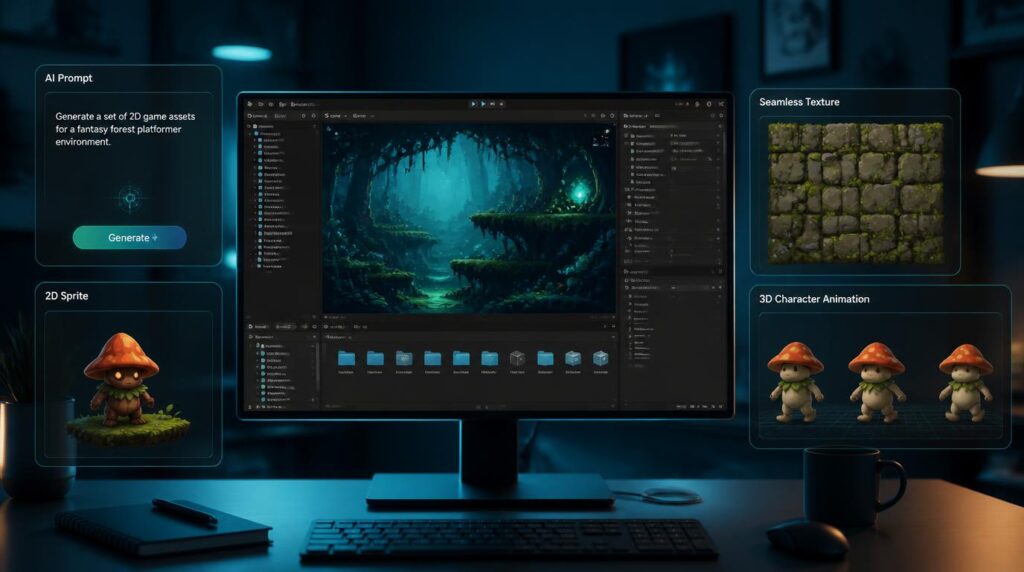
Unity Muse promised to let developers generate textures, sprites, and animations from a text prompt without ever leaving the Editor. We break down what the suite actually does, what it costs, and where it stands as Unity’s AI roadmap keeps shifting in 2026.
Unity Muse launched in 2023 as Unity’s answer to the flood of generative AI tools reshaping content creation: a suite built into the Unity Editor and web that lets developers generate 2D sprites, textures, and — eventually — animations and NPC behavior, all from natural-language prompts or rough sketches. It was designed specifically to sit inside real-time 3D (RT3D) development, not as a bolt-on external tool. Here’s what’s actually in the suite, what it’s meant for, and what to watch for given how fast Unity’s AI strategy has been moving.
TL;DR
| What it is | Unity’s in-Editor generative AI suite for content creation — chat, sprites, textures, animation |
| Best for | Indie and small-team Unity developers who need fast prototype assets and in-Editor help |
| Launched | Open beta June 2023, early access November 2023 |
| Pricing | $30/month as a standalone subscription at launch |
| Standout feature | Text-prompt-to-asset generation without leaving the Unity Editor |
| Status in 2026 | Unity’s AI roadmap has evolved — verify current branding and pricing on Unity’s site before subscribing |
What is Unity Muse?
Unity Muse is Unity’s suite of generative AI tools built to accelerate real-time 3D content creation directly inside the Unity Editor and on the web. It launched alongside Unity Sentis — a separate runtime inference engine for embedding AI models into finished game builds — at Unity’s 2023 Unite conference, positioned as the creation-side counterpart to Sentis’s runtime-side AI. Where Sentis is about bringing AI models into a shipped game, Muse is about using AI to make the game in the first place.
Unity built Muse’s asset-generation models on a custom-trained dataset made up entirely of imagery Unity owns or has licensed, specifically to sidestep the copyright concerns that dogged other generative AI art tools at launch. Unity has said the training pipeline used Stable Diffusion to synthetically expand that licensed dataset into a much larger one, then applied a custom model on top — a deliberate attempt to keep outputs a step removed from any single artist’s identifiable style.
Key features
An in-Editor Q&A assistant that surfaces Unity documentation, troubleshooting help, and usable code snippets without needing to leave the workflow to search forums.
Generates 2D sprites and multiple stylistic variations from a text prompt — useful for quickly filling out prototypes without commissioning placeholder art.
Produces high-quality, game-ready 2D and 3D textures from prompts, cutting down the hours normally spent hand-painting variations of a single material.
Lets developers put characters in motion without hand-keyframing or code, announced as a pre-release feature for Muse subscribers.
Aimed at setting up character interactions and behavior logic, reducing the scripting overhead of basic NPC decision-making.
A 3D canvas for rapid prototyping and team collaboration, letting rough sketches inform generated 3D content.
Pricing
At launch, Unity Muse was priced as a standalone subscription separate from a Unity Editor seat license, meaning developers could add it regardless of which Unity plan (Personal, Pro, Enterprise) they were on.
- Standalone subscription, independent of Unity Editor license tier
- Included Muse Chat, Muse Sprite, and Muse Texture at early access launch
- Priority access to pre-release features (Animate, Behavior, Sketch) as they rolled out
This is Muse’s original early-access pricing from its November 2023 launch. Unity’s product lineup and pricing have shifted materially since then across the whole company, including major changes to its advertising and Create businesses — confirm current pricing on unity.com before budgeting for it.
Pros and cons
What works well
- Generates assets without breaking flow by leaving the Unity Editor
- Trained on Unity-owned/licensed data as a deliberate copyright safeguard
- Genuinely useful for prototyping and placeholder art, where perfect fidelity isn’t critical
- Muse Chat cuts down time spent searching docs and forums for basic troubleshooting
- Tight integration with the rest of Unity’s toolchain and Unity Cloud
Where it falls short
- Unity has publicly acknowledged initial asset quality was lower than competing tools
- $30/month is a real added cost stacked on top of an existing Unity subscription
- Locked into the Unity ecosystem — not usable outside the Editor/web suite
- Several flagship features (Animate, Behavior, Sketch) launched as pre-release/beta, not full releases
- Unity’s fast-moving AI roadmap makes it worth double-checking current features before committing
Who is it actually for?
Good fit
- Indie and solo Unity developers who need fast placeholder or prototype art
- Small teams without a dedicated 2D/texture artist on staff
- Developers who want in-Editor troubleshooting without breaking focus
- Teams already committed to the Unity ecosystem and Unity Cloud
Probably skip it
- Studios needing final, ship-ready art rather than prototype-grade assets
- Developers not using Unity as their engine
- Teams sensitive to paying for beta-stage features that may still be maturing
- Anyone who prefers a dedicated, engine-agnostic AI art tool for more creative control
How it compares
| Tool | Core strength | Engine tie-in |
|---|---|---|
| Unity Muse | In-Editor prompt-to-asset generation for sprites, textures & chat help | Unity only |
| Rosebud AI | Full game generation from natural-language prompts | Engine-agnostic, browser-based |
| Scenario | Style-consistent game art generation and fine-tuned models | Engine-agnostic, plugin-based |
| Meshy | Text/image-to-3D model generation | Engine-agnostic, exports to any pipeline |
| Promethean AI | AI-assisted 3D scene population and set dressing | Unity & Unreal support |
The honest trade-off: engine-agnostic tools like Scenario or Meshy often give more creative control and can plug into any pipeline, not just Unity’s. Muse’s advantage is friction — there’s no exporting, importing, or context-switching, because the generation happens exactly where the asset is going to be used.
FAQ
What is Unity Muse used for?
Unity Muse is a suite of generative AI tools built into the Unity Editor and web for creating 2D sprites, textures, and — through pre-release features — animations and NPC behavior, along with an in-Editor chat assistant for troubleshooting.
How much does Unity Muse cost?
Muse launched as a standalone subscription at $30/month, separate from a developer’s Unity Editor license. Unity’s pricing and AI product lineup have continued to evolve since then, so current figures should be confirmed directly on Unity’s site.
Is Unity Muse the same as Unity Sentis?
No. Muse is about using AI to help create content during development — sprites, textures, chat assistance. Sentis is a separate cross-platform runtime inference engine for embedding AI models directly into a shipped game to power features like smart NPCs.
Is Unity Muse the same as Unity Vector?
No. Unity Vector is Unity’s AI-driven advertising and monetization platform, unrelated to content creation. It’s part of Unity’s ad-tech business, not the Create-side tools that Muse belongs to.
Does Muse work with any game engine?
No. Muse is built specifically into the Unity Editor and Unity’s web tools, so it’s only usable by developers working within the Unity ecosystem.
Verdict
Unity Muse’s core idea holds up: letting a developer generate a texture variation or rough sprite without leaving the Editor removes real friction from prototyping, and building the training data on licensed Unity-owned imagery was a genuinely responsible call in a space full of copyright shortcuts. For solo devs and small teams without dedicated art staff, that alone can justify the subscription during early production.
The catch is that several of Muse’s most ambitious features — Animate, Behavior, Sketch — rolled out as pre-release rather than mature, finished tools, and Unity’s broader AI strategy has kept shifting since 2023 with new initiatives like Vector entering the picture. Treat this as a genuinely useful prototyping aid rather than a finished art pipeline, and check Unity’s current site for the latest feature set and pricing before you subscribe.