He lost the 2021 Mob Vote to the Glow Squid, and honestly, that L never mattered. Four years later, the Copper Golem is still one of the most requested additions in Minecraft’s history, and the community never really let Mojang forget it. Search around any Minecraft forum or Reddit thread and you’ll find people still building him, still theorizing his redstone logic, still refusing to accept that a mob this good got benched for a squid.
Here’s the good news: you don’t have to wait on Mojang’s roadmap to get one wandering your base. Between vanilla-style block workarounds and a handful of rock-solid mods, you can have a functioning Copper Golem pushing buttons and oxidizing in your world today. This guide walks through the original Mob Vote blueprint, how the oxidation mechanic actually works stage by stage, and which mods bring him to life with the cleanest animations and the least jank.
The Vanilla Reality: Did Mojang Ever Add the Copper Golem?
Let’s clear this up first because it trips up a lot of newer players: no, the Copper Golem is not in vanilla Minecraft, and there’s no confirmed date for that to change. Right now the Iron Golem and Snow Golem remain the only golems you can actually construct with a block configuration in survival. That’s it. No secret copper recipe hiding in the game files, no datapack Mojang forgot to disable.
What did happen is that copper itself got a huge glow-up in the Wild Update, oxidation, waxing, lightning rods, all of it, largely because Mojang had already built out that tech for the golem’s pitch video. The mechanical bones survived even though the mob didn’t. If you’ve spent time with the Trial Chambers and their copper-heavy loot pools, you’ve already been playing in the shadow of a mob that technically doesn’t exist. Mojang clearly likes what copper brings to the table, they just haven’t circled back to give it a face.
It’s worth remembering how close the vote actually was, and how often community pressure eventually nudges Mojang’s hand. Look at how the Tiny Takeover baby mobs update came together largely from sustained fan demand. The Copper Golem could absolutely follow that path someday. Until then, vanilla parity means building an imitation, not the real thing, and that’s exactly what this guide covers next.
How to Build a Copper Golem (The Official Mob Vote Blueprint)
This is the block configuration Mojang actually showed off during the 2021 pitch, and it’s what most mods and datapacks replicate to stay faithful to the source material. Nobody’s making this up; it’s straight from the concept reveal.
Build order, bottom to top: start with a Copper Block on the ground, place a Lightning Rod directly on top of it, then cap the whole thing off with a Carved Pumpkin. Some concept variants swap the pumpkin for a Copper Button on the front face instead, which is the detail that gives him his signature button-mashing behavior.
Get the stacking order wrong and nothing happens in modded implementations, the game reads block placement order the same way it checks Iron Golem or Snow Golem recipes. Some texture pack creators even bundle custom Minecraft skins alongside their golem mods so the wandering statue actually matches the rest of your world’s aesthetic.
Once he’s alive (in a mod that implements this correctly), his intended behavior is pure chaos in the best way: he wanders your base and mindlessly presses any copper button he finds, yours or his own. He’s not guarding anything, he’s not farming anything on purpose, he’s just a curious little guy with a compulsion. That randomness is actually the entire point, and we’ll get into why it matters for redstone later.
The Oxidation Mechanic: Keeping Your Golem Alive
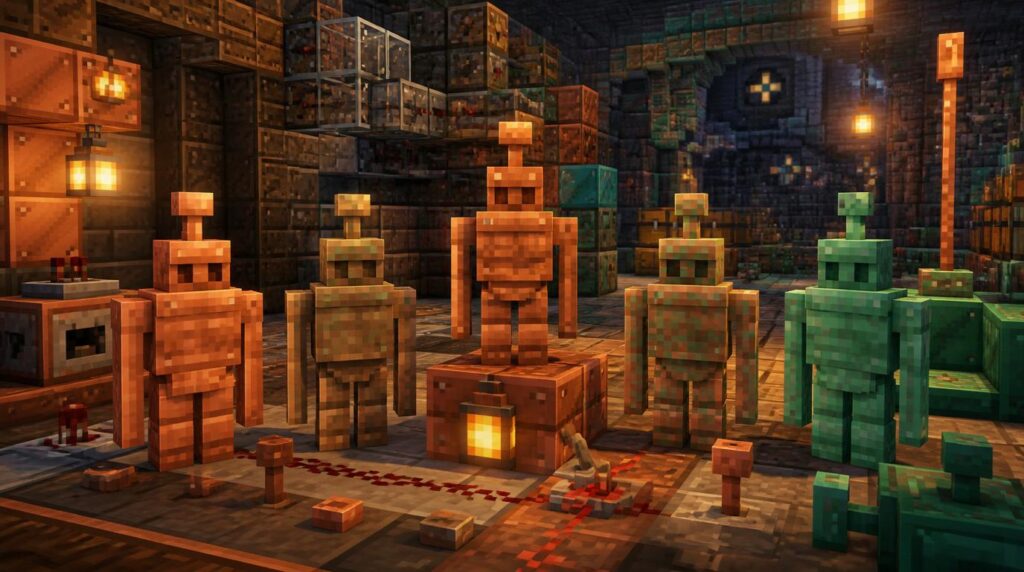
Copper in Minecraft doesn’t sit still, and neither does the golem made from it. He ages in real time, exposed to weather and just the natural passage of ticks, moving through the same four oxidation stages every copper block goes through. This is the part that trips people up the most, so let’s walk through it properly.
Unaffected
Bright, shiny copper-orange. Full mobility, fastest button-pressing behavior.
Exposed
A duller, warm bronze tone starts creeping in. Behavior is unchanged.
Weathered
Green-blue patches spread across the body. Movement gets noticeably slower.
Oxidized
Fully verdigris green. He freezes solid, statue mode, no more wandering.
That last stage is the one that catches new players off guard. A fully oxidized Copper Golem doesn’t die, he just stops. He becomes a decorative statue, frozen in whatever pose he happened to be in, still technically an entity but functionally inert. If you built him for redstone purposes, that’s your farm grinding to a halt.
Two tools fix this, and you already own both if you’ve played more than an hour of survival. An Axe scrapes off one stage of oxidation at a time, so a fully green golem needs three axe swings to get back to pristine condition. A Honeycomb does the opposite job, it locks his current stage permanently, waxing him so weather and time can no longer age him further. Wax him early at stage one and he stays fast and shiny forever. Wax him at stage four and, well, you’ve got a permanent yard ornament.
Best Minecraft Mods to Add the Copper Golem
Vanilla-style block stacking only gets you decoration unless you’re running something that actually spawns and animates the mob. These are the two most reliable options right now if you want the real behavior, not just a static build.
Friends&Foes
One of the most popular community mob mods in the entire ecosystem, and it implements the Copper Golem with full oxidation staging, wandering AI, and button-pressing behavior straight out of the original pitch. It plays nicely with most modpacks and doesn’t fight other mob-adding content for spawn slots.
Copper Golem (SmellyModder)
A standalone mod built specifically around this one mob, so the animations and hitbox work get far more attention than a broader compilation could give it. Expect faithful oxidation visuals and the correct three-block build recipe, no extra bloat added to your load order.
Both options run fine on modern versions, but always check the listed compatibility before dropping either into an existing modpack. If your setup is already running performance mods like Sodium or gameplay overhauls like Verity, test the golem mod in a fresh world first, mob AI mods occasionally clash with rendering optimizations in ways that only show up under load.
If you’re running a multiplayer server rather than a solo world, confirm your host actually supports the mod loader you need before committing a whole community build around him, this is exactly the kind of thing worth checking with your server hosting provider ahead of time. And if your server community has been chasing that classic minigame nostalgia lately, it’s worth noting even revival projects like the recently returned Mineplex run on heavily modified cores, so mod compatibility questions aren’t unique to your setup.
Redstone Utility: Why You Need a Copper Golem
Here’s the part that actually gets redstone engineers excited, and it’s not the aesthetics. Minecraft has no true random number generator block. Every “random” mechanic in the game is really pseudo-random, seeded, and technically predictable if you know the tick count. The Copper Golem breaks that pattern completely, because his button-pressing behavior runs on mob AI pathing, not a redstone-readable seed.
Surround him with a small enclosure full of copper buttons wired into different output lines, and you’ve built yourself a genuine randomizer. He’ll hit whichever button he wanders toward next, and there’s no reliable way to predict which one that’ll be. Builders use this exact setup for:
- Randomized farm timing, so automated crop or mob farms don’t run on a predictable clock an outside player (or a bored friend) could exploit.
- RNG-based minigame contraptions, like server-side loot roulette or chance-based redstone puzzles.
- Slow, organic clock pulses for builds that specifically want irregular timing instead of a clean repeating clock circuit.
Compare that to a standard redstone clock, which fires on a fixed interval you can set your watch to, and you can see why engineers wanted this mob so badly. It’s not about combat or defense at all, it’s a living, wandering randomizer with a personality, which is a genuinely rare thing to add to a redstone toolkit. He’s also completely passive, so unlike a mob you’d need to fend off with a fresh Minecraft spear, he’ll never turn hostile on you no matter how many buttons he mashes.
| Method | Randomness Source | Best For |
|---|---|---|
| Standard Redstone Clock | None (fixed interval) | Predictable automation, farms, doors |
| Observer/Piston RNG rigs | Player input timing | Manual mini-games, dice builds |
| Copper Golem Button Array | Mob pathing AI | True unpredictable triggers, anti-exploit farm timing |
Worth the Build
Three common blocks, one honeycomb habit, and a mod install away from a mob that adds both charm and genuine redstone function to your world. Rare combo for a losing Mob Vote entry.
If you’re the type who’d rather design your own mob mechanics from scratch than wait on community mods, this whole saga is a solid case study in how far a strong concept video can carry a feature, even without an official release. Worth keeping in mind if you’re dabbling in making your own game someday, sometimes the pitch is stronger than the shipped product, and that’s still a win for the people who build around it.