Why Drawing Matters in Game Development
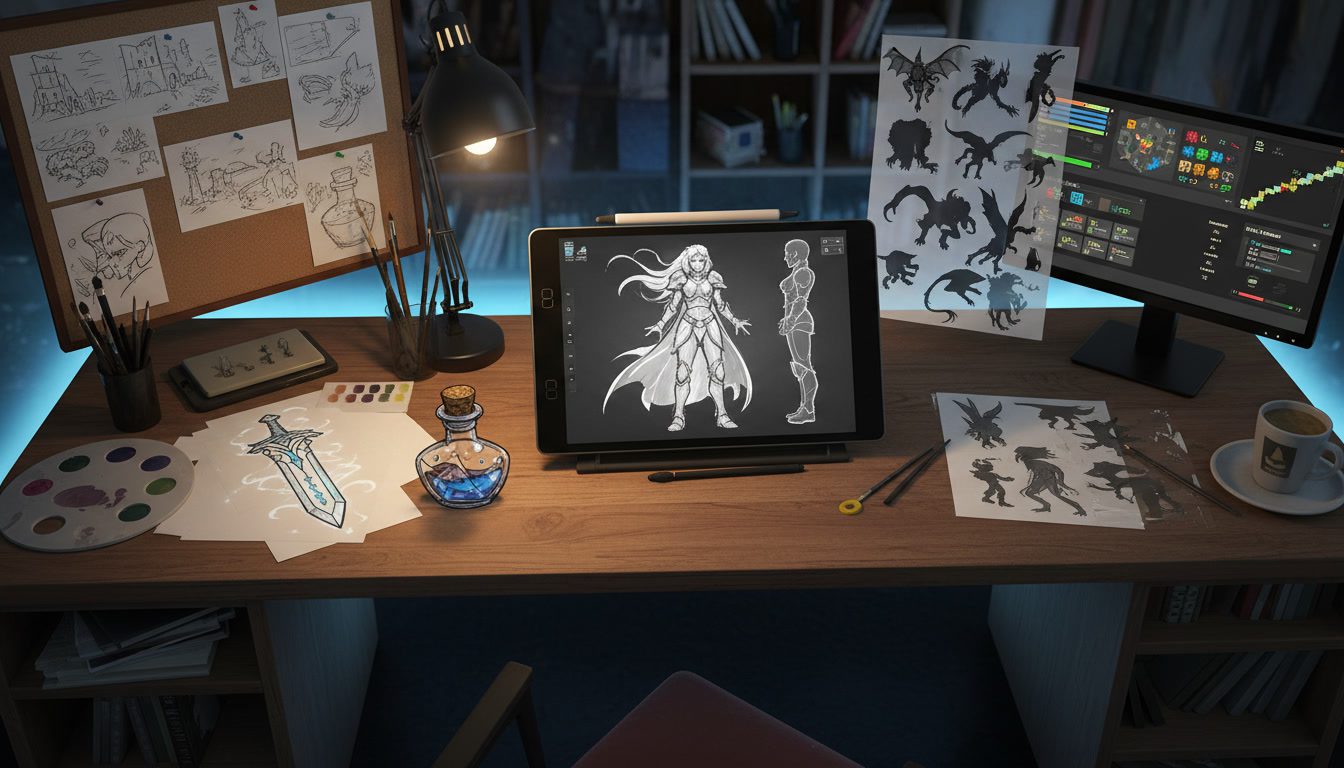
Drawing forms the foundation of every video game you’ve ever played. Before stunning 3D models, immersive environments, and compelling characters appear on screen, they begin as sketches on paper or digital canvases. Whether you’re an aspiring concept artist, indie game developer, or someone curious about how to make a video game in 2026, mastering what to draw and how to approach it will significantly impact your creative output.
Game artists bring worlds to life across every genre. From the horror atmospheres in games like Zoochosis to classic platformers, concept art establishes the visual foundation that players remember long after the credits roll.
Concept art establishes the visual identity of games. It transforms abstract ideas into tangible designs that production teams can reference throughout development. Without strong foundational drawings, even the most innovative game mechanics can fall flat due to inconsistent or unpolished visuals.
This comprehensive guide explores essential things to draw for game development, from characters and environments to props and UI elements. You’ll discover practical exercises, techniques, and workflows that professional artists use to bring game worlds to life.
Essential Categories: Things to Draw for Game Development
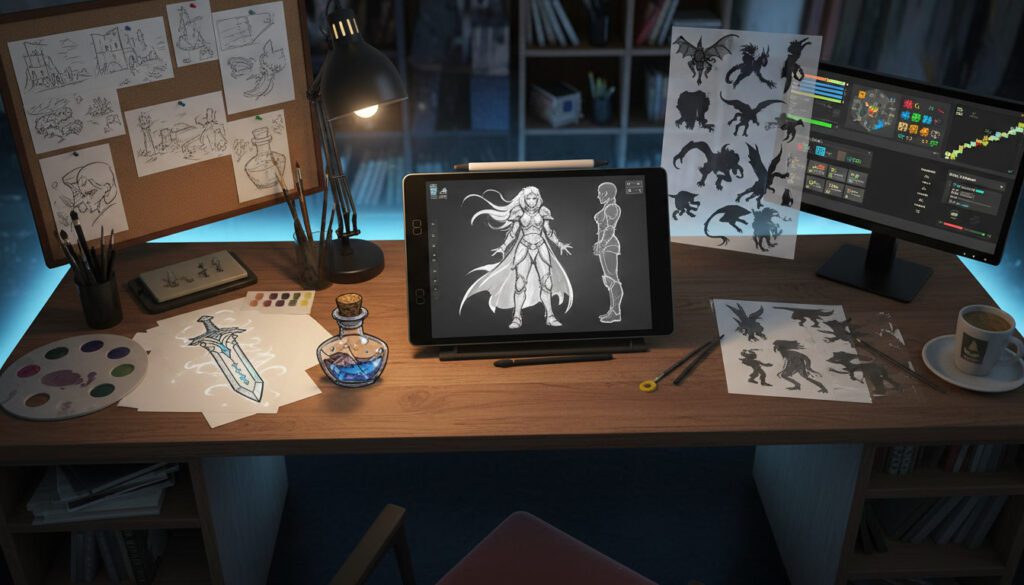
Characters and Character Design
Character design represents one of the most crucial aspects of game art. Players connect emotionally with characters, making their visual design paramount to a game’s success.
What to Draw:
- Character silhouettes and basic shapes
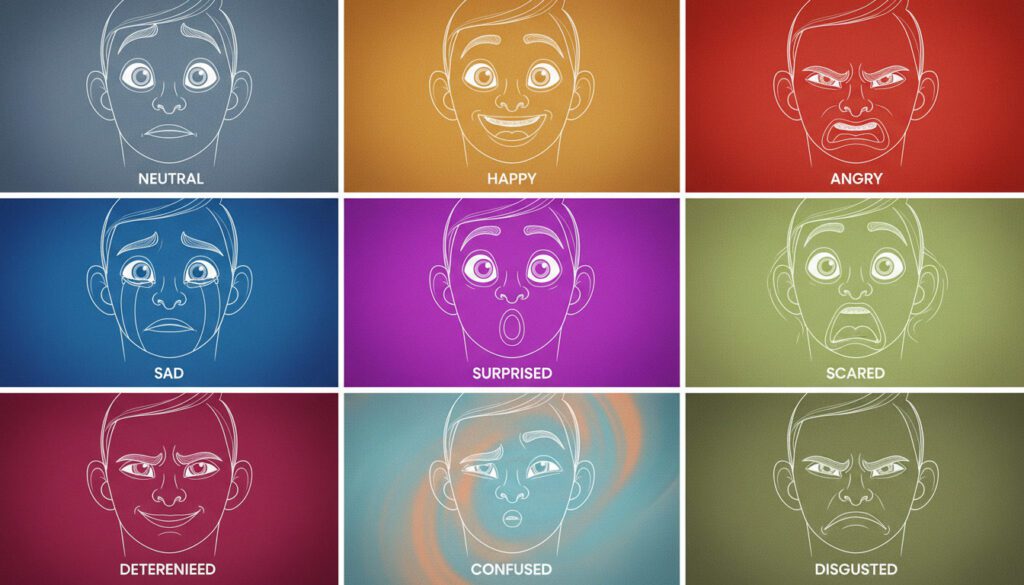
- Facial expressions showing different emotions
- Character turnarounds (front, side, back, three-quarter views)
- Action poses and idle stances
- Different outfits, armor variations, and equipment
- Age progression studies
- Character height comparisons
- Hand and foot studies
- Hair and clothing in motion
Practice Exercises: Start with simple stick figures to establish pose and movement. Graduate to blocking out characters using basic geometric shapes—circles for heads, cylinders for limbs, rectangles for torsos. This approach helps you understand proportions before adding details. Understanding geometry formulas in game development can also enhance your spatial awareness when designing characters.
Draw the same character in ten different poses. This exercise forces you to understand how the character’s body moves and how their personality influences their gestures. A confident warrior stands differently than a timid scholar.
Create character sheets that show your character from multiple angles. These turnarounds serve as essential references for 3D modelers and animators who need to understand how the character looks from every perspective.
Character Questions to Ask: Professional concept artists develop comprehensive backstories for their characters, even if players never learn these details. Understanding your character’s history, motivations, fears, and desires influences design decisions. Does your character have a military background? Their posture might be rigid and disciplined. Are they a thief? Perhaps they dress in layers with hidden pockets and avoid attention-grabbing colors.
Environment and World Building
Environments set the stage for player experiences. Whether designing sprawling fantasy kingdoms or claustrophobic horror corridors, environmental art establishes mood, guides players, and reinforces narrative themes.
What to Draw:
- Landscape thumbnails and composition studies
- Architecture sketches (buildings, ruins, structures)
- Interior spaces and room layouts
- Natural elements (trees, rocks, water, clouds)
- Weather conditions and atmospheric effects
- Lighting studies at different times of day
- Establishing shots showing scale and scope
- Detail callouts for texture and material reference
- Floor plans and level layout sketches
Practice Exercises: Create thumbnail sketches measuring no larger than two inches. These quick studies force you to focus on composition, value, and overall mood rather than getting lost in details. Professional artists often create dozens of thumbnails before selecting one to develop further.
Draw the same environment in three different lighting conditions: bright midday sun, golden hour sunset, and nighttime with artificial lights. This exercise teaches how lighting dramatically transforms mood and perception.
Practice one and two-point perspective until it becomes second nature. Understanding perspective allows you to create believable spaces that players can navigate intuitively. Even stylized games benefit from proper perspective fundamentals.
Environmental Storytelling: The best environment art tells stories without words. A bedroom with scattered clothes and empty food containers suggests different things than one with military-precise organization. Practice adding environmental details that hint at who lives in a space, what happened there, or what might happen next. For design inspiration, study atmospheric environments in titles like Arkham Horror or examine the detailed worlds of classic GameCube games.
Props and Objects
Props populate game worlds and provide interactive elements for players. From magical swords to mundane furniture, every object requires thoughtful design that fits the game’s aesthetic.
What to Draw:
- Weapons (swords, guns, bows, magical staffs)
- Tools and equipment
- Vehicles and transportation
- Furniture and decorative objects
- Containers (chests, barrels, crates)
- Food and consumables
- Magical items and artifacts
- Technology and machinery
- Natural objects (shells, bones, plants)
Practice Exercises: Select an ordinary object like a chair or lamp and redesign it for three different game genres: fantasy medieval, cyberpunk futuristic, and post-apocalyptic survival. This exercise demonstrates how the same functional object adapts to different aesthetic universes.
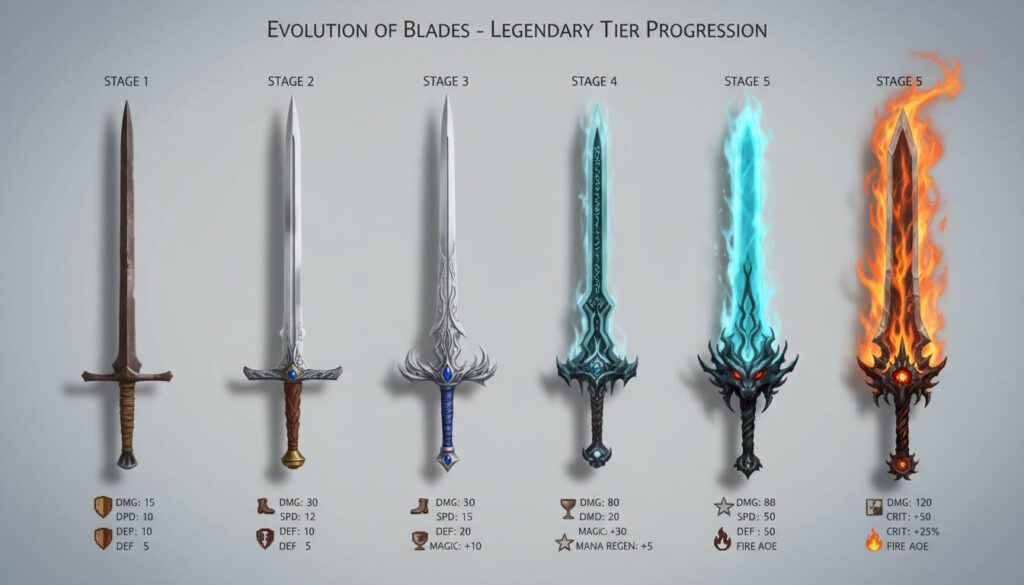
Draw the evolution of a single weapon from basic to legendary tier. Show how the weapon might upgrade visually as players progress, adding ornamentation, glowing effects, or mechanical complexity. This practice is essential for games with progression systems.
Create prop sheets showing multiple variations of similar objects. For example, draw fifteen different potion bottles with varying shapes, sizes, and decorative elements. This variety prevents visual monotony in game environments.
Material and Texture Considerations: Understanding how different materials look is crucial for believable prop design. Practice drawing wood grain, metal reflections, fabric folds, stone roughness, and glass transparency. These surface qualities help 3D artists texture models accurately.
Creatures and Monsters
Fantasy games, horror titles, and science fiction adventures require creature design that feels fresh yet believable within the game’s context.
What to Draw:
- Creature silhouettes and basic forms
- Anatomical studies showing skeletal structure and muscle
- Different creature poses and movements
- Scale comparisons with human characters
- Texture and skin detail callouts
- Creature lifecycle stages (baby to adult)
- Different subspecies or variations
- Combat poses and attack animations
- Death/defeat poses
Practice Exercises: Combine features from two or three real animals to create a new creature. This technique, called hybrid design, produces creatures that feel familiar yet unique. For example, combining elephant, spider, and armadillo features might yield a heavily-armored, many-legged creature with a trunk.
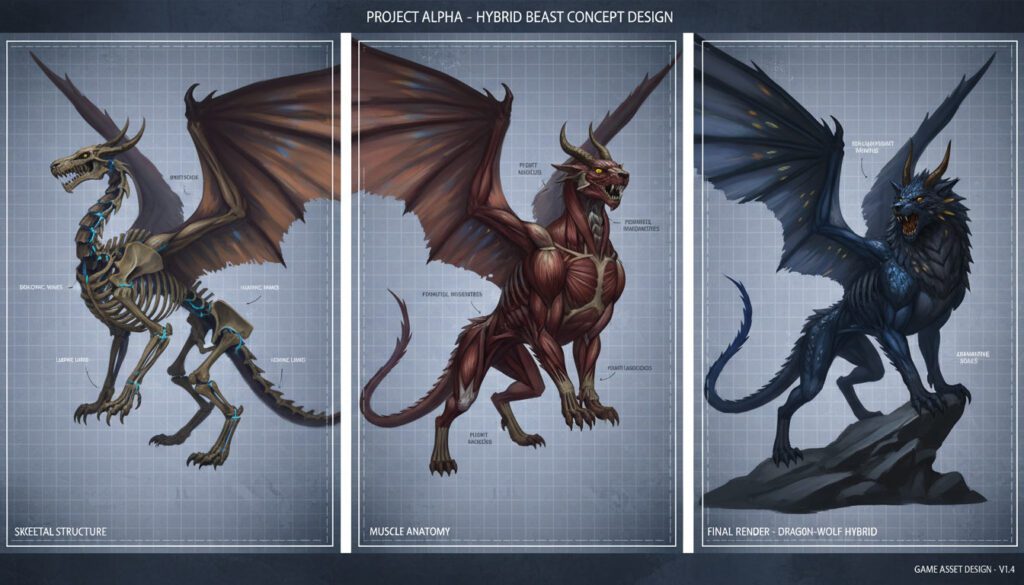
Design creatures specifically for their environment. An ice-dwelling predator needs different features than a desert scavenger. Consider how the creature moves, what it eats, how it defends itself, and how it reproduces. These biological considerations lead to more believable designs.
Draw your creature from egg/birth through juvenile to adult stages. This evolution study helps you understand the creature’s development and can provide gameplay variety if players encounter different life stages.
Anatomy and Movement: Even fantastical creatures need anatomical logic. Study real animal skeletons and muscles to understand how bodies move. A creature with four legs needs proper shoulder and hip placement to move believably. Wings require strong chest muscles to function. These details matter even in stylized designs.
UI and Interface Elements
User interface art ensures players can navigate menus, understand information, and interact with game systems effectively.
What to Draw:
- Button designs and states (normal, hover, pressed, disabled)
- Icon sets for items, abilities, and status effects
- Health bars and resource indicators
- Menu backgrounds and frames
- Inventory screen layouts
- Map and minimap designs
- Quest and objective markers
- Achievement and notification designs
- Loading screens and transitions
Practice Exercises: Design a complete icon set of twenty items that maintain visual consistency while remaining individually recognizable. Use consistent line weights, corner radiuses, and color palettes across all icons.
Sketch three different UI style approaches for the same game: minimal and modern, ornate and decorative, or rough and hand-drawn. Understanding how UI style reinforces overall game aesthetics is essential for cohesive design.
Create UI mockups showing how players will interact with game systems. Draw the inventory screen, crafting interface, and skill trees. Consider information hierarchy—what needs immediate attention versus secondary details.
Readability and Functionality: UI art must balance beauty with clarity. Practice creating designs that look appealing while remaining instantly readable. Test your designs at small sizes and with various background colors to ensure visibility in different game situations.
Vehicles and Transportation
Many games feature vehicles that players control or encounter, from fantasy mounts to futuristic spacecraft. Racing games, in particular, demand meticulous vehicle design—check out examples in the best PS2 racing games to see how different eras approached vehicle aesthetics.
What to Draw:
- Ground vehicles (cars, tanks, motorcycles)
- Flying vehicles (planes, helicopters, airships)
- Water vehicles (boats, submarines)
- Mounts (horses, dragons, mechanical steeds)
- Futuristic transportation
- Interior cockpit views
- Vehicle damage states
- Different vehicle classes and variants
Practice Exercises: Design a vehicle that combines two different technological eras or genres. A steam-powered mecha or a magical hovercart demonstrates your ability to blend disparate elements cohesively.
Draw the same vehicle type (like a car) in five different art styles: realistic, cartoonish, minimalist, grungy post-apocalyptic, and sleek futuristic. This exercise develops versatility and understanding of how style choices affect perception.
Create cutaway technical drawings showing vehicle interiors and mechanical components. Even if players never see these details, understanding how vehicles function internally improves external design believability.
Drawing Techniques for Game Artists
Silhouette Drawing
Silhouettes form the foundation of strong character and creature design. A design that reads clearly in silhouette will remain recognizable at any distance or lighting condition.
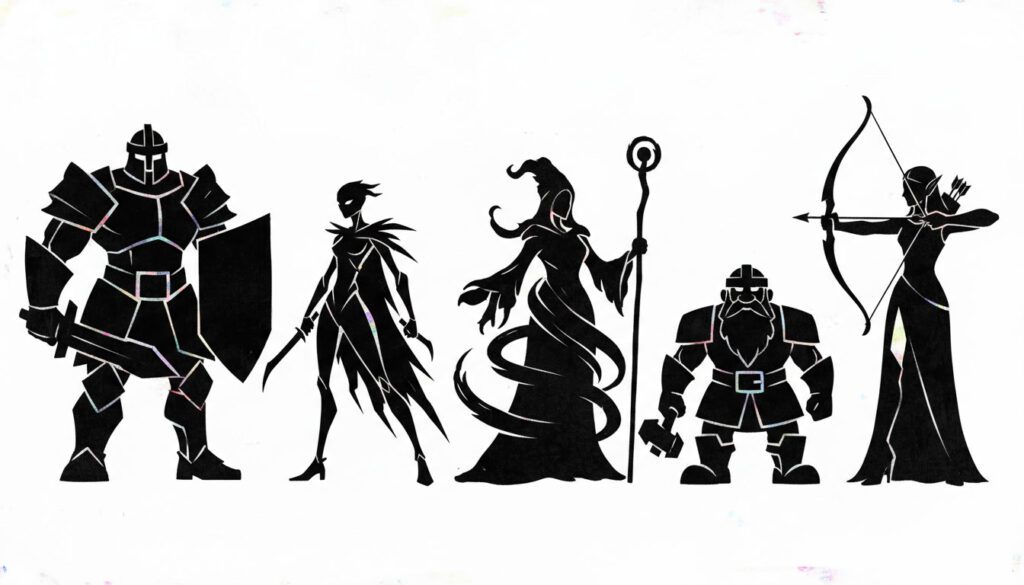
How to Practice: Fill shapes with solid black on a white background. If you can’t identify what the character is doing or what makes them unique from their silhouette alone, the design needs stronger shapes and more distinctive features.
Create ten different character silhouettes representing different classes: warrior, mage, rogue, healer, ranger. Each should be immediately distinguishable by shape alone. Warriors might have broad shoulders and bulky armor, while rogues have slender builds with dynamic, asymmetrical shapes.
Thumbnail Sketches
Thumbnails allow rapid exploration of ideas without investing excessive time in any single concept. Professional artists create dozens of thumbnails before committing to detailed work.
How to Practice: Set a timer for two minutes per thumbnail and create ten environment compositions. This time constraint prevents overthinking and encourages instinctive design choices. After completing all ten, select the strongest three for further development.
Work small—no larger than two inches. This size restriction forces you to focus on big shapes, values, and composition rather than details. Details come later in the refinement stage.
Iterative Drawing
Game art requires multiple iterations. The first idea is rarely the best idea. Professional concept artists embrace iteration as essential to reaching optimal designs.
How to Practice: Select a character or prop concept and create five completely different versions. Don’t refine a single design—create five distinct approaches. One might be realistic, another stylized, one minimal, another ornate, and the last experimental. This variety provides options and often leads to hybrid solutions combining the best elements of multiple iterations.
After feedback or reflection, choose the strongest concept and create five more variations with subtle differences. Change proportions, adjust details, modify colors, or alter materials. These refinements help identify the perfect version.
Line Art and Linework
Clean linework communicates designs clearly to 3D modelers, animators, and other team members who will reference your art.
How to Practice: Practice line weight variation. Thicker lines define outer contours and areas in shadow, while thinner lines indicate surface details and areas in light. This variation adds depth and hierarchy to drawings.
Draw objects with continuous, confident lines rather than sketchy, searching strokes. This requires practice but produces cleaner, more professional results. If needed, sketch lightly first, then commit to final lines with confidence.
Create turnaround sheets with consistent line weights and details across all angles. This discipline ensures your designs work three-dimensionally and provides clear reference for other artists.
Value and Lighting Studies
Understanding how light interacts with forms is crucial for creating believable, atmospheric art.
How to Practice: Limit yourself to three values: light, mid-tone, and shadow. This constraint forces you to make clear decisions about light direction and form. Many beginners use too many values, creating muddy, confusing images.
Draw simple geometric shapes (spheres, cubes, cylinders) under different lighting conditions: bright overhead sun, soft diffused light, dramatic side lighting, and backlit silhouette. Understanding how light behaves on simple forms helps you light complex objects convincingly.
Color Theory Application
Color choices dramatically impact mood, readability, and player emotions.
How to Practice: Create color scripts showing key moments or locations in your game using small color thumbnails. Each thumbnail uses different color palettes to establish distinct moods. A peaceful village might use warm, saturated colors, while a dangerous dungeon uses desaturated, cool tones with occasional warm accent colors for important elements.
Practice limited color palettes. Choose three to five colors and create a complete character or environment using only those colors. This constraint improves color harmony and prevents chaotic, visually confusing designs.
Photobashing
Photobashing combines photographs with digital painting to create hyper-realistic concepts quickly. This technique is common in AAA game development for environment and vehicle design.
How to Practice: Collect photographs of architectural elements, textures, and natural formations. Combine these photos in Photoshop, blending them seamlessly through masking, color adjustment, and painting over seams.
Start with a rough painted composition, then add photographic elements for texture and detail. Paint over everything to unify the image. The goal is a cohesive result where photographic origins aren’t obvious.
Essential Software and Tools
Digital Drawing Programs
Adobe Photoshop remains the industry standard for concept art. Its extensive brush customization, layer management, and integration with other Adobe products make it invaluable for professional artists.
Clip Studio Paint offers excellent drawing and painting tools at a lower price point than Photoshop. Many concept artists prefer its brush engine for illustration work.
Procreate provides powerful digital painting on iPad, making it accessible for artists who prefer portable solutions or stylus-based drawing.
Krita offers a free, open-source alternative with professional-grade painting tools. Its active development community continuously improves functionality.
3D Blocking Tools
Blender provides free 3D modeling capabilities useful for blocking out environments and vehicles. Many concept artists create rough 3D scenes, then paint over them to establish accurate perspective and proportions. If you’re working remotely, having a proper remote work setup for game developers ensures you can work efficiently with demanding 3D software.
SketchUp offers quick architectural modeling, perfect for environment artists who need to design buildings and interior spaces efficiently.
ZBrush enables digital sculpting for creature and character design. Artists sculpt in 3D, then create detailed renders to paint over or use as reference.
Reference and Mood Board Tools
PureRef allows you to organize reference images on an infinite canvas, perfect for gathering inspiration and maintaining visual consistency.
Pinterest provides vast libraries of reference material organized by theme, style, and subject matter.
ArtStation showcases professional game art, offering inspiration and industry-standard examples of concept art across all categories.
Workflow: From Concept to Production-Ready Art
Stage 1: Research and References
Before drawing anything, professional artists gather extensive reference material. Search for real-world examples, historical precedents, and artistic interpretations relevant to your concept.
Create mood boards collecting images that capture the feeling, color palette, and aesthetic direction you’re pursuing. These boards guide your work and help communicate your vision to team members.
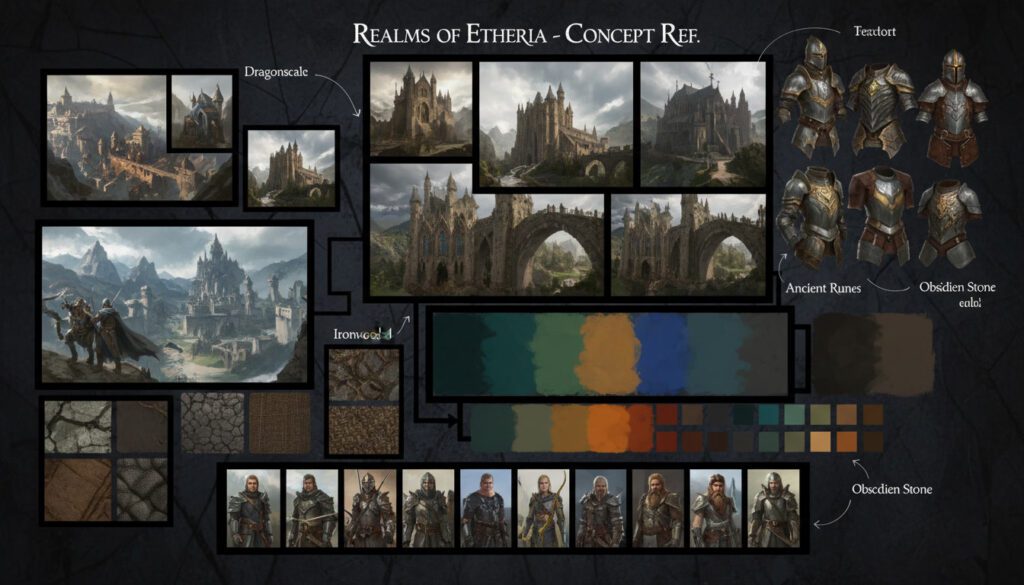
Study how other games have approached similar concepts. What worked? What could improve? Learning from existing games accelerates your growth and prevents reinventing solutions to solved problems.
Stage 2: Thumbnails and Exploration
Generate numerous small sketches exploring different approaches. Don’t commit to any single idea immediately. This exploration phase discovers unexpected solutions and prevents settling for the first adequate idea rather than the best idea.
Show thumbnails to team members or fellow artists for early feedback. It’s far easier to adjust course during thumbnailing than after investing hours in a detailed painting.
Stage 3: Rough Development
Select the strongest thumbnail and develop it to a medium level of detail. Establish clear forms, basic lighting, and overall composition without getting lost in fine details.
This stage answers questions about proportions, scale, and how the design functions. For characters, ensure the anatomy works. For environments, confirm the perspective is correct. For props, verify the object is recognizable and fits the game’s aesthetic.
Stage 4: Refinement and Detail
Add textures, fine details, and finishing touches. Consider how materials look—is that metal polished or weathered? Is that fabric silk or burlap? These surface qualities add believability and visual interest.
Include callouts showing specific details or alternate views. A character might have a callout showing their weapon closeup. An environment might include detail shots of architectural elements.
Stage 5: Presentation
Create clean, professional presentations of your concept art. This might include multiple angles, color variations, or the design in different contexts. When presenting remotely to team members, follow proper virtual meeting etiquette for game developers to ensure your art gets the attention it deserves.
Add notes explaining design decisions, materials, scale references, and any special considerations for 3D artists or programmers who will implement your designs.
Practice Challenges and Exercises
Daily Drawing Prompts for Game Artists
Week 1: Character Focus
- Day 1: Design a warrior character using only triangular shapes
- Day 2: Create a merchant NPC with a memorable silhouette
- Day 3: Draw the same hero character at ages 10, 25, and 60
- Day 4: Design twins where one chose good and the other evil
- Day 5: Create a character that combines two opposing elements (fire/ice, nature/technology)
- Day 6: Draw a character expressing five different emotions
- Day 7: Design a character whose appearance changes based on player choices
Week 2: Environment Focus
- Day 1: Design a tavern interior that tells a story
- Day 2: Create three different biomes (desert, tundra, jungle)
- Day 3: Draw the same castle in prosperity and ruin
- Day 4: Design a futuristic city skyline
- Day 5: Create an underground dungeon entrance
- Day 6: Draw a peaceful town square at three times of day
- Day 7: Design a boss arena that reflects the boss’s personality
Week 3: Props and Objects
- Day 1: Design five different sword types
- Day 2: Create a magical artifact with three upgrade stages
- Day 3: Draw ten different container types (chests, barrels, crates)
- Day 4: Design a vehicle for your favorite game genre
- Day 5: Create consumable items (potions, food, scrolls)
- Day 6: Draw furniture for a villain’s lair
- Day 7: Design ten unique icons for game abilities
Week 4: Creatures and Monsters
- Day 1: Combine three animals into one creature
- Day 2: Design a boss monster for a water level
- Day 3: Create a creature’s lifecycle (egg to adult)
- Day 4: Draw five different dragon designs
- Day 5: Design a creature that’s cute but deadly
- Day 6: Create a stealth-based enemy
- Day 7: Draw a massive creature with a human for scale
30-Minute Speed Painting Exercises
Set a timer and create fully rendered concept art in thirty minutes. This time constraint builds efficiency and prevents overworking designs. Focus on large shapes, strong values, and clear communication rather than perfection.
Speed Painting Subjects:
- A character in dynamic action pose
- An environment establishing shot
- A weapon or vehicle
- A creature attacking
- A UI screen mockup
Collaborative Drawing Games
Working with other artists accelerates learning and introduces new approaches you might not discover alone.
Exquisite Corpse: One artist draws a character’s head, folds the paper to hide most of the drawing, and passes it to the next artist who draws the torso without seeing the head. Continue until complete, then unfold to reveal the collaborative creature.
Style Mimicry Challenge: Each artist draws the same character or object, but in another artist’s style. This exercise develops versatility and appreciation for different artistic approaches.
Design Roulette: Artists take turns adding elements to a shared design. One adds the basic shape, another adds colors, another adds details, and so on. The unpredictability creates unexpected and often innovative results.
Common Mistakes and How to Avoid Them
Mistake 1: Overdetailing Too Early
Many beginners immediately add fine details before establishing solid foundations. This approach wastes time and often results in weak designs with impressive surface treatment.
Solution: Work from large to small. Establish overall shape, then major forms, then details. If the silhouette or basic composition doesn’t work, no amount of detail will save it.
Mistake 2: Ignoring Reference
Drawing entirely from imagination sounds appealing but usually produces generic, unconvincing results. Even experienced artists use extensive reference.
Solution: Gather references before drawing. Study how similar objects look in reality, how other artists have interpreted them, and what makes them visually interesting.
Mistake 3: Not Iterating Enough
First ideas rarely represent optimal solutions. Settling for the first adequate concept limits creativity and results in predictable designs.
Solution: Create multiple completely different approaches before refining any single design. Quantity leads to quality—give yourself options.
Mistake 4: Inconsistent Style
Mixing multiple art styles within a single game creates visual confusion and unprofessional results.
Solution: Establish clear style guidelines early. Create reference sheets showing line weights, color palettes, level of detail, and stylistic choices. All concept art should adhere to these guidelines.
Mistake 5: Designing in Isolation
Creating art without considering how it fits into the larger game leads to beautiful but impractical designs.
Solution: Understand the technical limitations, gameplay requirements, and narrative context. Communicate regularly with programmers, designers, and other team members.
Building Your Game Art Portfolio
What to Include
Your portfolio should demonstrate versatility, technical skill, and understanding of game development pipelines.
Essential Portfolio Pieces:
- Character designs showing turnarounds and expressions
- Environment concepts with multiple lighting conditions
- Prop and weapon designs
- Creature designs with anatomical notes
- UI mockups showing functionality
- Process work showing thumbnails through final renders
Presentation Matters
Clean, professional presentation makes your art shine. Use consistent layouts, clear labels, and organized composition.
Create case studies explaining your design process, problems you solved, and decisions you made. Employers value artists who can articulate their thinking as much as those who produce beautiful images.
Tailor to Your Goals
If you want to work on realistic military shooters, your portfolio should emphasize realistic rendering, contemporary weapons, and authentic environments. If you prefer stylized mobile games, showcase bright colors, exaggerated proportions, and approachable character designs.
Research studios you’d like to work for and understand their aesthetic preferences. Tailor your portfolio to demonstrate you can create art that fits their games.
Advanced Topics and Specialization
Motion and Animation Considerations
Even if you’re not an animator, understanding animation principles improves your concept art. Designs need to move convincingly, and your art should facilitate smooth animation.
Draw characters with clear joint placement. Ensure limbs can rotate naturally. Avoid designs with elements that would clip through each other during movement.
Create pose sheets showing extreme poses the character might assume. This helps animators understand the design’s flexibility and range of motion.
Technical Art Awareness
Concept artists benefit from understanding technical constraints. Polygon budgets, texture resolution, and rendering limitations affect what designs are feasible.
Communicate with technical artists to understand what’s achievable within your game engine. Beautiful concept art means nothing if it can’t be implemented.
Narrative Integration
The best concept art reinforces story and theme. Design choices should support narrative goals.
A character who’s been through hardship might have worn clothing, scars, and defensive posture. A prosperous kingdom’s architecture features ornate decoration and quality materials. Every visual choice communicates story information.
Resources for Continued Learning
Books
- “Drawing Basics and Video Game Art” by Chris Solarski
- “Designing Creatures and Characters” by Marc Taro Holmes
- “How to Become a Video Game Artist” by Sam R. Kennedy
Online Communities
- ArtStation (professional portfolio hosting and inspiration)
- ConceptArt.org (forums and critique)
- Reddit communities: r/gamedev, r/PixelArt, r/conceptart
Video Tutorials
Many professional concept artists share their workflows through YouTube, Gumroad, and Skillshare. Search for artists whose styles you admire and study their processes.
Game Jams
Participate in game jams like Ludum Dare or Global Game Jam. These events provide tight deadlines and collaborative environments that rapidly develop your skills and expand your portfolio. Need ideas? Check out our game ideas for brawlers or explore unique concepts like the garden gnome game for inspiration.
Conclusion: The Journey of a Game Artist
Learning what to draw for game development is an ongoing journey. The fundamentals—strong shapes, clear values, compelling composition—never change, but trends, technologies, and opportunities constantly evolve.
Practice consistently. Draw daily, even if only for thirty minutes. Quantity builds quality through repetition and experimentation.
Study games analytically. When playing games, pay attention to art direction, character design, environment composition, and UI presentation. Ask yourself what works, what doesn’t, and why. Explore different genres from Star Wars games to idle games to see how art styles adapt to gameplay needs.
Seek feedback from other artists and game developers. Constructive criticism accelerates growth far beyond solo practice.
Most importantly, draw what excites you. Passion shows in your work and sustains you through the inevitable challenges of artistic development. Whether you’re designing epic fantasy heroes, sleek sci-fi vehicles, or charming indie game characters, your enthusiasm for the subject will shine through and connect with players.
The game industry needs skilled artists who can visualize ideas, solve problems creatively, and bring imaginative worlds to life. Start drawing today, and you’ll be amazed at the progress you make. Every professional game artist started with a blank page and the courage to draw that first line.
For more insights into the gaming world, explore our articles on the best horror games, discover gifts for gamers, or check out collections like the best GameCube games and the best 3DS games for design inspiration from beloved classics.