
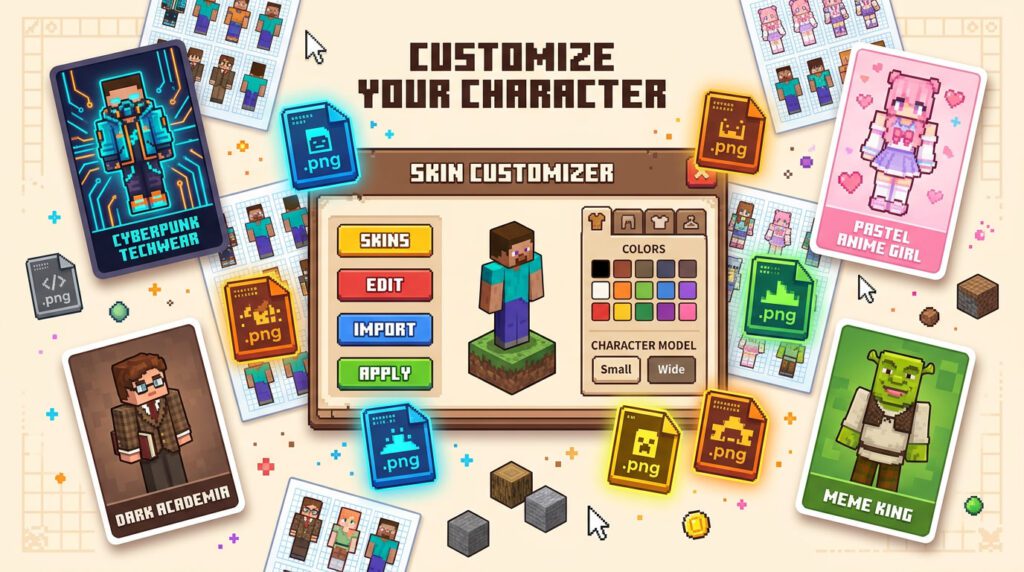
This guide covers everything: where to download the best skins right now, how to make your own from scratch, and a foolproof way to install them on Java, Bedrock, console, and mobile. Whether you want something aesthetic, funny, or completely unhinged — we’ve got you.
Why Aesthetic Minecraft Skins Matter More Than Ever in 2026
SMP culture exploded over the last two years. Survival Multiplayer servers have become full-on social spaces — people stream them, build entire character lore around their looks, and coordinate outfits with their friend groups. Your skin isn’t just cosmetic anymore. It’s your vibe, your brand, your character.
The trends right now are leaning hard into a few specific directions:
- Tech-wear aesthetics — dark hoodies, glowing accents, cyberpunk palettes
- 3D-layered hair — using the outer skin layer to fake depth and volume
- HD skins for Bedrock — 128×128 resolution skins are becoming a real thing on some Bedrock servers and third-party launchers
- Character skin sets — matching skins with your whole friend group for that cohesive SMP look
- Anime crossovers — Gojo, Sukuna, and other characters from popular series are evergreen crowd-pleasers
One thing that really drives the skin scene forward is how ridiculously easy it’s gotten to download and install new looks. The barrier is basically zero now — you can go from “I want a new skin” to actually playing with it in under two minutes.
Best Sites to Download Minecraft Skins for Free (Java & Bedrock)
There are dozens of skin sites, but only a handful are worth your time. Here are the ones the community actually uses:
Top Platforms for Minecraft Skin Downloads
Cool Minecraft Skin Categories Worth Exploring
Search engines on these sites are solid. Some categories that are absolutely popping right now:
- Anime skins — Gojo Satoru, Ryomen Sukuna, Goku, and basically every Jujutsu Kaisen character have thousands of player-made versions
- Horror characters — FNaF, Poppy Playtime, Huggy Wuggy-style skins are weirdly popular
- Funny/meme skins — the McDonalds skin, Shrek, surprised Pikachu face on a full body, you name it
- Pokemon skins — Pikachu and Gengar especially have held strong for years
- Aesthetic girl/boy skins — soft pastel looks, cottagecore vibes, dark academia styles
- Superhero and game crossovers — Spider-Man, Among Us characters, Fortnite-style designs
Quick heads-up: most skin download sites let you filter by Java vs Bedrock compatibility. Java uses a different skin model system than Bedrock (more on that in a sec), so always check before you download.
Ready to grab a skin right now?
Browse our curated picks for aesthetic, funny, and trending skins — all free to download as .png files.
Browse Skin Collection →How to Make Custom Minecraft Skins from Scratch
Making your own skin sounds intimidating. It really isn’t. The canvas is literally a 64×64 pixel image. Even someone who draws stick figures can make something cool with the right tools.
Minecraft Skin Size Explained: 64×64 vs 128×128 HD
| Feature | 64×64 (Standard) | 128×128 (HD) |
|---|---|---|
| Works on Java? | ✓ Yes | ✗ No (Java locked to 64×64) |
| Works on Bedrock? | ✓ Yes | ~ Some clients/mods only |
| Detail level | Standard pixelated look | Way more facial/clothing detail |
| Supported by editors? | ✓ All editors | ~ Blockbench + specific mods |
| Use case | General play, SMP, Java servers | Custom Bedrock clients, showcases |
For most players, 64×64 is your go-to. It’s what works everywhere. 128×128 is more of a flex for specific Bedrock setups or skin showcases.
Best Free Minecraft Skin Editors in 2026
Blockbench (Free, Desktop + Web)
This is the serious tool. Originally built for 3D model creation, it has a full skin editor that lets you paint directly on a 3D preview of your character. You can see exactly how your skin wraps around the body in real time. It’s what professional Minecraft artists use. There’s a browser version too — no download needed.
The Skindex Editor (Web-based)
Super beginner-friendly. Open your browser, click edit, and start coloring pixels. It shows both a flat template and a 3D preview side by side. Great for quick edits or remixing an existing skin.
NovaSkin (Web-based)
More creative tools than Skindex, including layers, gradients, and shading helpers. Good middle ground between beginner and intermediate.
Pro Techniques for Better-Looking Skins
- Use the outer layer — every body part has a second, slightly larger layer on top. Use it for hair, clothing details, accessories. This creates the “3D” layered hair effect.
- Shading matters — even 1–2 pixel-wide shadows on the side of the head make a huge difference in how 3D it looks
- Stay consistent with your palette — pick 4–6 main colors and stick to them across the whole skin
- Reference real art — find a character design or photo you like and use it as a reference while you paint
How to Install Minecraft Skins on Java Edition, Bedrock, and Mobile
Got your skin? Here’s how to actually get it in-game. Broken down by platform because the process is totally different.
How to Change Your Skin in Minecraft Java Edition (PC)
Go to minecraft.net and log into your Microsoft account.
Click your profile name in the top right → Profile.
Under “Skin,” click Browse and select your 64×64 .png file.
Choose your model type: Classic (Steve, wide arms) or Slim (Alex, thin arms). Make sure it matches your skin design.
Hit Save. Launch the game and your skin is live.
You can also change skins directly from the Minecraft Launcher under the Skins tab, which gives you a preview before saving. That’s actually the easier way to do it now.
How to Add a Custom Skin in Minecraft Bedrock Edition
Open Minecraft Bedrock and go to the main menu.
Tap or click your character in the Dressing Room (the little character icon).
Select “Classic Skins” → “+ Add Skin” or “Import” depending on your platform.
Browse to your .png file and confirm. On consoles, you may need to transfer the file via USB or the companion app.
Hit Confirm and your skin is applied instantly across all devices linked to your Microsoft account.
Minecraft Skin Not Showing? How to Fix It
- Skin is the wrong size — Java requires exactly 64×64 pixels. Nothing else works. Check the dimensions in any image viewer.
- File format is wrong — has to be .png. Not .jpg, not .webp. PNG only.
- Server has custom textures — some servers override player skins. Nothing you can do there.
- Offline mode — if you’re on a cracked launcher or offline mode, skin changes won’t sync. Try logging into your Microsoft account.
- Cache issue — restart the game entirely. Skin changes sometimes need a full restart to kick in.
- Other players can’t see your skin — usually a server-side skin loading issue. Give it a minute; most servers cache skins from Mojang’s servers.
Best Minecraft Skins 2026: Trending Styles Right Now
If you just want something good and don’t want to spend 45 minutes browsing, here are some reliable categories that almost always have great options:
- Dark academia student — sweaters, round glasses, muted tones. Huge on SMPs right now.
- Soft anime protagonist — big eyes, colorful hair, simple outfit. Timeless.
- Techwear ninja — dark layers, subtle glowing trim, straps and pouches
- Pastel cottagecore — flowers in hair, apron, earth tones. Weirdly calming in-game.
- Horror villain — among the most-downloaded categories. Art the Clown-inspired designs are legitimately popular. (Why Art the Clown is everywhere in gaming right now)
- Retro gamer — pixel art vibes, 8-bit color palettes, game console logos worked into the shirt
For anime fans, Gojo Satoru and Goku designs dominate the anime skin category — and for good reason. There are hundreds of versions at different quality levels, so you can find one that fits your exact aesthetic. Also worth exploring: the Pokemon-inspired skin scene has been going strong since literally 2012 and shows no sign of stopping.
Minecraft has always been about creativity — and your skin is the most personal piece of that. Whether you download something from Planet Minecraft, remix a template in Blockbench, or get lost making pixel-perfect shading for three hours, the community respects the effort. In 2026, great skins are easier to find and make than ever. So go ahead and actually express yourself in-game. Steve and Alex will be fine without you.