Top 5 Gaming Design Tools
1. Unity
The default choice for mobile, indie, and cross-platform projects
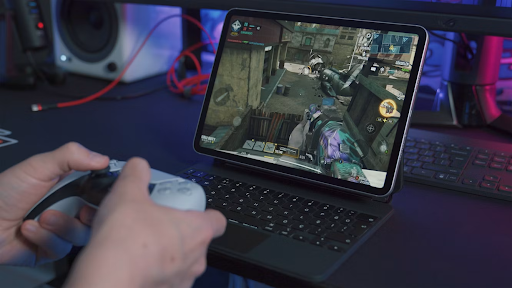
Unity remains the most widely adopted general-purpose engine in the industry, largely because it optimizes for something a lot of tools ignore: how fast a small team can get from an empty scene to a playable prototype. C# is a comparatively approachable language to pick up, the Asset Store cuts down on reinventing common systems, and Unity’s cross-platform export pipeline covers mobile, desktop, console, and web from a single project.
- Approachable C# scripting with a large body of tutorials and community answers
- One of the strongest mobile publishing pipelines of any engine
- Fast iteration loop — useful for prototyping and small-team workflows
- Broad platform export support without major rearchitecting
2. Unreal Engine
The visual ceiling — built by Epic Games for cinematic-grade output
Unreal Engine is where most of the industry turns when visual fidelity is the priority. Its rendering pipeline — dynamic lighting, physically-based materials, high-fidelity character animation — is close enough to film-quality that it’s genuinely used for previsualization and virtual production outside of games entirely. That level of output is a big part of why so many AAA studios build on it.
The other half of Unreal’s appeal is Blueprints, its visual scripting system. It doesn’t replace C++ for performance-critical systems, but it lets designers and artists build and test gameplay logic without waiting on a programmer for every iteration — which changes how collaboratively a team can actually work.
- Industry-leading lighting, materials, and physics fidelity
- Blueprints visual scripting lowers the barrier for non-programmers
- Strong fit for large, detailed open-world environments
- Steeper learning curve than Unity, especially for solo developers
3. Blender
Free, professional-grade 3D — not an engine, but a core part of the pipeline
Blender isn’t a game engine, but it’s hard to talk about game art pipelines without it. It handles modeling, texturing, rigging, and animation, and — unlike most tools on this list — it costs nothing, with no tier system or seat licenses to worry about. That’s a genuinely rare thing for software at this level of capability, and it’s a big reason solo developers and small studios lean on it so heavily.
Blender exports cleanly into both Unity and Unreal, so it’s common to see it used purely as an asset-creation stage before everything moves into the engine for implementation.
- 3D modeling, texture painting, rigging, and animation in one tool
- No licensing cost — a meaningful advantage for indie budgets
- Clean export compatibility with Unity and Unreal
- Active open-source community and frequent updates
4. Adobe Photoshop
Still the standard for concept art, UI, and texture work
Games sell partly on how they look before a player ever touches a control, and Photoshop is where a lot of that first impression gets built — concept art, splash screens, UI mockups, and the texture work that makes 3D models look finished rather than flat. It’s not a game-specific tool, which is exactly the point: it’s the shared visual-editing language between game art, marketing material, and UI design, so assets move between those uses without friction.
- Industry-standard layering, masking, and painting tools
- Common first step for concept art before 3D modeling begins
- Doubles as the tool for UI, marketing, and store page assets
- Deep integration with other Adobe Creative Cloud apps
5. Autodesk Maya
The animation and rigging standard for large productions
Maya’s reputation comes down to one thing: character animation at a level of control that’s hard to match elsewhere. Rigging systems built in Maya can support extremely nuanced facial and body movement, which is why it’s the tool of choice behind cinematics and cutscenes in a large share of blockbuster titles. It has a real learning curve — this isn’t software you pick up in an afternoon — but for teams doing heavy character work, that investment tends to pay off.
- Advanced rigging built for complex, realistic character movement
- Strong pipeline integration with major game engines
- Widely used for cinematics and cutscene production
- Steep learning curve — more suited to dedicated animators than generalists
Side-by-Side Comparison
| Tool | Category | Cost Model | Best For | Learning Curve |
|---|---|---|---|---|
| Unity | Game engine | Free tier + paid plans | Mobile & indie games | Beginner-friendly |
| Unreal Engine | Game engine | Free, royalty above threshold | AAA & cinematic games | Steep |
| Blender | 3D modeling & animation | Free & open source | Asset creation | Moderate |
| Photoshop | Digital art & textures | Subscription | UI & concept art | Beginner to moderate |
| Autodesk Maya | Character animation | Subscription (studio-tier) | Professional animation | Steep |
From Idea to Playable
None of these tools guarantee a good game on their own — that still comes down to design, iteration, and knowing when to cut a feature that isn’t working. But the right toolkit removes a lot of friction between having an idea and being able to actually test it, which is often the difference between a project that gets finished and one that doesn’t. If you’re just starting out, it’s worth reading up on how to start making a video game before committing to a specific engine — the right first tool depends heavily on the kind of game you’re trying to build.
Frequently Asked Questions
No. Most solo developers start with one engine (usually Unity, for its gentler learning curve) and Blender for assets, then add specialized tools like Maya or Photoshop as the project’s needs grow.
Yes, for development and learning — Epic charges a royalty only after a shipped product crosses a defined revenue threshold, not upfront.
For many indie and small-studio projects, yes. Maya’s advantage shows up mainly in large-scale productions needing highly complex rigs and cinematic-quality character animation.
Unity is generally the more forgiving starting point — the scripting language is more approachable and the community resources for beginners are extensive.