How to Check Roblox Account Status: Ban History, Moderation & Server Status
To check your Roblox account status, log in and open Settings → Account Info → Violations & Appeals (or the new Account Standing panel under the Safety Dashboard). This shows any active warning, temporary ban, or termination, plus the reason and appeal option.
If you can’t log in at all and every site is loading fine, that’s almost always a personal moderation action — not an outage. Check status.roblox.com first to rule out a platform-wide issue before assuming it’s a ban.
A Roblox account status check tells you exactly where your account stands: clean, warned, temporarily suspended, or terminated. Roblox doesn’t hide this information — it’s built into your account settings, it’s just spread across a few different screens depending on what you’re checking (moderation, chat access, voice eligibility, or trade safety). This guide walks through every official method, current as of August 2026.
Roblox Account Status: Quick Reference Table
Use this table to match what you’re seeing on-screen to the actual status type before digging into the full steps below.
| Status type | Where to check | On-screen symptoms | Recovery action |
|---|---|---|---|
| CLEAN | Account Standing / Violations & Appeals | No notices; full access to chat, trading, experiences | None needed |
| WARNING | Login screen pop-up + Violations & Appeals | One-time acknowledgment notice; account works normally after | Acknowledge the notice; optional appeal if you believe it’s wrong |
| TEMP BAN | “Account Restricted” screen on login | Locked out with a countdown (1, 3, 7, or 14 days, sometimes longer) | Wait it out, or appeal within 30 days |
| TERMINATED | “This account has been permanently closed” screen | No login access; balance shown as ? | Support Form appeal within 30 days (EU accounts get 6 months) |
| VOICE/CHAT LOCK | Settings → Privacy → Communication | No headphone icon, no chat box, or messages showing as filtered | Complete Facial Age Estimation or ID Verification |
| SERVER ISSUE | status.roblox.com | Every account affected at once; error codes like 277 or 279 | Wait for Roblox to resolve; no action on your end |
How to Check Your Roblox Account Standing
Log in via the Roblox app or browser and read the moderation screen
If your account has an active warning, ban, or termination, Roblox intercepts login and shows a moderation notice before you reach the home page. This notice states the violation category, the moderated behavior, the duration (or “permanent”), and whether the action applies to your whole account or one experience. If nothing intercepts your login, your account is in good standing.
Use the Account Standing dashboard
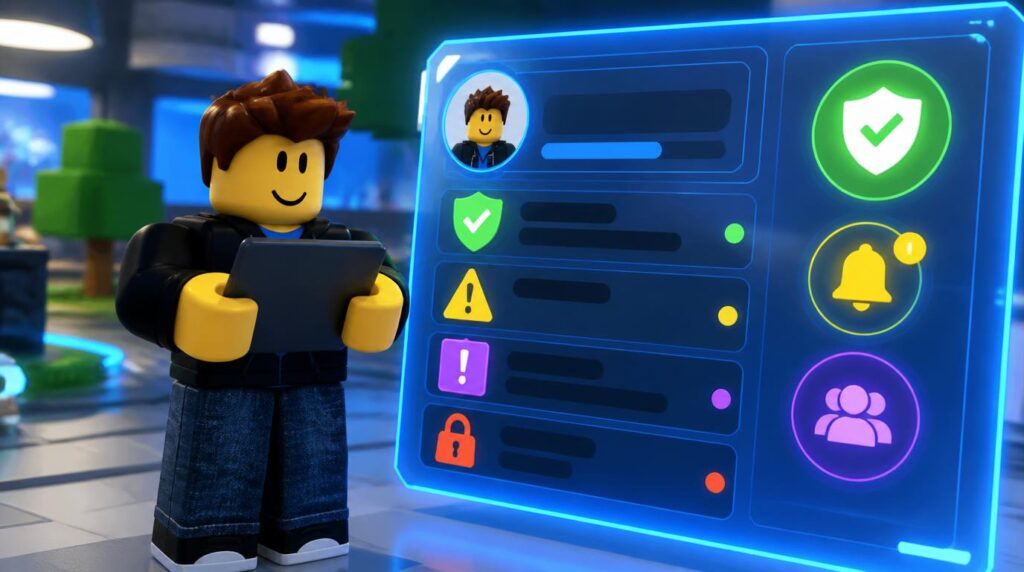
Roblox began rolling out a dedicated Account Standing panel under its Safety Dashboard in early August 2026, giving players a persistent snapshot of their moderation history instead of only a one-time pop-up. Where it’s live, you’ll see an overall standing indicator plus a Recent Moderation Actions list covering warnings, timeouts, and suspensions. The rollout is gradual, so some accounts still default to the older Violations & Appeals screen under Settings → Account Info — if you don’t see a Standing section, that’s the fallback to use. Roblox has not published an exact scoring formula or recovery timeline for this feature, so treat the indicator as a summary, not a countdown.
Check Account Info and verification status
Under Settings → Account Info, you can confirm your account age (join date), phone verification status, and whether an age check (Facial Age Estimation or government ID) has been completed. A completed check shows as “Age Verified.” This section is also where avatar and profile settings live, so it’s worth a full pass if you’re troubleshooting more than one issue at once.
Reading the moderation note
Every notice includes a short moderator note. It won’t give exact evidence, but it does name the rule category — scamming, harassment, exploiting, or inappropriate content are the most common. Save a screenshot before it’s dismissed; you’ll need the wording for an appeal.
Escalation pattern
Roblox uses a graduated system: warning → 1/3/7/14-day suspension → longer suspensions (up to 6 months or a year) → permanent termination for repeated or severe violations. There’s no fixed universal ladder — severity and history both factor in.
Checking Voice Chat & Text Filtering Restrictions
Since January 2026, Roblox requires an age check — Facial Age Estimation or government ID verification — before any account can use chat at all, text or voice. This isn’t a moderation penalty; it’s a platform-wide gate that applies to every user. Full details on how the age bands and account types work are covered in our Roblox age groups and account types guide.
- No chat box or greyed-out headphone icon: your age check hasn’t finished processing. Go to Settings → Account Info and confirm it reads “Age Verified.”
- Chat works but only with some users: Roblox groups accounts into age bands (under 9, 9–12, 13–15, 16–17, 18+). By default you can chat within your band plus one band above and below — this is a filtering rule, not a ban.
- Voice Chat specifically greyed out: Voice requires the same age check plus being 13 or older; it also needs the individual experience to support Spatial Voice, so a missing headphone icon inside one game can simply mean that game hasn’t enabled it.
- SafeChat / filtered messages: this ties to the birth date on file, not to moderation history — younger or unverified accounts default to a stricter filter regardless of standing.
Chat lock ≠ account ban
A missing chat or voice toggle is one of the most common things mistaken for a ban. Check Age Verified status before assuming your account is in trouble — most chat lockouts resolve the moment verification finishes processing, with zero moderation involved.
Is Roblox Down or Are You Banned? Error Code Breakdown
The fastest way to tell a personal ban from a server-side problem: check status.roblox.com first. If it shows all systems operational and you’re still locked out, the issue is account-specific. If it shows an active incident, wait — there’s nothing to fix on your end. DownDetector-style trackers can also confirm whether reports are spiking platform-wide versus isolated to you.
| Error code | What it actually means | Ban or outage? |
|---|---|---|
| 267 | Banned or kicked from one specific experience by that game’s creator or anti-cheat — not a Roblox account action | EXPERIENCE-LEVEL |
| 268 | Suspicious client behavior flagged (exploit or script detection); can lead to a follow-up action | FLAGGED |
| 273 | Rejoin-too-fast or teleport glitch between servers; usually resolves on retry | TECHNICAL |
| 277 | Connection issue tied to your network or Roblox’s servers | TECHNICAL |
| 279 | Failed to connect to the game — firewall, antivirus, or server-side, not moderation | TECHNICAL |
| 524 / 529 | Timeout or server overload joining a specific experience | TECHNICAL |
If you were removed from a specific game and see Error Code 267, that block lives entirely inside that experience — your platform account, Robux, inventory, and every other game stay unaffected. Roblox Support can’t lift experience-level bans since they’re issued by the game’s own creator or moderation tools, not by Roblox itself.
How to Appeal a Roblox Ban or Moderation Action
Find your appeal route
Open the moderation notice or Violations & Appeals under Settings. If an Appeal button appears directly on the action, use it. If the action isn’t listed there, use the Roblox Support Form instead — go to Help & Safety → Violations & Appeals → Support, then select Appeal a Decision as the help category.
Submit within the deadline
You have 30 days from the moderation date to appeal (EU accounts get up to 6 months under Digital Services Act rules). Each moderation action gets exactly one review — duplicate appeals for the same action won’t be reprocessed, so make the first submission count.
Write a factual, specific statement
State your username, the moderation date, and why you believe the decision was wrong or unjust — with evidence if you have it (screenshots, chat logs, context). Skip apologies-as-strategy and skip long backstory; reviewers respond to specifics, not length.
Response times vary from about 12 hours in low-traffic periods to roughly 7 days during high appeal volume. If you’re a creator, note that a termination or repeated moderation history can also affect DevEx eligibility, since payout applications are reviewed case-by-case.
How to Check Another Player’s Account Status Before Trading
High-value trades carry real risk if the other party is close to a ban or already sitting on a terminated account. A few checks before you commit an item or Robux balance:
- Account age and badges: a profile with recent creation and no earned badges is a common scam-account pattern.
- Inventory privacy: if their inventory is hidden, you can’t verify item ownership before the trade goes through — treat that as a caution flag, not proof of a scam.
- RAP and trade history: community tools like Rolimons track Recent Average Price and public trade activity, which helps confirm an item’s real value before you agree to a swap. This matters most for volatile-value items similar to those tracked in the Creatures of Sonaria value list.
- Terminated accounts: a terminated user’s profile typically shows as unavailable or blank — if a trade partner’s profile suddenly disappears mid-negotiation, assume the deal is dead and don’t send anything further.
- Robux math before you commit: run the numbers with a Robux calculator so you’re not relying on the other party’s conversion.
Never share your password, use third-party “boosting” tools, or accept off-platform payment for a trade — these are the fastest routes to a scamming-related moderation action against your account, not just the other person’s.
Roblox Account Status: Frequently Asked Questions
How do I know if I’m banned on Roblox?
Try to log in. If a moderation notice blocks access and names a violation and duration, you’re banned or terminated. If login works normally but one game kicks you with Error Code 267, that’s an experience-level block, not an account ban.
What’s the difference between a Roblox ban and a termination?
A ban (formerly called a suspension) locks the account for a set period — 1, 3, 7, or 14 days, sometimes longer. A termination (formerly “account deletion”) permanently closes the account and forfeits Robux and inventory, with no automatic expiry.
Can I appeal a warning?
Yes. Any moderation action, including warnings, can be appealed through Violations & Appeals or the Support Form if you believe it was issued incorrectly.
Why can’t I use voice chat even though my account isn’t banned?
Voice Chat requires a completed age check (Facial Age Estimation or ID verification) and being 13 or older, separate from moderation status entirely. Check Settings → Account Info for “Age Verified.”
How long does a Roblox appeal take?
Typically 12 hours to 7 days, depending on appeal volume. Submitting multiple appeals for the same action doesn’t speed this up and can add delay.
Is status.roblox.com different from my personal ban notice?
Yes. status.roblox.com reports platform-wide server health — it won’t show individual account moderation. A personal ban only ever appears on your own login screen or Account Standing panel.
Sources reviewed for this guide include Roblox’s official Support and Creator Hub documentation, Roblox’s Facial Age Estimation announcement, and coverage of the Account Standing dashboard rollout first reported the week of August 7, 2026. Roblox’s moderation and verification systems change periodically — always confirm current specifics against your own account’s Settings before acting on a ban or appeal decision.