Software development is equal parts art and science—a field where creativity meets logic, and where continuous learning is the only constant. Whether you’re just starting your coding journey or you’re a seasoned developer looking to level up, this comprehensive guide covers the essential tips, practices, and strategies that separate good developers from great ones.
Table of Contents
- Foundational Programming Principles
- Code Quality & Clean Code Practices
- Development Workflow Optimization
- Testing & Quality Assurance
- Collaboration & Communication
- Productivity & Time Management
- Security Best Practices
- Career Development & Continuous Learning
- Tools & Technologies
- Advanced Tips for Experienced Developers
Foundational Programming Principles
Master the Fundamentals First
Before jumping into the latest JavaScript framework or trending technology, ensure you have a rock-solid understanding of core programming concepts. Variables, loops, conditionals, functions, data structures, and algorithms form the foundation upon which all advanced skills are built.
Why this matters: Frameworks and languages come and go, but fundamental concepts remain constant. A developer who understands computer science fundamentals can adapt to any technology stack.
Action steps:
- Choose one language to start (Python, JavaScript, or Java are excellent choices)
- Write code by hand before running it—this builds deeper understanding
- Practice problems on platforms like LeetCode, HackerRank, or CodeSignal
- Focus on understanding why code works, not just that it works
Apply the DRY Principle (Don’t Repeat Yourself)
DRY is one of the most fundamental software development principles, formalized by Andy Hunt and Dave Thomas in “The Pragmatic Programmer.” The concept is simple: every piece of knowledge should have a single, authoritative representation within a system.
Benefits:
- Reduces code duplication and maintenance burden
- Makes code more readable and easier to understand
- Minimizes bugs—fix once, fix everywhere
- Improves scalability of your codebase
Practical example: Instead of writing the same validation logic in multiple places, create a reusable function:
javascript
// Bad: Repetitive code
function validateEmail(email) {
  return email.includes('@') && email.includes('.');
}

function processUserEmail(email) {
  if (email.includes('@') && email.includes('.')) {
    // process email
  }
}

// Good: DRY principle applied
function isValidEmail(email) {
  return /^[^\s@]+@[^\s@]+\.[^\s@]+$/.test(email);
}

function processUserEmail(email) {
  if (isValidEmail(email)) {
    // process email
  }
}
Follow YAGNI (You Aren’t Gonna Need It)
YAGNI encourages developers to implement features only when they’re actually needed, not when you think they might be needed in the future. This principle comes from Extreme Programming (XP) methodology.
Why it matters:
- Prevents over-engineering and feature bloat
- Reduces complexity in your codebase
- Saves development time and resources
- Makes testing and maintenance easier
Application: When tempted to add “just in case” functionality, ask yourself: “Is this feature required for the current sprint/milestone?” If not, document it as a potential future enhancement and move on.
Understand SOLID Principles
The five SOLID principles are essential for creating maintainable, scalable object-oriented code:
- Single Responsibility Principle: A class should have only one reason to change
- Open/Closed Principle: Open for extension, closed for modification
- Liskov Substitution Principle: Derived classes must be substitutable for their base classes
- Interface Segregation Principle: Clients shouldn’t depend on interfaces they don’t use
- Dependency Inversion Principle: Depend on abstractions, not concrete implementations
These principles lead to code that’s easier to maintain, test, and extend over time.
Code Quality & Clean Code Practices
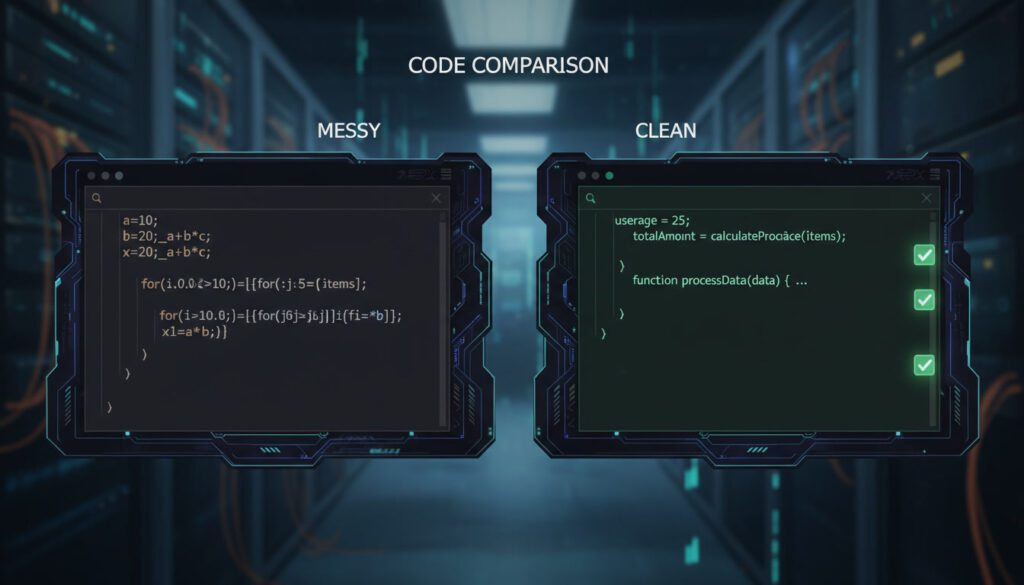
Write Code for Humans, Not Just Machines
Code is read far more often than it’s written. Research shows developers spend 70% of their time reading and understanding existing code rather than writing new code. Your code should be a form of communication with other developers (including your future self).
Clean code characteristics:
- Self-explanatory variable and function names
- Consistent formatting and style
- Appropriate comments that explain why, not what
- Functions that do one thing well
- Logical code organization
Follow Naming Conventions
Naming conventions make code more readable and professional. Different languages and paradigms have standard conventions:
Common conventions:
- camelCase: Used for variables and functions (JavaScript, Java)
userAccountBalance,calculateTotalPrice()
- PascalCase: Used for classes and constructors
UserAccount,DatabaseConnection
- snake_case: Common in Python
user_account_balance,calculate_total_price()
- SCREAMING_SNAKE_CASE: Constants
MAX_RETRY_ATTEMPTS,API_BASE_URL
Naming best practices:
- Use descriptive names:
getUserById()notget() - Avoid abbreviations unless universally understood
- Be consistent throughout your codebase
- Make boolean variables sound like yes/no questions:
isActive,hasPermission,canEdit
Organize Code Hierarchically
Structure your code into logical, manageable pieces:
- Modules: Group related functionality together
- Classes: Encapsulate data and behavior
- Functions: Break complex operations into smaller, testable units
- Files/Folders: Organize by feature or domain, not just by technical layer
Example structure:
/src
  /features
    /authentication
      - login.js
      - logout.js
      - auth.service.js
    /user-profile
      - profile.js
      - settings.js
      - profile.service.js
  /shared
    /utils
    /components
Comment Intelligently
Comments should explain why you made certain decisions, not what the code does. The code itself should be clear enough to show what it does.
Good commenting practices:
javascript
// Bad: States the obvious
let x = price * 0.9; // Multiply price by 0.9

// Good: Explains the business logic
let discountedPrice = price * 0.9; // Apply 10% loyalty discount for premium members

// Bad: Too much detail
// This function takes a user ID as input
// It queries the database using the ID
// Then returns the user object
function getUser(id) { }

// Good: Explains non-obvious decisions
// Using a binary search here instead of linear because
// user list is always sorted by ID in ascending order
function findUser(id, sortedUsers) { }
Refactor Regularly
Refactoring is the process of restructuring existing code without changing its external behavior. Think of it as “cleaning up” your code to make it more maintainable.
Key refactoring techniques:
- Rename variables and functions for clarity
- Break large functions into smaller, single-purpose ones
- Simplify complex conditional logic
- Move related elements into classes or modules
- Remove dead code and unused imports
When to refactor:
- When you touch old code (leave it better than you found it)
- Before adding new features to confusing code
- During code reviews
- When you notice patterns of duplication
Research shows that rewriting code multiple times produces better results than trying to get it perfect the first time. Each iteration improves structure, readability, and maintainability.
Development Workflow Optimization
Use Version Control Effectively
Version control systems, particularly Git, are non-negotiable in modern software development. They track changes, enable collaboration, and provide safety nets for experimentation.
Essential Git practices:
- Commit early and often with meaningful messages
- Write commit messages in imperative mood: “Add user authentication” not “Added user authentication”
- Use branches for features, fixes, and experiments
- Keep commits atomic (one logical change per commit)
- Review your changes before committing
Branching strategy example:
main (production-ready code)
  ├── develop (integration branch)
  │   ├── feature/user-authentication
  │   ├── feature/payment-processing
  │   └── bugfix/login-validation
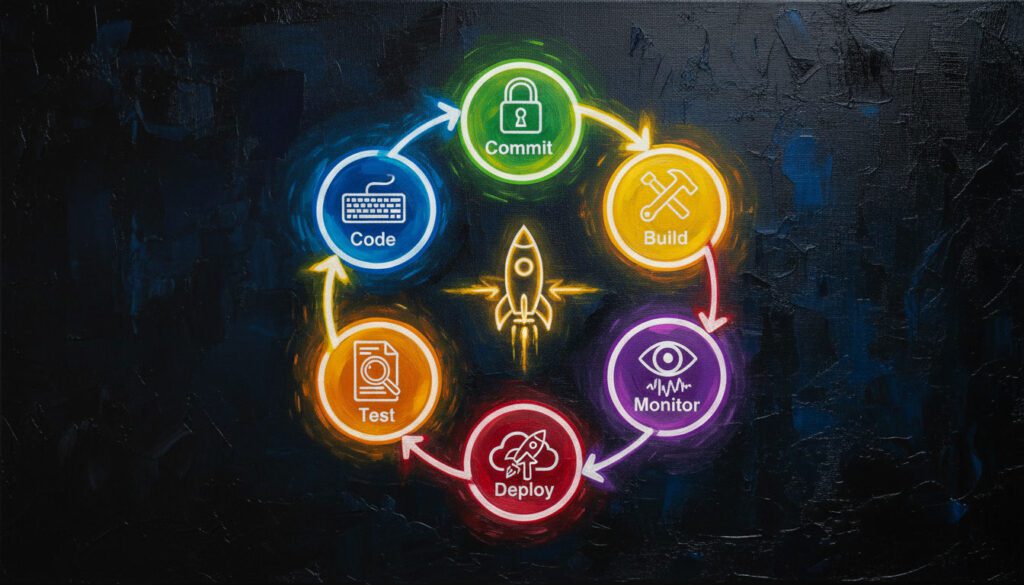
Implement Continuous Integration/Continuous Deployment (CI/CD)
CI/CD automates the process of integrating code changes, running tests, and deploying applications. This reduces manual errors and accelerates the development cycle.
CI/CD benefits:
- Automated testing catches bugs early
- Faster feedback loops
- Consistent deployment process
- Reduced integration headaches
- More frequent, smaller releases
Basic CI/CD workflow:
- Developer pushes code to repository
- CI server detects changes and triggers build
- Automated tests run
- If tests pass, code is automatically deployed (or staged for deployment)
- Team is notified of results
Popular CI/CD tools include Jenkins, GitHub Actions, GitLab CI, CircleCI, and Travis CI.
Automate Repetitive Tasks
Every minute spent on repetitive manual tasks is time not spent on creative problem-solving. Automation is one of the highest-leverage investments you can make.
Tasks to automate:
- Code formatting (Prettier, Black, ESLint)
- Test execution
- Deployment processes
- Database migrations
- Code generation for boilerplate
- Environment setup
Task runners and build tools:
- npm scripts for JavaScript projects
- Make or Gradle for multi-language projects
- Webpack for bundling
- Gulp or Grunt for task automation
Design Before You Code
Jumping straight into coding without a plan often leads to technical debt, missed requirements, and wasted time. Research shows that 50% of project defects can be traced back to incomplete or unclear requirements.
Planning best practices:
- Create a Software Requirements Specification Document (SRSD)
- Sketch out architecture diagrams
- Identify edge cases and constraints
- Consider scalability and performance requirements
- Get stakeholder buy-in before major development
Useful design tools:
- Figma or Sketch for UI mockups
- Lucidchart or Draw.io for flowcharts and diagrams
- Miro or Mural for collaborative brainstorming
- Notion or Confluence for documentation
Testing & Quality Assurance
Adopt Test-Driven Development (TDD)
TDD is a development approach where you write tests before writing the actual code. While it may seem counterintuitive, TDD produces more robust, maintainable code.
The TDD cycle (Red-Green-Refactor):
- Red: Write a failing test for the feature you want to implement
- Green: Write the minimum code necessary to make the test pass
- Refactor: Clean up the code while keeping tests passing
Benefits:
- Forces you to think about requirements and design upfront
- Provides comprehensive test coverage automatically
- Makes refactoring safer and easier
- Serves as living documentation
- Catches bugs earlier when they’re cheaper to fix
Implement Multiple Testing Levels
A robust testing strategy includes various types of tests at different levels:
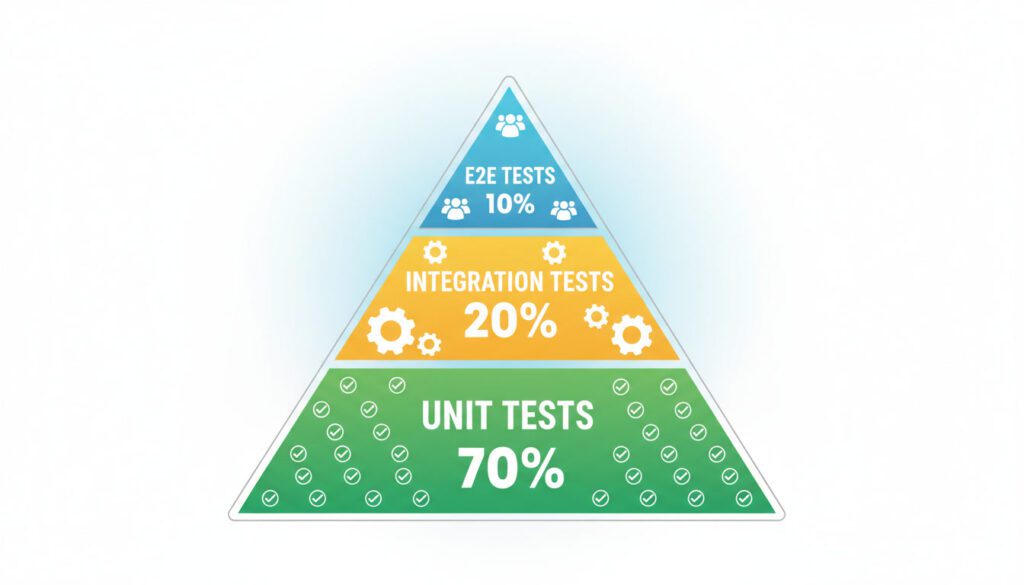
Testing pyramid:
- Unit Tests (Base – most tests): Test individual functions/methods in isolation
- Integration Tests (Middle): Test how components work together
- End-to-End Tests (Top – fewest tests): Test complete user workflows
Additional testing types:
- Regression tests: Ensure old bugs don’t resurface
- Performance tests: Verify system performs under load
- Security tests: Identify vulnerabilities
- Mutation tests: Verify test quality by introducing bugs
Achieve Meaningful Test Coverage
Test coverage measures what percentage of your code is executed during tests. While 100% coverage is ideal, aim for at least 70-80% coverage on critical business logic.
Important caveat: High coverage doesn’t guarantee quality tests. Focus on testing behavior and edge cases, not just executing every line of code.
What to test:
- Critical business logic
- Complex algorithms
- Edge cases and error conditions
- Integration points
- User workflows
- Security-sensitive code
Use Automated Testing Tools
Manual testing is time-consuming and error-prone. Automated testing frameworks allow you to run comprehensive test suites in minutes.
Popular testing frameworks:
- JavaScript: Jest, Mocha, Cypress, Playwright
- Python: pytest, unittest, Selenium
- Java: JUnit, TestNG, Mockito
- Ruby: RSpec, Minitest
Testing best practices:
- Run tests automatically in CI/CD pipeline
- Keep tests fast (unit tests in milliseconds, integration tests in seconds)
- Make tests independent (order shouldn’t matter)
- Use descriptive test names:
shouldRejectInvalidEmailFormat()nottest1()
Collaboration & Communication
Practice Effective Code Reviews
Code reviews are one of the most valuable practices in software development. They improve code quality, spread knowledge, and catch bugs before they reach production.
For code authors:
- Keep pull requests small and focused (300-400 lines max)
- Write clear descriptions explaining what and why
- Self-review before requesting others’ time
- Respond professionally to feedback
- Test thoroughly before submitting
For reviewers:
- Review code promptly (within 24 hours)
- Focus on logic, design, and maintainability, not personal style preferences
- Ask questions rather than making demands: “Could we extract this into a helper function?” vs “Extract this”
- Praise good work—positive feedback is motivating
- Use automated tools for style checks (linters)
What to look for in reviews:
- Correctness and logic errors
- Security vulnerabilities
- Performance concerns
- Code maintainability and readability
- Test coverage
- Documentation updates
Communicate Clearly and Proactively
Software development is fundamentally a team sport. Poor communication is one of the leading causes of project failure.
Communication best practices:
- Over-communicate rather than under-communicate
- Use asynchronous communication (Slack, email) for non-urgent matters
- Reserve synchronous communication (meetings, calls) for complex discussions
- Document decisions and share with the team
- Ask questions when requirements are unclear—assumptions are expensive
- Provide regular status updates
- Be responsive to blockers affecting teammates
Participate in Pair Programming
Pair programming involves two developers working together at one workstation—one “driver” typing and one “navigator” reviewing and guiding.
Benefits:
- Real-time code review and knowledge transfer
- Reduces bugs through immediate feedback
- Excellent for onboarding new team members
- Spreads expertise across the team
- Improves focus and reduces distractions
Best practices:
- Switch roles regularly (every 20-30 minutes)
- Use it selectively for complex problems or knowledge sharing
- Ensure both participants are engaged
- Be patient and respectful
Document Thoroughly
Good documentation saves countless hours of confusion and makes onboarding new team members significantly easier.
What to document:
- README files: Project overview, setup instructions, common commands
- API documentation: Endpoints, parameters, responses
- Architecture decisions: Why certain technical choices were made
- Code comments: Complex logic and non-obvious decisions
- Runbooks: How to handle common issues and deployments
Documentation tools:
- Markdown files in repository
- Swagger/OpenAPI for API documentation
- JSDoc, Javadoc for inline code documentation
- Confluence or Notion for team wikis
- Architecture Decision Records (ADRs) for major decisions
Productivity & Time Management
Protect Your Deep Work Time
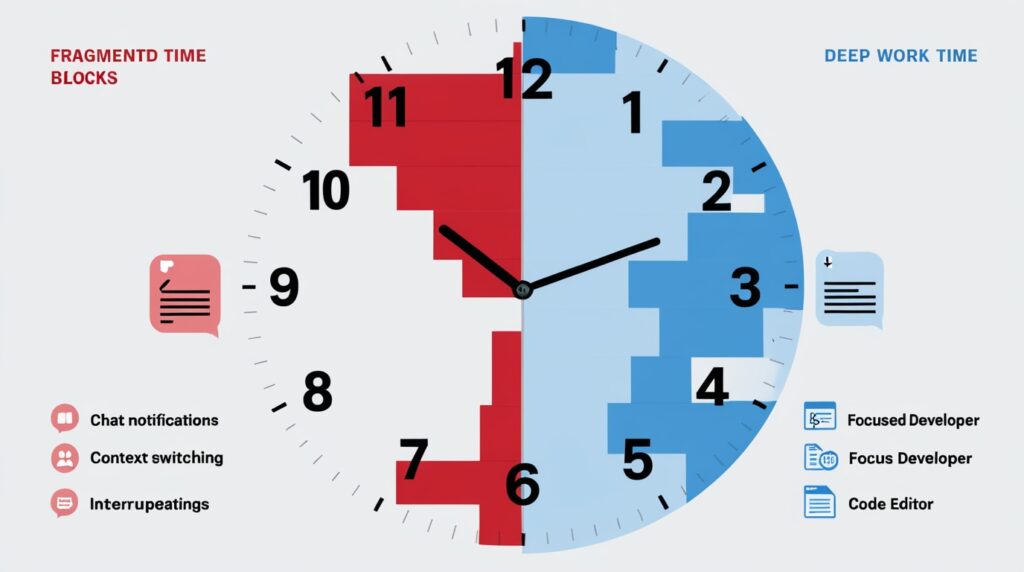
Developers need uninterrupted blocks of focused time to solve complex problems. Research shows that context switching can reduce productivity by up to 40% and costs companies approximately $50,000 per developer annually in lost productivity.
Strategies for deep work:
- Block scheduling: Reserve 2-4 hour blocks for focused coding
- No-meeting days: Designate certain days (like “No Meeting Wednesdays”) for deep work
- Core hours: Define 2-4 hours daily when you’re unavailable for meetings
- Communication boundaries: Turn off notifications during focus time
- Office hours: Set specific times when you’re available for questions
Use the Pomodoro Technique (Strategically)
The Pomodoro Technique involves working in 25-minute focused sprints followed by 5-minute breaks. While popular, use it thoughtfully with development work.
Modified approach for developers:
- Use longer intervals (45-90 minutes) since getting “in the zone” takes time
- Take breaks between logical milestones, not arbitrary timers
- Use breaks for physical movement, not context switching to other work
Minimize Context Switching
Every time you switch tasks, your brain experiences “attention residue”—lingering thoughts from the previous task that impair performance on the new one. Studies show it can take 20+ minutes to fully regain focus after an interruption.
Reducing context switching:
- Batch similar tasks together (all code reviews, all email responses)
- Use time blocking for different types of work
- Close unnecessary browser tabs and applications
- Use Do Not Disturb modes
- Check Slack/email at designated times, not constantly
Leverage AI and Productivity Tools
Modern AI tools can significantly accelerate development when used appropriately:
AI coding assistants:
- GitHub Copilot: AI-powered code completion and generation
- Tabnine: Context-aware code suggestions
- ChatGPT/Claude: Problem-solving, code explanation, debugging assistance
- Sourcegraph Cody: Code search and AI assistance
Important caveats:
- Always review AI-generated code carefully
- Verify security and correctness
- Use as a productivity enhancer, not a replacement for understanding
- AI tools work best for boilerplate and common patterns
Use Code Snippets and Templates
Developers often write similar code patterns repeatedly. Code snippets save significant time.
Creating effective snippets:
- Identify patterns you type frequently
- Create snippets for boilerplate (component structure, test templates)
- Use placeholder variables for customization
- Organize snippets by language and context
Popular snippet tools:
- VS Code snippets (built-in)
- TextExpander
- Alfred (macOS)
- Espanso (cross-platform)
Manage Your Energy, Not Just Time
Productivity isn’t just about hours worked—it’s about energy management. Your mental state dramatically affects code quality.
Energy management strategies:
- Sleep: Developers who sleep well make fewer errors and solve problems faster
- Exercise: Regular movement reduces stress and improves cognitive function
- Breaks: Step away from the computer regularly to maintain focus
- Nutrition: Eat well-balanced meals; avoid sugar crashes
- Environment: Optimize lighting, ergonomics, and workspace
Work on the Right Things
Being busy doesn’t equal being productive. Focus on high-impact work.
Prioritization frameworks:
- Eisenhower Matrix: Urgent vs Important quadrants
- ABCDE Method: Rank tasks by importance and tackle As first
- 80/20 Rule: Focus on the 20% of work that produces 80% of results
Saying no:
- Not every feature request deserves immediate attention
- Evaluate ROI before committing to work
- Push back on scope creep
- Focus on core features before nice-to-haves (YAGNI)
Security Best Practices
Treat Security as a First-Class Concern
Security cannot be an afterthought. With data breaches costing companies millions, security must be baked into the development process from day one.
Security-first mindset:
- Consider security implications during design
- Assume all external input is malicious
- Follow the principle of least privilege
- Keep security knowledge current—threats evolve rapidly
Never Trust User Input
One of the cardinal rules of secure coding: always validate and sanitize user input. Many of the most common vulnerabilities stem from trusting data from users.
Input validation practices:
- Whitelist validation: Only accept known-good input
- Type checking: Ensure data matches expected types
- Length restrictions: Enforce maximum input lengths
- Sanitization: Remove or encode dangerous characters
- Rate limiting: Prevent brute force and DoS attacks
Common vulnerabilities to prevent:
- SQL Injection: Use parameterized queries, never concatenate SQL with user input
- Cross-Site Scripting (XSS): Escape/encode output, use Content Security Policy
- Cross-Site Request Forgery (CSRF): Use anti-CSRF tokens
- Command Injection: Avoid system calls with user input
Keep Dependencies Updated
Third-party libraries and frameworks often contain security vulnerabilities. Keeping dependencies current is crucial.
Dependency management:
- Regularly audit dependencies for known vulnerabilities
- Use tools like npm audit, Snyk, or Dependabot
- Update dependencies promptly when security patches are released
- Remove unused dependencies
- Research libraries before adding them to your project
Follow Secure Coding Standards
Adhere to established secure coding guidelines for your language and framework:
- OWASP Top 10: Essential web application security risks
- CWE/SANS Top 25: Most dangerous software errors
- Language-specific guides: Java Secure Coding Guidelines, Ruby Security Guide, etc.
Implement Authentication and Authorization Properly
Authentication (who you are) and authorization (what you can do) are security cornerstones.
Best practices:
- Use established authentication libraries (OAuth, OpenID Connect)
- Never store passwords in plain text—use bcrypt, Argon2, or similar
- Implement multi-factor authentication (MFA) for sensitive operations
- Use JWT tokens with appropriate expiration times
- Check authorization at every access point, not just UI layer
- Follow the principle of least privilege
Career Development & Continuous Learning
Embrace Lifelong Learning
The software development field evolves rapidly. Technologies, frameworks, and best practices that are cutting-edge today may be obsolete in five years. Continuous learning isn’t optional—it’s essential for career longevity.
Learning strategies:
- Dedicate time weekly: Set aside 3-5 hours per week for learning
- Follow industry leaders: Read blogs, watch conference talks, listen to podcasts
- Read technical books: “Clean Code,” “Design Patterns,” “Pragmatic Programmer”
- Take online courses: Coursera, Udemy, Pluralsight, Frontend Masters
- Stay current: Follow release notes and changelogs for your tech stack
What to learn:
- New languages and frameworks (but don’t chase every trend)
- Adjacent technologies (if you’re a frontend dev, learn some backend)
- Software architecture and design patterns
- DevOps and infrastructure
- Soft skills (communication, leadership, estimation)
Build Projects and Contribute to Open Source
Theoretical knowledge is valuable, but practical experience is irreplaceable. Building projects and contributing to open source accelerates learning and demonstrates skills.
Personal projects benefits:
- Apply concepts in real contexts
- Build a portfolio to showcase skills
- Experiment without workplace constraints
- Learn from mistakes in low-stakes environment
Open source contributions:
- Gain real-world collaborative experience
- Learn from experienced maintainers
- Build professional network
- Make meaningful contributions to tools you use
- Start small: documentation, bug fixes, then features
Where to find projects:
- GitHub Explore
- First Timers Only
- Good First Issue
- CodeTriage
- Up For Grabs
Develop Problem-Solving Skills
Programming is fundamentally about problem-solving. Strong problem-solving ability separates good developers from great ones.
Improving problem-solving:
- Practice coding challenges: LeetCode, HackerRank, CodeSignal, Project Euler
- Break down problems: Divide complex problems into smaller, manageable parts
- Think algorithmically: Analyze time and space complexity
- Pattern recognition: Identify common problem patterns (two pointers, sliding window, etc.)
- Work on paper: Sketch out solutions before coding
- Solve puzzles: Riddles, chess, strategic games improve logical thinking
Network and Build Community
Professional relationships significantly impact career growth. The developer community is generally welcoming and knowledge-sharing.
Networking activities:
- Attend meetups and conferences (both local and virtual)
- Participate in online communities (Reddit, Discord, Stack Overflow, Dev.to)
- Share knowledge through blog posts or talks
- Mentor junior developers
- Join study groups or coding clubs
- Connect on LinkedIn and Twitter
Benefits of community involvement:
- Learn from others’ experiences
- Discover job opportunities
- Find mentors and collaborators
- Stay motivated and inspired
- Give back and help others
Understand the Business
Great developers don’t just write code—they solve business problems. Understanding the business context makes you vastly more valuable.
Business understanding includes:
- Your company’s business model and revenue sources
- Customer needs and pain points
- Competitive landscape
- Key performance metrics and success criteria
- How technical decisions impact business outcomes
Why this matters:
- Better prioritization of features
- More effective communication with stakeholders
- Improved technical design decisions
- Increased ability to influence strategy
- Higher career advancement potential
Tools & Technologies
Choose the Right Tools for the Job
Tools should serve your needs, not the other way around. Don’t use a technology just because it’s trendy—use it because it solves your problem effectively.
Tool selection criteria:
- Fit for the problem domain
- Team expertise and learning curve
- Community support and ecosystem
- Long-term maintenance and viability
- Performance requirements
- License and cost considerations
Master Your IDE
Your integrated development environment (IDE) or code editor is your primary tool. Mastering it yields enormous productivity gains.
Popular IDEs and editors:
- VS Code: Versatile, excellent extensions, free
- IntelliJ IDEA: Superior for Java/Kotlin
- PyCharm: Python-focused with smart features
- Vim/Neovim: Keyboard-driven, highly customizable
- Sublime Text: Fast and lightweight
IDE mastery techniques:
- Learn keyboard shortcuts (aim to minimize mouse use)
- Customize your workspace and themes
- Install productivity extensions
- Use code navigation features (go to definition, find references)
- Master debugging tools
- Set up code snippets
Essential keyboard shortcuts to learn:
- Quick file search
- Symbol search
- Multi-cursor editing
- Refactoring operations
- Go to definition/implementation
- Find and replace (with regex)
Use Debuggers, Not Just Print Statements
While console.log() or print() statements have their place, proper debugging tools are far more powerful for complex issues.
Debugger benefits:
- Step through code line by line
- Inspect variable values at any point
- Set conditional breakpoints
- Examine call stacks
- Watch expressions in real-time
- Modify values during execution
Debugging best practices:
- Reproduce the bug consistently
- Isolate the problem area
- Form hypotheses and test them
- Use binary search approach (eliminate half the code at a time)
- Understand the bug before fixing it
- Write a test to prevent regression
Leverage Command Line and Scripting
Command line proficiency makes many tasks faster and automatable. Basic shell scripting is an extremely high-leverage skill.
Essential command line skills:
- File system navigation and manipulation
- Process management
- Text processing (grep, sed, awk)
- SSH for remote server access
- Git operations
- Package managers (npm, pip, apt, brew)
Shell scripting benefits:
- Automate repetitive tasks
- Create custom tools
- Process data efficiently
- Manage deployments
- Set up environments
Advanced Tips for Experienced Developers
Think in Systems
As you gain experience, shift from thinking about individual features to thinking about systems. Consider scalability, maintainability, performance, and how components interact.
Systems thinking includes:
- Architecture patterns (microservices, event-driven, layered)
- Data flow and dependencies
- Failure modes and resilience
- Performance and scalability characteristics
- Operational concerns (monitoring, logging, debugging)
Design for Scalability
Build systems that can grow with demand. Premature optimization is wasteful, but ignoring scalability entirely is dangerous.
Scalability considerations:
- Horizontal vs vertical scaling
- Database design (normalization, indexing, sharding)
- Caching strategies (application, database, CDN)
- Asynchronous processing for long-running tasks
- Stateless services for easier scaling
- Load balancing
Embrace Continuous Improvement
The best developers constantly refine their craft. Small improvements compound over time into mastery.
Kaizen approach:
- Regularly reflect on what went well and what didn’t
- Conduct retrospectives after projects
- Measure and improve key metrics
- Share learnings with the team
- Experiment with new techniques
- Refactor continuously
Lead by Example
Senior developers influence team culture and practices. Model the behaviors you want to see.
Leadership through code:
- Write exemplary code that others can learn from
- Share knowledge generously
- Mentor junior developers
- Advocate for best practices
- Take initiative on improvements
- Stay humble and keep learning
Balance Pragmatism and Perfectionism
Perfect is the enemy of done. Effective developers know when to ship “good enough” and when to invest in quality.
Pragmatic engineering:
- Consider time-to-market vs technical debt tradeoffs
- Differentiate between critical and non-critical paths
- Understand which corners can be cut temporarily
- Document technical debt for future addressing
- Ship iteratively—version 1.0 doesn’t need every feature
- Focus on user value, not abstract perfection
Conclusion: Your Development Journey
Software development is a continuous journey of learning, creating, and improving. The tips in this guide represent years of accumulated wisdom from developers across the industry.
Key takeaways:
- Master fundamentals before chasing trends
- Write clean, maintainable code that others can understand
- Test thoroughly and catch bugs early
- Collaborate effectively through reviews, documentation, and communication
- Protect your focus time and manage energy, not just time
- Never stop learning—the field evolves constantly
- Build things—practical experience beats theoretical knowledge
- Understand the business context of what you build
- Think in systems as you gain experience
- Share your knowledge and help others grow
Remember: Every expert developer was once a beginner who didn’t give up. Progress happens gradually through consistent effort. Don’t try to implement everything at once—pick a few practices that resonate with you, master them, then add more.
The most important tip of all: Write code, make mistakes, learn, and keep going. That’s how great developers are made.
Additional Resources
Books
- “Clean Code” by Robert C. Martin
- “The Pragmatic Programmer” by Andy Hunt and Dave Thomas
- “Design Patterns” by Gang of Four
- “Refactoring” by Martin Fowler
- “You Don’t Know JS” series by Kyle Simpson
Websites & Platforms
- Stack Overflow (questions and answers)
- GitHub (code hosting and open source)
- Dev.to (developer community)
- freeCodeCamp (learning platform)
- Coursera, Udemy, Pluralsight (online courses)
Practice Platforms
- LeetCode (algorithm practice)
- HackerRank (coding challenges)
- Codewars (gamified learning)
- Project Euler (mathematical programming)
- Exercism (mentored practice)
Stay Updated
- Hacker News
- Reddit (/r/programming, language-specific subreddits)
- Twitter/X (follow industry leaders)
- Conference talks (YouTube)
- Podcasts (Syntax, Software Engineering Daily, Changelog)
Start your journey today. Pick one tip from this guide and implement it this week. Your future self will thank you.