Looking for the most accurate Robux to USD calculator? There is one free tool that handles everything: player purchases, Developer Exchange (DevEx) cashouts, marketplace taxes, and more.
What is Robux?
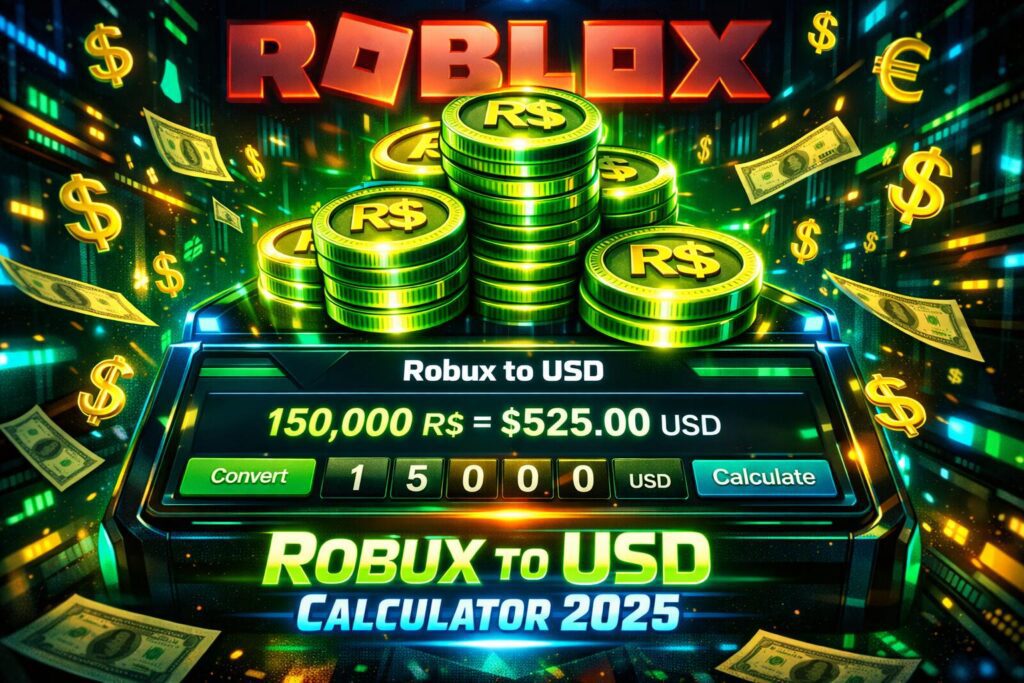
Robux is Roblox’s official virtual currency, powering the entire economy on the platform. Players spend it on:
- Avatar customizations (clothing, accessories, animations, bodies, heads).
- Game passes and developer products for premium in-game features.
- Premium memberships for monthly stipends and bonuses.
How to get Robux for free? Developers earn Robux when players buy items or engage in their experiences (e.g., via sales, engagement payouts). Only Earned Robux (not purchased) qualifies for DevEx cashouts to real USD. Roblox takes a cut on transactions, but creators keep the majority. How to get free Robux? Everyone can trade items for Robux, but only Roblox Premium members can sell for it.
Key Facts:
- Introduced in 2007; named after “Roblox” + “bucks.”
- Purchased with real money; no direct player-to-player cash trades (DevEx only for devs).
- Regional pricing available for global accessibility (lower in some countries).
Key Features
- Instant conversions for players buying Robux or developers cashing out.
- DevEx calculator with dual rates (old and new).
- Marketplace tax calculator (30% standard fee on sales).
- USD to Robux and Robux to USD in both directions.
- Mobile-friendly, no sign-up required, completely free.
Current Robux Exchange Rates
How much is Robux? We try to explian.
- Players (buying Robux): Approximately $0.0125 per Robux (or $1.25 for 100 Robux). Premium members get bonuses on purchases. How much Robux is 20 dollars? To count this you need a Robux calculator.
- Developers (DevEx cashouts):
- Earned before September 5, 2025: $0.0035 per Robux ($105 for 30,000 Robux).
- Earned on/after September 5, 2025: $0.0038 per Robux ($114 for 30,000 Robux).
- Marketplace Tax: 30% fee on most sales (e.g., game passes, clothing).
DevEx Requirements
To cash out Robux through DevEx:
- Minimum 30,000 Earned Robux (qualifies for ~$105–$114 USD depending on rate).
- Be at least 13 years old.
- Verified email and valid DevEx portal account.
- In good standing with Roblox Terms of Use and Community Standards.
- One request per month.
How to Buy Robux (Player Calculator)
Roblox offers fixed packages (prices may vary slightly by region or promotions; Premium adds extra Robux):
| Package | Cost (USD) | Robux Received (Base) | With Premium Bonus (Approx.) |
|---|---|---|---|
| Small | $4.99 | 400 | ~450 |
| Medium | $9.99 | 800 | ~900 |
| Large | $19.99 | 1,700 | ~2,000 |
| Mega | $49.99 | 4,500 | ~5,000 |
| Larger options | Higher | Scaled | Scaled |
For amounts not matching packages, we calculate based on the best value tier.
Robux Tax Calculator
Sellers receive ~70% after the 30% marketplace fee. Example: To net 1,000 Robux after tax, set price to ~1,429 Robux.
Why This Calculator Stands Out
- Always up-to-date with official Roblox rates and changes.
- Accurate & transparent – no hidden fees or outdated info.
- Versatile for players, developers, and traders.
- Privacy-focused – no data collected.
- Unlimited use – zero costs.
Common Questions (FAQs)
How much is 100,000 Robux in USD via DevEx?
- Pre-Sept 2025 earnings: ~$350 USD.
- Post-Sept 2025: ~$380 USD.
How much Robux is 25 dollars? Around 2,000 Robux (using the $19.99 package + Premium bonus).
How much is 1 million Robux in real money?
- Players: ~$12,500 (purchase value).
- Developers: ~$3,500–$3,800 (DevEx).
Can I exchange Robux for real money? Yes, via DevEx for eligible developers only.
Is the calculator accurate? Yes – based on official rates. Roblox may update prices or rates occasionally. Disclaimer: This is an independent tool, not affiliated with Roblox. Always check official Roblox sites for the latest details. Rates and policies can change.
How to transfer Robux to another account?
You can’t transfer Robux directly between accounts. The safest way is to buy a game pass or developer product created by the other account. After Roblox’s 30% fee, the remaining Robux go to them. You can also use group funds if both accounts are in the same group and you have permission to pay members.
How to add a Robux gift card?
To add a Robux gift card, log in to your Roblox account, go to the Redeem page, and enter the code from the card. Once redeemed, the Robux (or store credit) are added instantly to your account balance.
How to check pending Robux
You can check pending Robux by going to Roblox → Transactions → Summary. Pending Robux usually come from game pass sales, developer products, or avatar item sales.
How to claim Robux from PLS DONATE?
To claim Robux from PLS DONATE, make sure you have a game pass or donation item for sale. When someone donates, the Robux will appear as pending and will be added to your balance after Roblox’s processing time.
How long does pending Robux take?
Pending Robux usually take 3 to 7 days to become available. In some cases, it can take up to 30 days, depending on the type of transaction and Roblox’s verification process.
Who has the most Robux in Roblox?
Roblox-owned accounts have the most Robux overall. Among players and creators, large developers and item sellers usually hold the biggest balances.
How to buy Robux with Apple Pay
On iPhone or iPad, open the Roblox app, tap Buy Robux, choose a package, and select Apple Pay at checkout.
How to send Robux to a friend?
To send Robux to a friend, you can’t transfer it directly, but there are a couple of easy workarounds that Roblox allows. The most common way how to gift Robux is through a game pass or developer product: your friend creates one and sets a price, then you buy it using your Robux. After Roblox takes its 30% fee, the remaining Robux go to your friend’s account. Another option of how to give people Robux is using group funds. If you’re both in the same Roblox group and you have permission, you can distribute Robux from the group’s balance. These methods are safe, official, and widely used, so you won’t risk your account by trying to give Robux to people the right way.
Related Tools & Resources
For even more Roblox tools and calculators, check out PinkCrow.net — a trusted community hub for Roblox players and developers. They offer a wide range of free tools including advanced Robux calculators, game analytics, promo code trackers, and developer resources. Visit these popular PinkCrow pages:
- Robux to USD Converter
- DevEx Earnings Calculator
- Roblox Promo Codes & Free Robux Guide
- Roblox Game Value Tracker
PinkCrow.net is regularly updated with the latest Roblox changes and provides additional insights that complement our calculator perfectly.