Walk into any gadget forum and ask for mouse recommendations. You’ll get a wall of ZOWIE EC2s, Logitech G502s, and “just grab a DeathAdder” responses — all mice designed around the mythical average male hand, somewhere in the 18–19cm range. If your hand measures 16.5cm or less, you’ve been getting bad advice for years.
The physics aren’t complicated. A mouse that’s too large forces you into a palm-only grip, which means you’re steering with your entire arm. Arm aiming is fine for large, sweeping tracking movements, but it absolutely kills your micro-adjustment speed. The tiny, precise corrections that separate a Silver from a Global Elite — the sub-millimeter flick shot refinements on a moving target, the rapid snap to a peeking angle — those live in your wrist and fingers. A gaming mouse for small hands that prevents you from using them is actively holding you back.
Whether you’re grinding ranked in Fortnite, CS2, or Valorant, the wrong mouse size is a silent handicap most players never think to address.
The 60% Rule: Finding Your Ideal Mouse Length
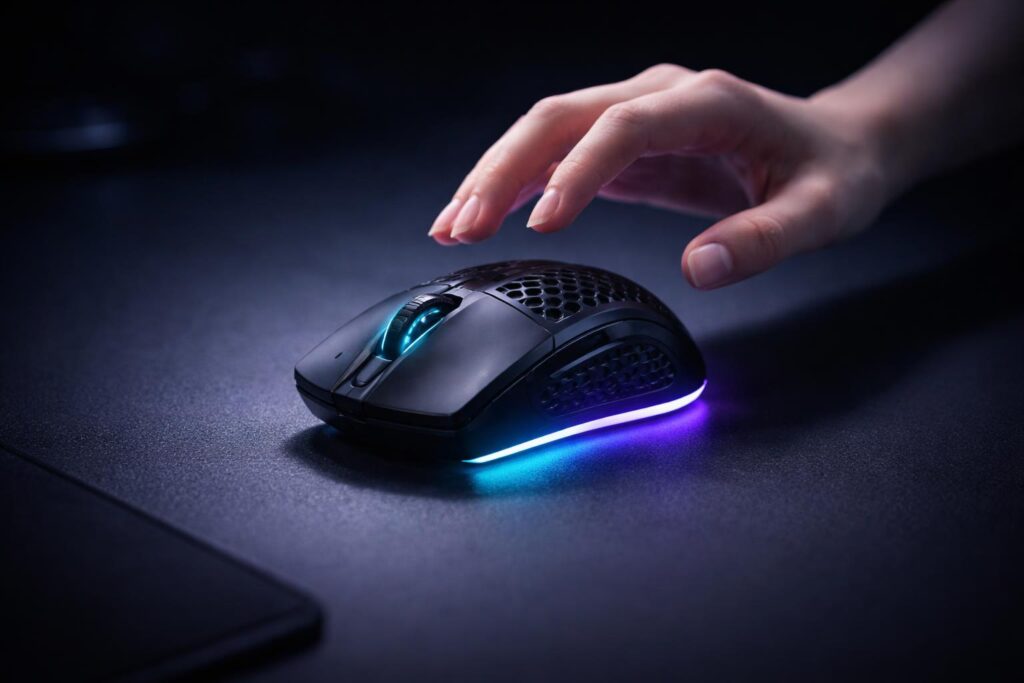
There’s a widely-referenced ergonomics heuristic in the competitive community: your mouse should be approximately 60% the length of your hand for optimal control. It’s not gospel — grip style pushes you toward slightly different numbers — but it’s a reliable starting point.
Here’s the math: a 16cm hand length suggests an ideal mouse of around 96mm. A 17cm hand lands at ~102mm. Most “standard” mice clock in at 122–130mm, meaning small-handed players are reaching for a gaming mouse that’s 25–35% too long. The result? Your fingers can’t curl properly, your ring and pinky drag along the shell, and you compensate with wrist tension that accumulates into fatigue over long sessions.
The sweet spot for most small-handed players (roughly 15–17cm) sits between 115–122mm in length. Anything under 115mm tips into pure fingertip territory — functional for some, limiting for others. This guide focuses on mice in that optimal window, with a couple of sub-115mm options for committed fingertip players.
Hump Placement Matters More Than You Think
You’ll see mice described by grip style — palm, claw, fingertip — but what actually determines which grip a mouse encourages is hump placement: where the highest point of the mouse’s back arch sits relative to its full length.
Back Hump (Closer to the Rear)
Mice with their peak positioned toward the rear third naturally push your palm down and back, encouraging a claw or semi-palm grip. For small hands with shorter fingers, this geometry is often a natural fit — your knuckles sit higher than your palm, and your fingertips make clean contact with the primary buttons near the front. This is where your precision lives.
Middle Hump (Centered)
A centered hump accommodates a full palm grip. The problem for small hands: with a centered hump on a standard-length mouse, your fingers don’t reach far enough forward to click at the button’s natural travel point. You end up clicking at the rear portion of the button, where force feedback is inconsistent and actuation feels mushy. On a properly sized short mouse, a centered hump is totally fine — but palm gripers need to prioritize shorter overall length first.
Advice:
If you claw grip, look for a back hump. If you palm grip, you need a shorter mouse with a centered hump — don’t just grab any palm mouse and hope for the best.
The Top Picks for 2026
Every gaming mouse below has been evaluated on sensor performance, click feel, build quality, scroll wheel, and — critically — real-world maneuverability for hand sizes in the 15–17cm range. We test flick shots, erratic tracking, and LOD behavior on both cloth and hard pads. These aren’t just mice for FPS — many of the best PC games of 2025 demand the same precision in third-person, RPG, and strategy contexts too.
The All-Rounder: Razer Cobra Pro
Size: 121.7 × 66.1 × 42.7mm | Weight: 77g | Sensor: Focus Pro 30K | Polling: 8,000 Hz
The Cobra Pro occupies an interesting position in Razer’s lineup: it’s the premium all-rounder that doesn’t try to be the lightest or most aggressive. What it does instead — quietly and effectively — is nail a shape that works across grip styles while staying compact enough for smaller hands.
The Gen-3 optical switches are a genuine leap over the Gen-2 units in older Razers. Actuation force sits around 0.2N with a satisfying tactile snap that prevents accidental clicks without feeling stiff. The debounce algorithm is properly dialed: zero chatter across hundreds of test clicks, input latency consistently under 1ms at 8K polling. The scroll wheel has a rubberized texture and clicks with satisfying definition, though it’s not quite the precision instrument you get on a G Pro.
The hump placement sits at roughly the rear 40% of the mouse, naturally encouraging a claw or hybrid grip. Small-handed players will find their ring finger resting comfortably on the lower right flank, giving solid lateral control for swipe-and-reset flick sequences. Side buttons are well-recessed — no accidental presses mid-gunfight. Wireless via HyperSpeed 2 runs flawlessly.
Honest caveat: At 77g, it won’t win any featherweight contests in 2026. If you’re coming from a sub-50g mouse, you’ll feel the difference during extended sessions. The palm rest material also catches sweat slightly more than you’d like during heated ranked games.
Pros:
- Gen-3 optical switches with no chatter, fast actuation, and effectively infinite lifespan
- Ships 8K-ready out of the box — no firmware gymnastics required
- Shape works for both claw and hybrid grip styles without compromise
- Exceptional build quality: no shell flex, no scroll wheel wobble
- Smooth glass skates pre-installed for immediate out-of-box glide
Cons:
- 77g is competitive-acceptable, not ultralight — a noticeable weight for extended sessions
- Razer Synapse remains bloated software; running without it means skipping firmware updates
- Premium price tag in a market where lighter mice cost less in 2026
The Competitive King: Logitech G PRO X SUPERLIGHT 2
Size: 125.9 × 63.5 × 40.0mm | Weight: 60g | Sensor: HERO 2 25K | Polling: 4,000 Hz (8K via firmware)
If you follow any professional FPS scene — CS2, Valorant, Apex — you’ve seen the SUPERLIGHT 2 more times than you can count. There’s a reason: the shape is so geometrically neutral that it works for almost every hand size. For small hands specifically, the relatively narrow 63.5mm width is a significant advantage over wider mice that force you to splay your thumb unnaturally.
Logitech’s HERO 2 sensor is a benchmark competitor even by 2026 standards. Zero spin-out at any realistic DPI, sub-pixel LOD that clips cleanly at around 1mm off the pad — exactly what you need for micro-adjustments. LIGHTSPEED wireless runs at 1ms report rate; in real-game scenarios, the latency difference versus wired is below human perceptual threshold.
The shape is symmetrical and low-profile with a slight rear hump sitting approximately at the center-back of the gaming mouse. For small hands in a claw grip, your fingertips reach the front of the primary buttons naturally, and the low 40mm height means less wrist roll during wide swipes. The clicks are mechanical with a light, snappy feel — some players find them prone to misfire with a heavy trigger pull; others love the hair-trigger responsiveness for jiggle-peeking.
Honest caveat: The SUPERLIGHT 2 ships at 4,000 Hz, not 8,000 Hz. The upgrade is available via firmware through Logitech G HUB, which isn’t the worst software in the ecosystem but is hardly lightweight. Also, 60g is impressive but no longer class-leading in 2026.
Pros:
- Universal shape — genuinely works for palm, claw, and fingertip grip styles
- 60g with no structural compromises: solid shell, full internal shielding, no honeycomb
- HERO 2 sensor is flawless for competitive play — no acceleration, no smoothing at any standard DPI
- Outstanding battery life: 70+ hours per charge at standard polling
Cons:
- Light mechanical clicks can misfire for players with a heavy, tapping-style trigger pull
- 125.9mm length is on the upper edge of the small-hand sweet spot — players under 16cm should try before buying
- 4K polling stock; 8K upgrade requires G HUB to be installed and maintained
- No onboard memory for DPI/LOD profiles without software
The Lightweight Specialist: WLmouse Beast X Mini & Pulsar X2V2 Mini
This is where things get interesting for the weight-obsessed. Both mice target the same space — ultra-low weight, small form factor, premium sensor — but take different engineering approaches.
WLmouse Beast X Mini
Size: 116.0 × 59.5 × 37.8mm | Weight: 38g | Sensor: PixArt PAW3395 | Polling: 4,000 Hz
38 grams. Let that sink in. The Beast X Mini achieves its weight target through a magnesium alloy shell — not the ABS honeycomb approach most ultralight makers use, which introduces flex and structural resonance. Magnesium construction gives you a rigid, solid-feeling shell at a weight that once required perforation.
The PAW3395 implementation is clean. LOD is minimal, motion sync compensation handles fast flick shots without spin-out, and the 4,000 Hz polling keeps input latency in the imperceptible range. The optical switches offer zero debounce delay and theoretically infinite lifespan — whether you prefer that click feel over mechanical is genuinely personal, but functionally it’s excellent. The pronounced rear hump is ideal for claw and fingertip grippers with shorter fingers.
Honest caveat: WLmouse’s software ecosystem is still maturing. Basic DPI and LOD can be configured on-board, but deeper tuning requires their companion app, which lacks the polish of Logitech or Razer’s offerings. The scroll wheel is also notably average — functional but with a plasticky click feel that doesn’t match the premium shell construction.
Pulsar X2V2 Mini
Size: 118.6 × 59.6 × 38.6mm | Weight: 46g | Sensor: PixArt PAW3395 | Polling: 8,000 Hz
The X2V2 Mini splits the difference between the Beast X Mini’s extreme weight target and the Cobra Pro’s refined polish. At 46g via a traditional ABS shell with structural ribbing (no honeycomb perforations, which keeps dust and debris out), it’s featherlight without looking like Swiss cheese.
The 8,000 Hz polling is the headline spec, and it delivers. At 8K, your micro-adjustments are registered with a granularity simply not possible at 1,000 Hz — and for small-handed players who rely on wrist and finger precision, this matters more than it does for arm-aimers. The ambidextrous shape is symmetrical with a gentle central hump that works surprisingly well for claw grip given the compact dimensions.
Honest caveat: The ABS shell accumulates fingerprints and shows surface wear faster than magnesium alternatives. The stock PTFE skates are on the thin side — if you’re a pad-slapper with an aggressive swipe style, budget for aftermarket skates within the first few months.
Pros (Both Mice):
- Sub-50g weight class unlocks wrist and finger maneuverability that heavier mice can’t match
- PAW3395 sensor: consistent, accurate, zero tracking anomalies in competitive DPI ranges (400–1600)
- Compact dimensions built for small hands — you’re not squeezing into a shape designed for larger grips
Cons (Both Mice):
- Software ecosystems are less mature than Razer/Logitech — occasional firmware hiccups require manual recovery
- Ultralight builds feel insubstantial to players coming from heavier mice — allow two weeks to adapt before judging
- Shorter battery life than heavier competitors (30–40 hours at 8K polling vs. 70+ for the SUPERLIGHT 2)
The Budget Champion: HyperX Pulsefire Haste 2 Mini
Size: 116.0 × 60.6 × 36.8mm | Weight: 52g | Sensor: PixArt PAW3395 | Polling: 8,000 Hz
The elephant in the room first: the Haste 2 Mini is wired only. For competitive play this is a non-issue — the TFT braided cable is among the most flexible in the budget category, and through a bungee its drag behavior is indistinguishable from wireless in practice. But if wireless is non-negotiable, this isn’t your mouse.
If you can live with a cable, everything else about the Haste 2 Mini is remarkable at its price point. You should not be getting a PAW3395 sensor, 8,000 Hz polling, and a 52g weight target at this price. HyperX clearly subsidized this mouse to capture market share, and the beneficiary is you.
The honeycomb shell design returns from the original Haste, though the V2 refines the hole pattern to eliminate the edge-sharp feeling that made extended sessions on the original unpleasant. Optical switches are snappy and accurate — consistent actuation with no chatter across our testing window. The clicks are slightly louder than mechanical alternatives, audible in quiet environments but irrelevant under a headset.
For small-handed players specifically, the 116mm length is ideal — dead center in the optimal window. The low 36.8mm hump height encourages a natural claw or fingertip grip, and the side buttons are large enough that thumb binds feel reliable under pressure.
Honest caveat: The scroll wheel has minor lateral wobble that doesn’t affect function but contributes to a less premium tactile impression. Honeycomb shells also require more frequent cleaning in dusty environments. Acceptable compromises at this price — stop complaining and frag out.
Pros:
- Exceptional value — PAW3395 and 8K polling at a fraction of premium pricing
- 116mm length is ideal for the 15–17cm hand size sweet spot
- Flexible TFT cable nearly eliminates wired drag through a bungee
- 52g is genuinely lightweight: maneuverability is excellent for claw and fingertip grippers
Cons:
- Wired only — no wireless option at any price in this lineup
- Louder click sound profile than optical-switch alternatives — noticeable in streaming setups
- Scroll wheel has minor lateral wobble, below the build quality of premium options
- Honeycomb shell collects dust more readily than solid alternatives
Price & Availability
All prices considered are rough estimations of current street/retail values in the US/EU for the most part without tax and shipping (exact calculations at checkout on websites out of our control). US prices are typically around 10–20% lower thanks to competition and the fact that VAT is not included in US pricing; European prices can be higher or lower depending on local taxes. Street prices vary with sales, bundles, and stock—be sure to check the listings above for the best deals year-round (like if you spot either of those premium models, the WLmouse Beast X Mini or Logitech G PRO X SUPERLIGHT 2 on sale).
| Model | US Price (approx.) | Europe Price (approx.) | Where to Buy (US) | Where to Buy (Europe) | Notes / Current Deals (2026) |
|---|---|---|---|---|---|
| Razer Cobra Pro | $99–$130 (street ~$99–$110) | €90–€130 (~$98–$142) | Amazon, Best Buy, Razer.com | Razer EU, Amazon DE/UK | Often on sale ~$99; MSRP $130; frequent discounts |
| Logitech G PRO X SUPERLIGHT 2 | $150–$180 (street ~$150–$160) | €140–€170 (~$152–$185) | Logitech G, Amazon, Best Buy | Logitech EU, Amazon DE/UK | MSRP $180; bundles/deals drop to $150; 8K upgrade free |
| WLmouse Beast X Mini | $145–$149 | €170–€180 (~$185–$196) | Wlmouse.com (US shipping) | Wlmouse.eu, MaxGaming | Premium magnesium; EU slightly higher due to import |
| Pulsar X2V2 Mini | $95–$100 (street ~$65–$100) | €90–€110 (~$98–$120) | Pulsar.gg, Amazon | Pulsar EU, Amazon DE | Budget-friendly; often $65–$80 on promo; renewed ~$55 |
| HyperX Pulsefire Haste 2 Mini | $45–$80 (street ~$45–$60) | €50–€90 (~$54–$98) | Amazon, HP.com, Best Buy | Amazon DE/UK, Euronics | Best budget; wired version cheaper; often $45 deals |
2026 Tech Specs You Actually Need to Understand
4K and 8K Polling Rates: Real Benefit or Marketing Spec?
At 1,000 Hz polling, your gaming mouse reports its position every 1ms. At 8,000 Hz, that drops to 0.125ms. The input lag reduction is real, but conditional: your PC needs to handle the increased USB bandwidth, your game needs to process inputs faster than its own frame rate, and your monitor needs to display those frames. On a 240Hz monitor running a well-optimized game with a capable CPU, 8K polling provides a measurable reduction in perceived input lag. On a 144Hz monitor with a mid-range CPU and a heavily modded game client, you’ll likely see zero difference.
The recommendation: if your system handles it without frametime spikes (monitor CPU usage — 8K polling is CPU-side processed), run 8K. If you see performance degradation, drop to 4K or 2K. Polling rate is the one spec where “more is better” carries real asterisks.
If you’re exploring newer hardware frontiers, hand fit becomes even more critical in VR gaming — where controller ergonomics mirror the same principles of grip size and fatigue we’ve covered here.
Optical vs. Mechanical Switches
Mechanical switches use a physical electrical contact. They have a tactile, defined click feel most players are familiar with, but require a debounce delay (typically 4–8ms) to suppress electrical chatter. Optical switches use a light beam interruption — signal sent instantly, no chatter possible by design, no debounce delay needed.
Which is better? Neither. Optical switches have a slightly different tactile profile some players find less satisfying, and in blind tests the actuation speed difference is imperceptible. Choose based on feel preference, not spec sheets. Both are reliable in 2026 implementations from any reputable manufacturer.
Quick Comparison small hands mice
| Model | Weight | Sensor | Polling Rate | Best Grip Type |
|---|---|---|---|---|
| Razer Cobra Pro | 77g | Focus Pro 30K | 8,000 Hz | Claw / Fingertip |
| Logitech G PRO X SUPERLIGHT 2 | 60g | HERO 2 25K | 4,000 Hz | Palm / Claw / Fingertip |
| WLmouse Beast X Mini | 38g | PAW3395 | 4,000 Hz | Fingertip / Claw |
| Pulsar X2V2 Mini | 46g | PAW3395 | 8,000 Hz | Fingertip / Claw |
| HyperX Pulsefire Haste 2 Mini | 52g | PAW3395 | 8,000 Hz | Claw / Fingertip |
Final Verdict: What Should You Actually Buy?
For most players who want a do-it-all competitive mouse: the Logitech G PRO X SUPERLIGHT 2. The shape works, the weight is class-appropriate, the sensor is flawless. It’s the answer when you don’t want to second-guess yourself.
For players who prioritize maneuverability above everything else: the WLmouse Beast X Mini. 38g is a fundamentally different experience. Once you’ve adapted — and it does require adaptation — your micro-adjustments will feel frictionless in a way heavier mice simply cannot replicate.
For the budget-conscious competitive player: the HyperX Pulsefire Haste 2 Mini, without hesitation. At its price point, nothing else is in the conversation.
For the refined all-rounder with a premium ecosystem: the Razer Cobra Pro. It may not win any single category outright, but it doesn’t lose anything either.
Your mouse isn’t your aim. But an ill-fitting mouse is a consistent tax on it — a friction cost collected on every micro-adjustment, every flick correction, every repositioning after a long swipe. Get the right size, trust the sensor, and go play.